
Old Photo Restoration Studio
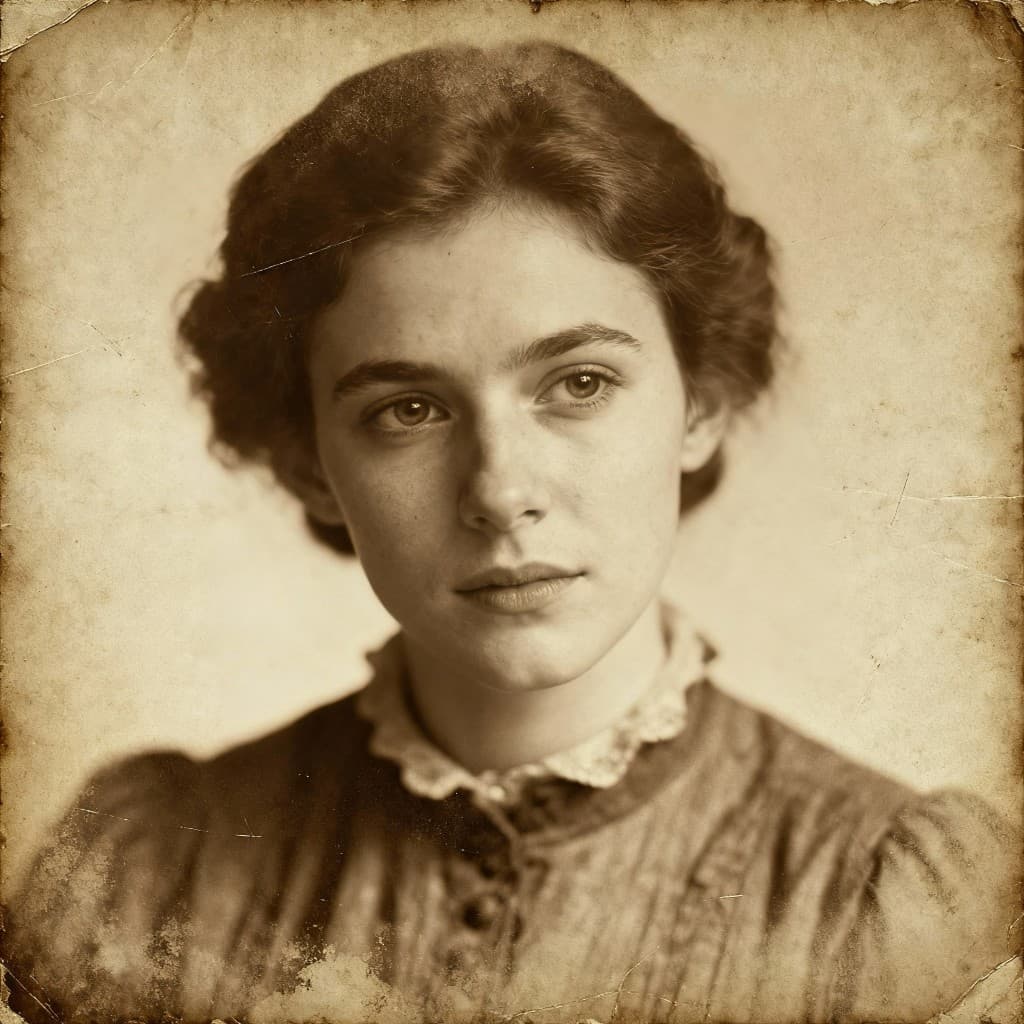
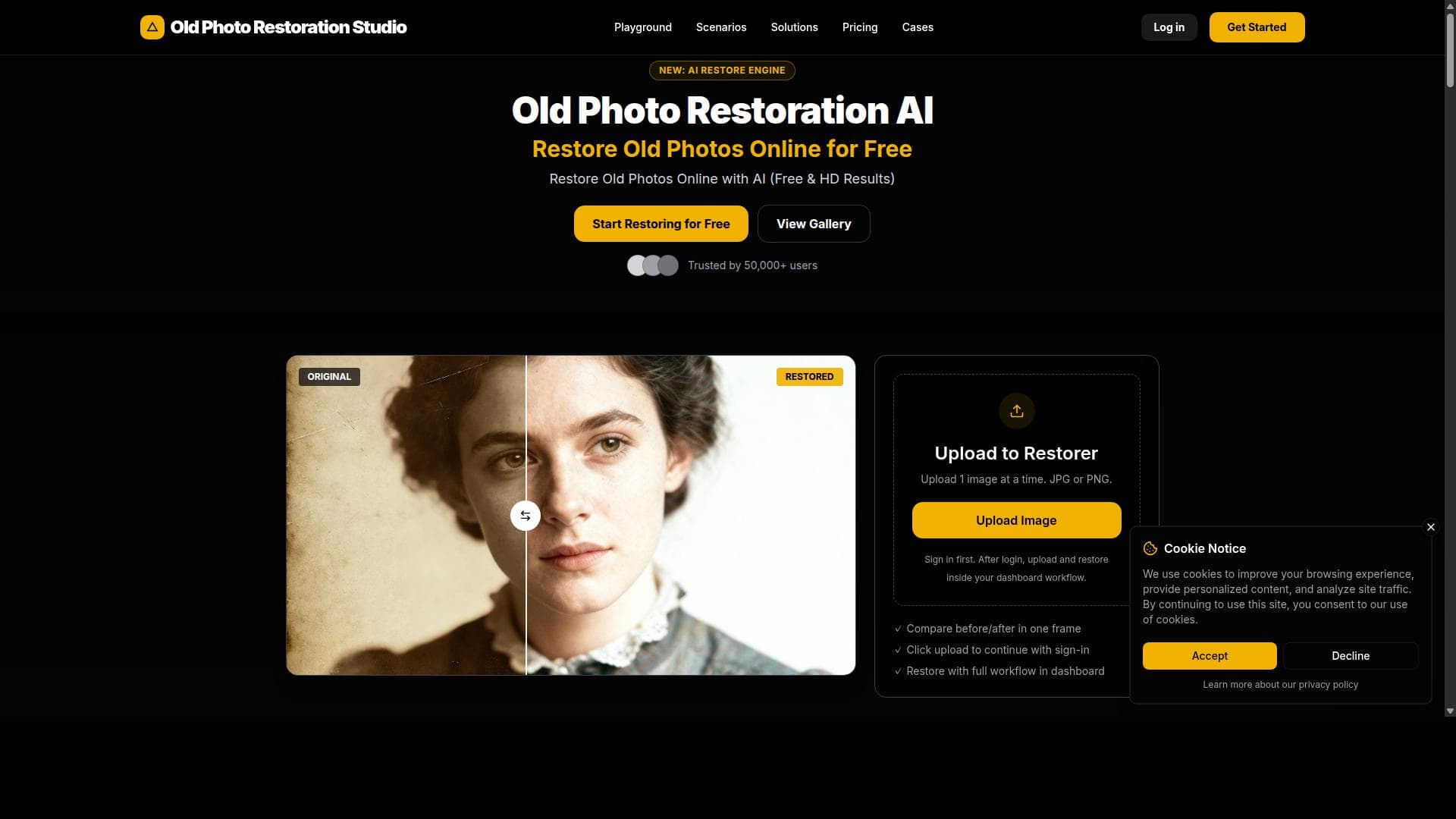


Old Photo Restoration Studio is a powerful AI-driven online tool that restores and enhances old, damaged, or black and white photos with ease. Perfect for individuals and professionals alike, it repairs physical damage, colorizes monochrome images, and upscales photos for high-quality prints, preserving precious memories effortlessly.

Descripción
Old Photo Restoration Studio is an online AI-powered tool designed to restore old photos, pictures, and photographs. It repairs scratches, cracks, and stains, fixes yellowed colors, colorizes black and white photos, enhances blurry faces, and upscales old photos for printing. This tool helps preserve and renew precious memories by improving the quality and appearance of aged photographs.
Descripción detallada
Old Photo Restoration Studio is a sophisticated online AI-powered tool specifically designed to breathe new life into aged, damaged, or faded photographs. Its core purpose is to help users preserve and renew precious memories captured in old photos by repairing physical and color degradation that occurs over time. Whether you have family portraits, historical images, or treasured snapshots that have suffered from scratches, cracks, stains, or yellowing, this tool offers a comprehensive digital restoration solution that is accessible from any web browser without the need for advanced photo editing skills. At the heart of Old Photo Restoration Studio are several advanced AI-driven features that work together to restore and enhance old photographs. The tool automatically detects and repairs common physical damages such as scratches, cracks, and stains, seamlessly blending the corrections with the original image to maintain authenticity. It also addresses color degradation by fixing yellowed or faded colors, restoring the photo’s original vibrancy. For black and white photos, the tool provides a colorization feature that intelligently adds realistic colors based on the image content, bringing monochrome images to life with natural hues. Additionally, it enhances blurry or low-resolution faces, particularly useful for family portraits where facial details are crucial. The tool also offers upscaling capabilities, allowing users to increase the resolution of old photos to produce high-quality prints without losing detail or introducing artifacts. Old Photo Restoration Studio is ideal for a wide range of users, including individuals looking to preserve family history, professional photographers and archivists who manage historical collections, and anyone interested in restoring vintage photos for personal or commercial use. It is especially useful for those who lack the technical expertise or time to manually restore photos using complex software like Photoshop. The tool’s user-friendly interface and automated processes make it accessible to novices, while its powerful AI ensures professional-grade results. Use cases include restoring heirloom photos for digital albums, preparing images for printing or framing, and revitalizing black and white photos for modern presentations or publications. Regarding pricing, Old Photo Restoration Studio typically offers a tiered model, including a free trial or limited free restorations to test the service. Paid plans generally provide access to higher resolution outputs, batch processing, and priority support. Pricing details are available on their website, and users can choose plans based on their restoration volume and quality needs. This flexible pricing structure makes it accessible for casual users as well as professionals requiring frequent or bulk restorations. When compared to alternatives, Old Photo Restoration Studio stands out for its all-in-one approach combining scratch repair, color correction, colorization, face enhancement, and upscaling in a single platform. Many competitors focus on only one or two aspects of photo restoration, requiring users to employ multiple tools. Its web-based interface eliminates the need for software installation and offers faster turnaround times through AI automation. However, while it excels in automated restoration, it may not offer the same level of manual control or customization as professional desktop software, which could be a consideration for expert users seeking fine-tuned edits. Notable limitations include the reliance on AI algorithms that may occasionally misinterpret image details, especially in severely damaged or extremely low-quality photos, leading to less accurate restorations. The colorization feature, while impressive, may not perfectly match historical colors due to the inherent challenges of AI guessing original hues. Additionally, users should be mindful of privacy and data security when uploading personal photos to any online service. Overall, Old Photo Restoration Studio offers a powerful, convenient, and user-friendly solution for restoring and enhancing old photographs, making it an excellent choice for preserving visual history with minimal effort.
Características de la herramienta
- Restore old photos online
- Repair scratches, cracks, and stains
- Colorize black and white photos
- Enhance blurry faces in family portraits
- Upscale old photos for printing
Descripción
Old Photo Restoration Studio is a powerful AI-driven online tool that restores and enhances old, damaged, or black and white photos with ease. Perfect for individuals and professionals alike, it repairs physical damage, colorizes monochrome images, and upscales photos for high-quality prints, preserving precious memories effortlessly.
Old Photo Restoration Studio is an online AI-powered tool designed to restore old photos, pictures, and photographs. It repairs scratches, cracks, and stains, fixes yellowed colors, colorizes black and white photos, enhances blurry faces, and upscales old photos for printing. This tool helps preserve and renew precious memories by improving the quality and appearance of aged photographs.
Descripción detallada
Old Photo Restoration Studio is a sophisticated online AI-powered tool specifically designed to breathe new life into aged, damaged, or faded photographs. Its core purpose is to help users preserve and renew precious memories captured in old photos by repairing physical and color degradation that occurs over time. Whether you have family portraits, historical images, or treasured snapshots that have suffered from scratches, cracks, stains, or yellowing, this tool offers a comprehensive digital restoration solution that is accessible from any web browser without the need for advanced photo editing skills. At the heart of Old Photo Restoration Studio are several advanced AI-driven features that work together to restore and enhance old photographs. The tool automatically detects and repairs common physical damages such as scratches, cracks, and stains, seamlessly blending the corrections with the original image to maintain authenticity. It also addresses color degradation by fixing yellowed or faded colors, restoring the photo’s original vibrancy. For black and white photos, the tool provides a colorization feature that intelligently adds realistic colors based on the image content, bringing monochrome images to life with natural hues. Additionally, it enhances blurry or low-resolution faces, particularly useful for family portraits where facial details are crucial. The tool also offers upscaling capabilities, allowing users to increase the resolution of old photos to produce high-quality prints without losing detail or introducing artifacts. Old Photo Restoration Studio is ideal for a wide range of users, including individuals looking to preserve family history, professional photographers and archivists who manage historical collections, and anyone interested in restoring vintage photos for personal or commercial use. It is especially useful for those who lack the technical expertise or time to manually restore photos using complex software like Photoshop. The tool’s user-friendly interface and automated processes make it accessible to novices, while its powerful AI ensures professional-grade results. Use cases include restoring heirloom photos for digital albums, preparing images for printing or framing, and revitalizing black and white photos for modern presentations or publications. Regarding pricing, Old Photo Restoration Studio typically offers a tiered model, including a free trial or limited free restorations to test the service. Paid plans generally provide access to higher resolution outputs, batch processing, and priority support. Pricing details are available on their website, and users can choose plans based on their restoration volume and quality needs. This flexible pricing structure makes it accessible for casual users as well as professionals requiring frequent or bulk restorations. When compared to alternatives, Old Photo Restoration Studio stands out for its all-in-one approach combining scratch repair, color correction, colorization, face enhancement, and upscaling in a single platform. Many competitors focus on only one or two aspects of photo restoration, requiring users to employ multiple tools. Its web-based interface eliminates the need for software installation and offers faster turnaround times through AI automation. However, while it excels in automated restoration, it may not offer the same level of manual control or customization as professional desktop software, which could be a consideration for expert users seeking fine-tuned edits. Notable limitations include the reliance on AI algorithms that may occasionally misinterpret image details, especially in severely damaged or extremely low-quality photos, leading to less accurate restorations. The colorization feature, while impressive, may not perfectly match historical colors due to the inherent challenges of AI guessing original hues. Additionally, users should be mindful of privacy and data security when uploading personal photos to any online service. Overall, Old Photo Restoration Studio offers a powerful, convenient, and user-friendly solution for restoring and enhancing old photographs, making it an excellent choice for preserving visual history with minimal effort.
Preguntas frecuentes
What is Old Photo Restoration Studio?
Old Photo Restoration Studio is an online AI-powered tool designed to restore and enhance old photographs by repairing scratches, cracks, stains, fixing yellowed colors, colorizing black and white photos, enhancing blurry faces, and upscaling images for printing.
How much does Old Photo Restoration Studio cost?
Old Photo Restoration Studio offers a tiered pricing model that typically includes a free trial or limited free restorations, with paid plans providing higher resolution outputs, batch processing, and additional features. Exact pricing details are available on their website.
Who is Old Photo Restoration Studio best for?
This tool is ideal for individuals wanting to preserve family memories, professional photographers, archivists managing historical collections, and anyone seeking an easy-to-use solution for restoring old or damaged photos without advanced editing skills.
What are the main features of Old Photo Restoration Studio?
Key features include automatic repair of scratches, cracks, and stains; correction of yellowed or faded colors; AI-powered colorization of black and white photos; enhancement of blurry faces in portraits; and upscaling of images for high-quality printing.
Does Old Photo Restoration Studio offer a free trial?
Yes, Old Photo Restoration Studio generally provides a free trial or limited free restorations so users can test the tool’s capabilities before committing to a paid plan.
What integrations does Old Photo Restoration Studio support?
Old Photo Restoration Studio primarily functions as a standalone web-based tool and does not currently offer direct integrations with other platforms or software.
How does Old Photo Restoration Studio work?
Users upload their old or damaged photos to the online platform, where AI algorithms analyze and automatically repair physical damage, correct colors, colorize black and white images, enhance facial details, and upscale resolution, delivering restored photos ready for download.
Reseñas
Aún no hay reseñas. Sé el primero en compartir tu experiencia.




















































