Destacado en:Best AI Writing Tools
Destácate →🚀 Zaprep: Tus redes sociales al máximo. Empezar gratis — automatiza 1,000 DMs/mes y convierte el engagement en leads. con 1,000 DMs automatizados/mes.
Enviar tu herramienta
25,000+ herramientas de IA ya listadas
25K+Herramientas
400K+/moVistas
105K+/moVisitantes


✦
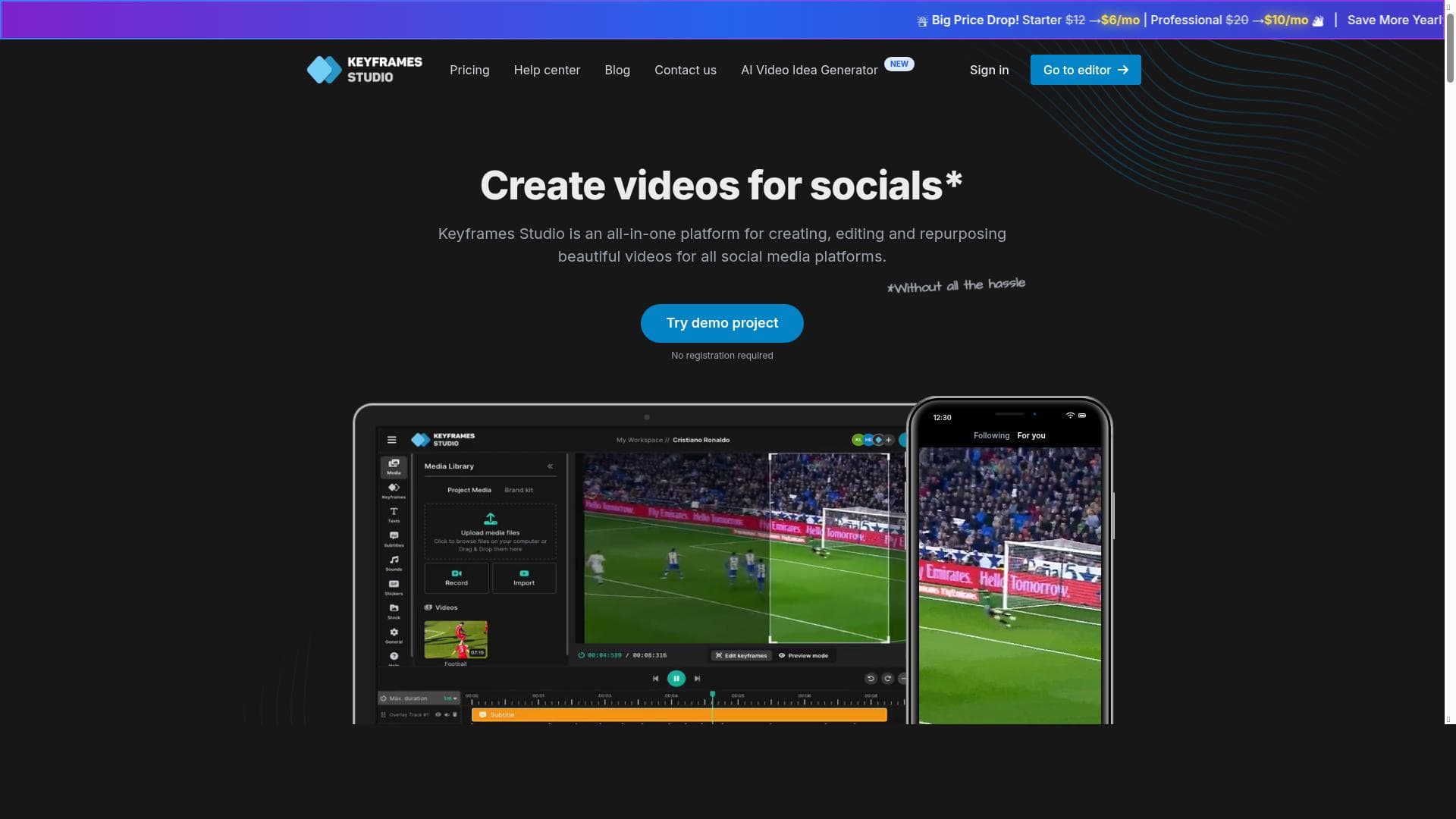
Keyframes Studio is a powerful all-in-one video editing platform that leverages AI to simplify social media video creation, enabling users to produce polished content quickly without complex software. Ideal for marketers, influencers, and teams, it offers automatic keyframing, catchy subtitles, brand kits, and seamless collaboration to streamline video production and sharing.
Descripción
Keyframes Studio is an all-in-one platform for creating, editing, and repurposing videos for social media platforms. It has an intuitive interface that provides a smooth and quick editing experience, allowing users to upload their own media or record screen and camera, set keyframes, and export the video or post it directly to social media. It also has an Artificial Intelligence feature that can create keyframes and catchy subtitles with two clicks. Additionally, it has a brand kit feature to help users promote their brand, as well as a collaboration feature to allow teams to share their videos.
Descripción detallada
Keyframes Studio is a comprehensive all-in-one video creation and editing platform designed specifically for social media content creators, marketers, and teams. Its core purpose is to simplify and accelerate the process of producing high-quality videos optimized for various social media platforms without requiring users to master complex video editing software. The platform offers an intuitive interface that streamlines video creation, allowing users to upload their own media files or record directly from their screen and camera. This flexibility makes it easy to capture and edit content on the fly, catering to both beginners and experienced creators. One of the standout features of Keyframes Studio is its AI-powered capabilities. The platform can automatically generate keyframes and create catchy subtitles with just two clicks, significantly reducing the time and effort needed to produce engaging videos. This automation is particularly useful for creators who want to maintain viewer attention and improve accessibility without spending hours on manual editing. Additionally, Keyframes Studio supports automatic aspect ratio handling, ensuring that videos are perfectly formatted for different social media channels such as Instagram, TikTok, Facebook, and YouTube. This eliminates the hassle of resizing and reformatting videos for each platform. Beyond editing, Keyframes Studio includes a brand kit feature that allows users to maintain consistent branding across all their video content. This is ideal for businesses and influencers looking to reinforce brand identity through colors, logos, and fonts. The collaboration feature further enhances the platform’s utility by enabling teams to share projects and work together seamlessly, making it an excellent choice for marketing agencies, content teams, and remote collaborators. Keyframes Studio is best suited for social media managers, digital marketers, influencers, small business owners, and content creators who need to produce polished videos quickly and efficiently. Its ease of use and AI enhancements make it particularly valuable for those who lack advanced video editing skills but still want professional results. Use cases include creating promotional videos, tutorials, product demos, social media ads, and repurposing existing content for different platforms. Regarding pricing, Keyframes Studio operates on a paid subscription model with Starter and Professional plans available. Both plans have seen significant price reductions, making the platform more accessible. Users can also benefit from yearly subscription discounts, providing additional savings for long-term commitments. While the exact pricing details are available on their website, the tiered plans cater to different levels of usage and feature needs. Compared to traditional heavy video editors like Adobe Premiere Pro or Final Cut Pro, Keyframes Studio offers a much simpler and faster workflow tailored to social media content creation. Its AI-driven automation and built-in social media optimization features provide a distinct advantage for users focused on quick turnaround and platform-specific formatting. However, for users requiring advanced video effects or cinematic editing capabilities, Keyframes Studio may have limitations. It is designed primarily for social media video production rather than full-scale film editing. Potential limitations include the lack of a free trial, which might make it harder for some users to evaluate the platform before purchasing. Additionally, while the AI features are powerful, they may not fully replace manual fine-tuning for users with very specific creative requirements. Integration options are not extensively detailed, so users relying on complex workflows with other tools should verify compatibility. Overall, Keyframes Studio stands out as a user-friendly, AI-enhanced video editing platform that significantly reduces the time and effort needed to create engaging social media videos. Its combination of intuitive design, automatic formatting, brand consistency tools, and team collaboration features make it a compelling choice for creators and businesses aiming to boost their social media presence efficiently.
Características de la herramienta
- Create videos for social media in 5 minutes
- Automatic aspect ratio handling
- No need to learn heavy video editors
- Big price drop on subscription plans
- Starter and Professional plans available
- Yearly subscription discounts
Descripción
✦
Keyframes Studio is a powerful all-in-one video editing platform that leverages AI to simplify social media video creation, enabling users to produce polished content quickly without complex software. Ideal for marketers, influencers, and teams, it offers automatic keyframing, catchy subtitles, brand kits, and seamless collaboration to streamline video production and sharing.
Keyframes Studio is an all-in-one platform for creating, editing, and repurposing videos for social media platforms. It has an intuitive interface that provides a smooth and quick editing experience, allowing users to upload their own media or record screen and camera, set keyframes, and export the video or post it directly to social media. It also has an Artificial Intelligence feature that can create keyframes and catchy subtitles with two clicks. Additionally, it has a brand kit feature to help users promote their brand, as well as a collaboration feature to allow teams to share their videos.
Descripción detallada
Keyframes Studio is a comprehensive all-in-one video creation and editing platform designed specifically for social media content creators, marketers, and teams. Its core purpose is to simplify and accelerate the process of producing high-quality videos optimized for various social media platforms without requiring users to master complex video editing software. The platform offers an intuitive interface that streamlines video creation, allowing users to upload their own media files or record directly from their screen and camera. This flexibility makes it easy to capture and edit content on the fly, catering to both beginners and experienced creators. One of the standout features of Keyframes Studio is its AI-powered capabilities. The platform can automatically generate keyframes and create catchy subtitles with just two clicks, significantly reducing the time and effort needed to produce engaging videos. This automation is particularly useful for creators who want to maintain viewer attention and improve accessibility without spending hours on manual editing. Additionally, Keyframes Studio supports automatic aspect ratio handling, ensuring that videos are perfectly formatted for different social media channels such as Instagram, TikTok, Facebook, and YouTube. This eliminates the hassle of resizing and reformatting videos for each platform. Beyond editing, Keyframes Studio includes a brand kit feature that allows users to maintain consistent branding across all their video content. This is ideal for businesses and influencers looking to reinforce brand identity through colors, logos, and fonts. The collaboration feature further enhances the platform’s utility by enabling teams to share projects and work together seamlessly, making it an excellent choice for marketing agencies, content teams, and remote collaborators. Keyframes Studio is best suited for social media managers, digital marketers, influencers, small business owners, and content creators who need to produce polished videos quickly and efficiently. Its ease of use and AI enhancements make it particularly valuable for those who lack advanced video editing skills but still want professional results. Use cases include creating promotional videos, tutorials, product demos, social media ads, and repurposing existing content for different platforms. Regarding pricing, Keyframes Studio operates on a paid subscription model with Starter and Professional plans available. Both plans have seen significant price reductions, making the platform more accessible. Users can also benefit from yearly subscription discounts, providing additional savings for long-term commitments. While the exact pricing details are available on their website, the tiered plans cater to different levels of usage and feature needs. Compared to traditional heavy video editors like Adobe Premiere Pro or Final Cut Pro, Keyframes Studio offers a much simpler and faster workflow tailored to social media content creation. Its AI-driven automation and built-in social media optimization features provide a distinct advantage for users focused on quick turnaround and platform-specific formatting. However, for users requiring advanced video effects or cinematic editing capabilities, Keyframes Studio may have limitations. It is designed primarily for social media video production rather than full-scale film editing. Potential limitations include the lack of a free trial, which might make it harder for some users to evaluate the platform before purchasing. Additionally, while the AI features are powerful, they may not fully replace manual fine-tuning for users with very specific creative requirements. Integration options are not extensively detailed, so users relying on complex workflows with other tools should verify compatibility. Overall, Keyframes Studio stands out as a user-friendly, AI-enhanced video editing platform that significantly reduces the time and effort needed to create engaging social media videos. Its combination of intuitive design, automatic formatting, brand consistency tools, and team collaboration features make it a compelling choice for creators and businesses aiming to boost their social media presence efficiently.
Preguntas frecuentes
What is Keyframes Studio?
Keyframes Studio is an all-in-one platform designed for creating, editing, and repurposing videos specifically for social media. It offers an intuitive interface, AI-powered keyframe and subtitle generation, automatic aspect ratio adjustments, brand kit features, and collaboration tools to streamline video production.
How much does Keyframes Studio cost?
Keyframes Studio operates on a paid subscription model with Starter and Professional plans. The platform has recently reduced its subscription prices and offers discounts for yearly commitments. Exact pricing details can be found on their official website.
Who is Keyframes Studio best for?
It is best suited for social media managers, digital marketers, influencers, small business owners, and content creators who want to quickly produce high-quality social media videos without needing advanced video editing skills.
What are the main features of Keyframes Studio?
Key features include fast video creation for social media in under 5 minutes, AI-generated keyframes and subtitles, automatic aspect ratio handling for multiple platforms, brand kit customization, team collaboration tools, and easy media uploading or screen and camera recording.
Does Keyframes Studio offer a free trial?
Currently, Keyframes Studio does not advertise a free trial period, so users need to subscribe to access its full features.
What integrations does Keyframes Studio support?
Specific integrations are not extensively detailed, but the platform supports direct posting to social media channels and seamless media uploads. Users should check the website for the latest integration options.
How does Keyframes Studio work?
Users can upload media or record screen and camera footage, then use the intuitive editor to set keyframes, apply AI-generated subtitles, and adjust aspect ratios automatically. Finished videos can be exported or posted directly to social media platforms, with options for brand customization and team collaboration.
Redes sociales
Usar herramientaReseñas
0 reseñas
Aún no hay reseñas. Sé el primero en compartir tu experiencia.
Herramientas patrocinadas











































Herramientas recomendadas
Mantente al día con las últimas herramientas de IA
Obtén las últimas novedades, únete a nuestro boletín
Leído y confiado por 50,000+ lectores
Únete a la comunidad de IA más grande
¡Nuestra comunidad y equipo están aquí para ayudarte!
Tus comentarios ayudarán a Alice AI a mejorar en futuras versiones.








Enviar tu herramienta


PoweredByAI.app es un directorio de herramientas de IA que ayuda a personas, empresas y creadores a descubrir las mejores herramientas de IA para escritura, programación, diseño, productividad y más.
© 2026 , Producto de011BQ. Todos los derechos reservados.