🚀 Zaprep: Tus redes sociales al máximo. Empezar gratis — automatiza 1,000 DMs/mes y convierte el engagement en leads. con 1,000 DMs automatizados/mes.
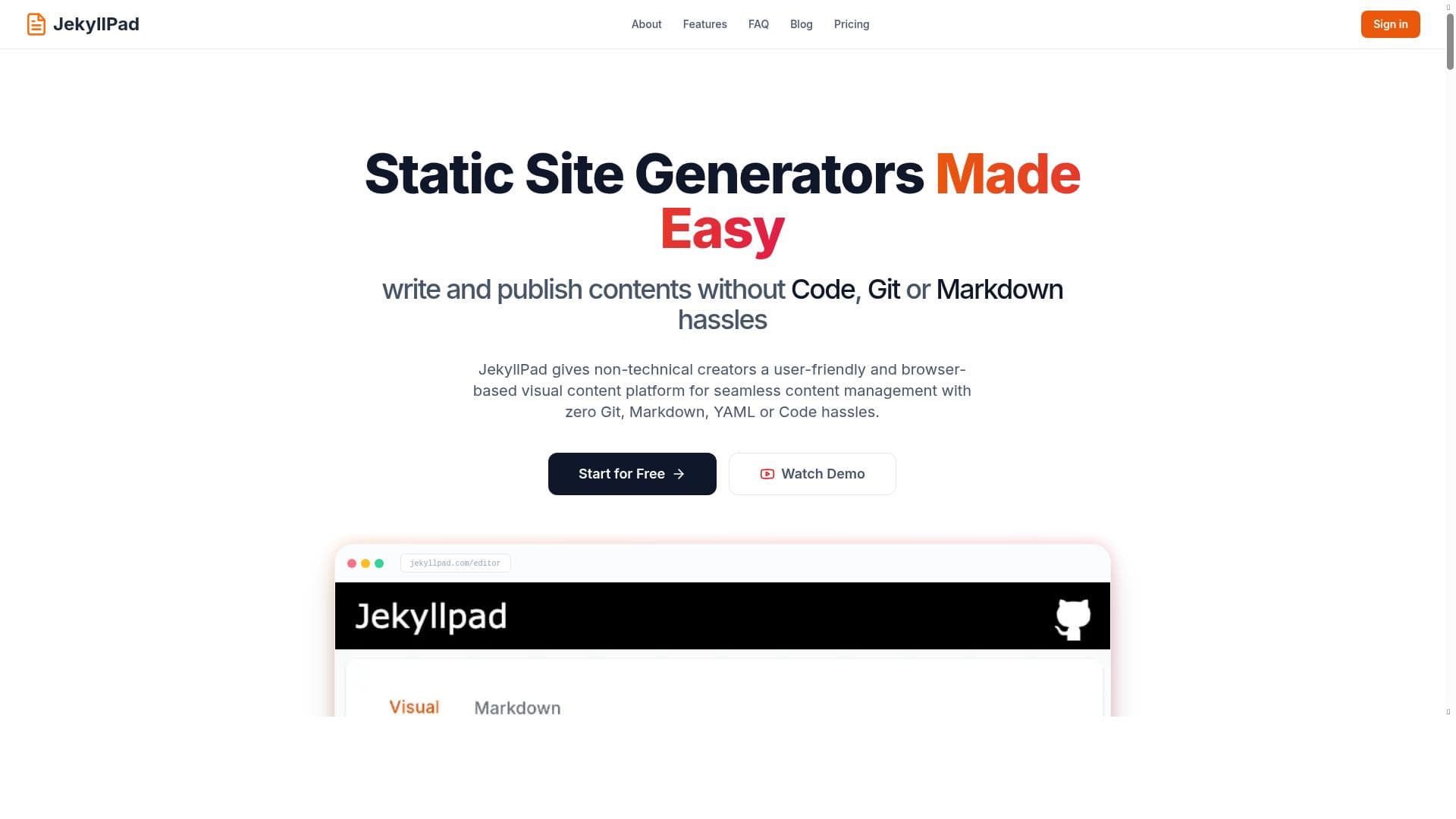


JekyllPad Online Jekyll CMS uniquely combines a real-time WYSIWYG editor with direct GitHub Pages integration, making it effortless to create and manage static websites without local setup. Ideal for developers and bloggers who want a simple, AI-assisted writing experience directly on their GitHub-hosted sites.

Descripción
JekyllPad.com is a CMS and online editor that sits on top of Github Pages (any website on github.io) and can give you a nice and easy interface to write your blog posts, manage them, cross-post and share them and EVEN use AI ASSISTANT to help you write better.
Descripción detallada
JekyllPad Online Jekyll CMS is a specialized content management system designed to streamline the process of creating, managing, and publishing content on GitHub Pages websites. Its core purpose is to provide a user-friendly, web-based interface that sits directly on top of GitHub Pages, allowing users to write blog posts, manage their content, cross-post, and share seamlessly without the need for complex setups or local installations. By leveraging GitHub's static site hosting capabilities, JekyllPad offers a powerful yet accessible solution for developers, bloggers, and content creators who want to maintain control over their site content while benefiting from a modern editing experience. One of the standout aspects of JekyllPad is its integration of an AI assistant that helps users write better content, making it not just a CMS but also a productivity and creativity enhancer. The tool boasts several key features that make it attractive for users familiar with GitHub Pages as well as newcomers to static site management. Its real-time WYSIWYG (What You See Is What You Get) editor allows users to compose and edit posts visually, removing the need to manually write raw Markdown or HTML unless preferred. This editor supports Markdown syntax, enabling users to maintain the flexibility and simplicity of Markdown while also having the option to insert rich media such as images and videos directly into their posts. The direct integration with GitHub Pages means that content updates are pushed live instantly, streamlining the publishing workflow. Additionally, the platform is mobile-friendly, ensuring that users can manage and write content on the go from any device. Importantly, JekyllPad requires no installation or local environment setup, as it operates entirely online, making it accessible from anywhere with an internet connection. The inclusion of AI assistance further enhances the writing process by offering suggestions, improving clarity, and helping generate ideas, which is particularly useful for bloggers and content marketers aiming to produce high-quality posts efficiently. JekyllPad is best suited for developers, bloggers, and content creators who already use or want to use GitHub Pages for hosting their websites. It is ideal for those who prefer a static site generator approach but want to avoid the complexity of local development environments and command-line tools. Freelancers, hobbyists, and small teams who need a lightweight yet powerful CMS to manage their blogs or project documentation will find JekyllPad especially beneficial. Its AI writing assistant also makes it appealing for users looking to enhance their writing quality without switching between multiple tools. Use cases include personal blogs, technical documentation, project updates, and any content-driven site hosted on GitHub Pages. Regarding pricing, JekyllPad currently offers a freemium model with free beta access, allowing users to try out the full range of features without upfront costs. This approach encourages adoption and feedback during its beta phase. Details on premium plans or additional paid features have not been explicitly stated, but the free access provides a robust starting point for users to evaluate the platform’s capabilities. When compared to alternatives such as traditional CMS platforms like WordPress or other static site editors, JekyllPad stands out by focusing specifically on GitHub Pages integration and eliminating the need for local setup. Unlike WordPress, which requires server hosting and database management, JekyllPad leverages GitHub’s infrastructure, offering a simpler, more secure, and cost-effective solution for static content. Compared to other static site editors that require local builds and command-line knowledge, JekyllPad’s online WYSIWYG editor lowers the barrier to entry, making static site management accessible to non-developers. However, there are some limitations to consider. Since JekyllPad is built around GitHub Pages, it inherits the constraints of static site hosting, such as the lack of dynamic server-side functionality. Users needing complex backend features or database-driven content may find it insufficient. Additionally, as it is currently in beta, some features may still be evolving, and users might encounter occasional bugs or missing advanced customization options. The AI assistant, while helpful, may not replace professional editing or content strategy expertise. Overall, JekyllPad Online Jekyll CMS offers a compelling, easy-to-use platform for managing GitHub Pages content with AI-enhanced writing support, best suited for users prioritizing simplicity, speed, and integration with GitHub’s ecosystem.
Características de la herramienta
- Real-time WYSIWYG editor
- Direct GitHub Pages integration
- Markdown support
- Rich media integration
- Mobile-friendly interface
- No installation required
- Free beta access
Descripción
JekyllPad Online Jekyll CMS uniquely combines a real-time WYSIWYG editor with direct GitHub Pages integration, making it effortless to create and manage static websites without local setup. Ideal for developers and bloggers who want a simple, AI-assisted writing experience directly on their GitHub-hosted sites.
JekyllPad.com is a CMS and online editor that sits on top of Github Pages (any website on github.io) and can give you a nice and easy interface to write your blog posts, manage them, cross-post and share them and EVEN use AI ASSISTANT to help you write better.
Descripción detallada
JekyllPad Online Jekyll CMS is a specialized content management system designed to streamline the process of creating, managing, and publishing content on GitHub Pages websites. Its core purpose is to provide a user-friendly, web-based interface that sits directly on top of GitHub Pages, allowing users to write blog posts, manage their content, cross-post, and share seamlessly without the need for complex setups or local installations. By leveraging GitHub's static site hosting capabilities, JekyllPad offers a powerful yet accessible solution for developers, bloggers, and content creators who want to maintain control over their site content while benefiting from a modern editing experience. One of the standout aspects of JekyllPad is its integration of an AI assistant that helps users write better content, making it not just a CMS but also a productivity and creativity enhancer. The tool boasts several key features that make it attractive for users familiar with GitHub Pages as well as newcomers to static site management. Its real-time WYSIWYG (What You See Is What You Get) editor allows users to compose and edit posts visually, removing the need to manually write raw Markdown or HTML unless preferred. This editor supports Markdown syntax, enabling users to maintain the flexibility and simplicity of Markdown while also having the option to insert rich media such as images and videos directly into their posts. The direct integration with GitHub Pages means that content updates are pushed live instantly, streamlining the publishing workflow. Additionally, the platform is mobile-friendly, ensuring that users can manage and write content on the go from any device. Importantly, JekyllPad requires no installation or local environment setup, as it operates entirely online, making it accessible from anywhere with an internet connection. The inclusion of AI assistance further enhances the writing process by offering suggestions, improving clarity, and helping generate ideas, which is particularly useful for bloggers and content marketers aiming to produce high-quality posts efficiently. JekyllPad is best suited for developers, bloggers, and content creators who already use or want to use GitHub Pages for hosting their websites. It is ideal for those who prefer a static site generator approach but want to avoid the complexity of local development environments and command-line tools. Freelancers, hobbyists, and small teams who need a lightweight yet powerful CMS to manage their blogs or project documentation will find JekyllPad especially beneficial. Its AI writing assistant also makes it appealing for users looking to enhance their writing quality without switching between multiple tools. Use cases include personal blogs, technical documentation, project updates, and any content-driven site hosted on GitHub Pages. Regarding pricing, JekyllPad currently offers a freemium model with free beta access, allowing users to try out the full range of features without upfront costs. This approach encourages adoption and feedback during its beta phase. Details on premium plans or additional paid features have not been explicitly stated, but the free access provides a robust starting point for users to evaluate the platform’s capabilities. When compared to alternatives such as traditional CMS platforms like WordPress or other static site editors, JekyllPad stands out by focusing specifically on GitHub Pages integration and eliminating the need for local setup. Unlike WordPress, which requires server hosting and database management, JekyllPad leverages GitHub’s infrastructure, offering a simpler, more secure, and cost-effective solution for static content. Compared to other static site editors that require local builds and command-line knowledge, JekyllPad’s online WYSIWYG editor lowers the barrier to entry, making static site management accessible to non-developers. However, there are some limitations to consider. Since JekyllPad is built around GitHub Pages, it inherits the constraints of static site hosting, such as the lack of dynamic server-side functionality. Users needing complex backend features or database-driven content may find it insufficient. Additionally, as it is currently in beta, some features may still be evolving, and users might encounter occasional bugs or missing advanced customization options. The AI assistant, while helpful, may not replace professional editing or content strategy expertise. Overall, JekyllPad Online Jekyll CMS offers a compelling, easy-to-use platform for managing GitHub Pages content with AI-enhanced writing support, best suited for users prioritizing simplicity, speed, and integration with GitHub’s ecosystem.
Preguntas frecuentes
What is JekyllPad Online Jekyll CMS?
JekyllPad Online Jekyll CMS is a web-based content management system and editor designed to work on top of GitHub Pages. It provides an easy-to-use interface for writing, managing, and publishing blog posts and other content directly to any website hosted on github.io, with added AI assistance to improve writing quality.
How much does JekyllPad Online Jekyll CMS cost?
JekyllPad Online Jekyll CMS currently offers a freemium pricing model with free beta access, allowing users to utilize its features at no cost during the beta phase. Details on future paid plans have not been disclosed.
Who is JekyllPad Online Jekyll CMS best for?
It is best suited for developers, bloggers, and content creators who use GitHub Pages for hosting their websites and want a simple, no-installation-required CMS with AI-assisted writing capabilities. It’s ideal for those seeking a streamlined static site management experience without complex local setups.
What are the main features of JekyllPad Online Jekyll CMS?
Key features include a real-time WYSIWYG editor, direct integration with GitHub Pages, Markdown support, rich media embedding, a mobile-friendly interface, no installation requirements, and an AI assistant to help improve writing.
Does JekyllPad Online Jekyll CMS offer a free trial?
Yes, JekyllPad offers free beta access, which allows users to try out the platform and its features without any cost.
What integrations does JekyllPad Online Jekyll CMS support?
JekyllPad integrates directly with GitHub Pages, enabling seamless publishing to any website hosted on github.io. It also supports embedding rich media within posts but does not currently list integrations with other third-party platforms.
How does JekyllPad Online Jekyll CMS work?
JekyllPad works by providing an online editor interface that connects to your GitHub Pages repository. Users can write and edit content using a WYSIWYG editor or Markdown, then publish changes directly to their GitHub-hosted site. The integrated AI assistant helps improve writing quality during content creation.
Redes sociales
Usar herramientaReseñas
Aún no hay reseñas. Sé el primero en compartir tu experiencia.
Herramientas patrocinadas











































Herramientas recomendadas
Mantente al día con las últimas herramientas de IA
Obtén las últimas novedades, únete a nuestro boletín
Leído y confiado por 50,000+ lectores
Únete a la comunidad de IA más grande
¡Nuestra comunidad y equipo están aquí para ayudarte!
Tus comentarios ayudarán a Alice AI a mejorar en futuras versiones.








Enviar tu herramienta


PoweredByAI.app es un directorio de herramientas de IA que ayuda a personas, empresas y creadores a descubrir las mejores herramientas de IA para escritura, programación, diseño, productividad y más.
© 2026 , Producto de011BQ. Todos los derechos reservados.