Destacado en:Best AI Writing Tools
Destácate →🚀 Zaprep: Tus redes sociales al máximo. Empezar gratis — automatiza 1,000 DMs/mes y convierte el engagement en leads. con 1,000 DMs automatizados/mes.
Enviar tu herramienta
25,000+ herramientas de IA ya listadas
25K+Herramientas
400K+/moVistas
105K+/moVisitantes
Instant Highlights V2 by Heygen


¿Es esta tu herramienta de IA? Reclámala hoy.
Verifica la propiedad, gestiona tu perfil y desbloquea funciones de crecimiento.
✦
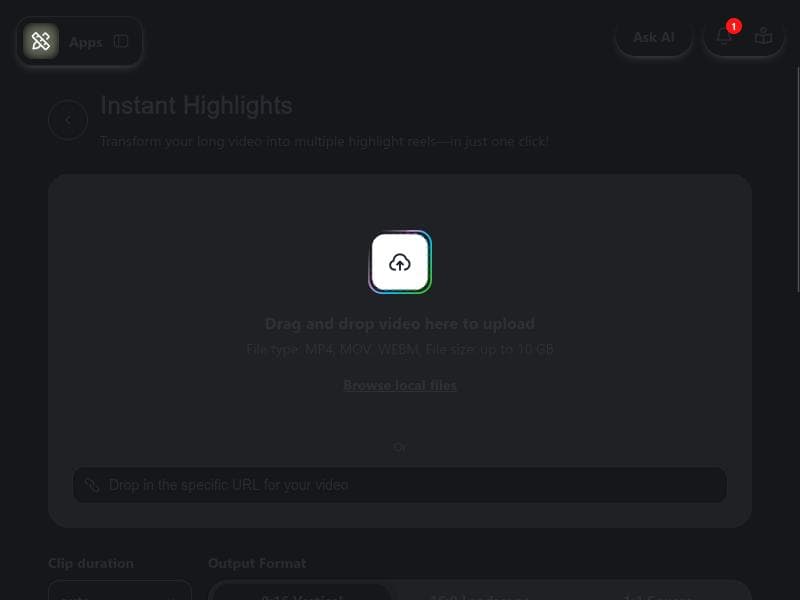
Instant Highlights V2 by Heygen transforms video editing by letting you search your footage with simple text queries and instantly create highlight clips with captions, translations, and 4K quality. Perfect for creators, marketers, and educators, it streamlines content creation without requiring any editing experience.

Descripción
Your video is no longer something you scroll through. Now you can just search it. With Instant Highlights V2, you type what you want, find the exact moment, and turn it into clips with captions, translations, and 4K in one place. It’s a full content system.
Descripción detallada
Instant Highlights V2 by Heygen is an advanced AI-powered video content creation tool designed to transform how users interact with their video footage. Traditionally, video content requires manual scrolling and editing to locate key moments, but Instant Highlights V2 revolutionizes this process by enabling users to simply type in keywords or phrases to instantly find the exact moment within any video. This innovative search capability streamlines content creation, allowing users to generate highlight reels, clips, and shareable content with minimal effort. The tool supports a broad range of video formats and offers a comprehensive content system that integrates captioning, translation, and 4K video output all in one platform. This makes it an indispensable asset for creators, marketers, educators, and anyone looking to maximize the value of their video assets without the need for extensive editing skills or software expertise. One of the core strengths of Instant Highlights V2 lies in its robust feature set. Users can upload any video, regardless of format, and the AI automatically generates captions that enhance accessibility and engagement. These captions are not only accurate but also customizable, helping creators tailor their content for different audiences. The platform also supports translations, making it easier to reach global viewers by breaking language barriers. Moreover, the tool enables quick generation of platform-ready clips optimized for social media, websites, or presentations, all in stunning 4K resolution. This eliminates the need for multiple tools or manual editing, consolidating the entire workflow into a single, intuitive interface. The system’s AI-driven search functionality is particularly noteworthy, as it allows users to pinpoint specific moments by typing relevant keywords, saving hours of manual review and editing. Instant Highlights V2 is ideal for a diverse range of users. Content creators and social media managers benefit from its ability to rapidly produce engaging clips that drive audience interaction. Educators and trainers can extract key segments from lengthy lectures or tutorials to create concise, focused learning materials. Marketing teams can leverage the tool to highlight product features or customer testimonials efficiently. Even corporate communications professionals can use it to distill important messages from internal videos. The platform’s ease of use means that even those without prior video editing experience can produce professional-quality content, making it accessible to beginners and experts alike. Regarding pricing, Instant Highlights V2 operates on a freemium model, allowing users to access basic features for free while offering premium plans that unlock advanced capabilities and higher usage limits. This approach provides flexibility for individuals and organizations to try the tool without upfront costs and scale their usage as needed. The freemium tier is sufficient for casual users or those just starting with video content creation, while power users and businesses can benefit from enhanced features and priority support available in paid plans. When compared to alternative video editing and highlight generation tools, Instant Highlights V2 stands out due to its AI-powered search and integrated content system. Many traditional video editors require manual timeline navigation and complex editing skills, whereas Instant Highlights V2 simplifies the process through natural language search and automated clip creation. Its support for all video formats and built-in captioning and translation features further differentiate it from competitors that may require additional software or plugins. However, users should consider that while the AI is highly effective, extremely niche or highly technical content might sometimes require manual adjustments to captions or clip selections. In terms of limitations, Instant Highlights V2’s reliance on AI means that the quality of captions and translations can vary depending on audio clarity and language complexity. Users working with very long videos or highly specialized content might need to review generated clips carefully to ensure accuracy. Additionally, while the freemium plan offers great entry-level access, heavy users or enterprises will likely need to invest in premium plans to fully leverage the tool’s capabilities. Overall, Instant Highlights V2 by Heygen offers a powerful, user-friendly solution for anyone looking to transform video content creation through AI-driven search and automation, making it a standout choice in the evolving landscape of video editing technology.
Características de la herramienta
- Upload any video to create highlight reels
- AI-generated captions for videos
- Supports every video format
- No editing experience needed
- Quick generation of platform-ready clips
Descripción
✦
Instant Highlights V2 by Heygen transforms video editing by letting you search your footage with simple text queries and instantly create highlight clips with captions, translations, and 4K quality. Perfect for creators, marketers, and educators, it streamlines content creation without requiring any editing experience.
Your video is no longer something you scroll through. Now you can just search it. With Instant Highlights V2, you type what you want, find the exact moment, and turn it into clips with captions, translations, and 4K in one place. It’s a full content system.
Descripción detallada
Instant Highlights V2 by Heygen is an advanced AI-powered video content creation tool designed to transform how users interact with their video footage. Traditionally, video content requires manual scrolling and editing to locate key moments, but Instant Highlights V2 revolutionizes this process by enabling users to simply type in keywords or phrases to instantly find the exact moment within any video. This innovative search capability streamlines content creation, allowing users to generate highlight reels, clips, and shareable content with minimal effort. The tool supports a broad range of video formats and offers a comprehensive content system that integrates captioning, translation, and 4K video output all in one platform. This makes it an indispensable asset for creators, marketers, educators, and anyone looking to maximize the value of their video assets without the need for extensive editing skills or software expertise. One of the core strengths of Instant Highlights V2 lies in its robust feature set. Users can upload any video, regardless of format, and the AI automatically generates captions that enhance accessibility and engagement. These captions are not only accurate but also customizable, helping creators tailor their content for different audiences. The platform also supports translations, making it easier to reach global viewers by breaking language barriers. Moreover, the tool enables quick generation of platform-ready clips optimized for social media, websites, or presentations, all in stunning 4K resolution. This eliminates the need for multiple tools or manual editing, consolidating the entire workflow into a single, intuitive interface. The system’s AI-driven search functionality is particularly noteworthy, as it allows users to pinpoint specific moments by typing relevant keywords, saving hours of manual review and editing. Instant Highlights V2 is ideal for a diverse range of users. Content creators and social media managers benefit from its ability to rapidly produce engaging clips that drive audience interaction. Educators and trainers can extract key segments from lengthy lectures or tutorials to create concise, focused learning materials. Marketing teams can leverage the tool to highlight product features or customer testimonials efficiently. Even corporate communications professionals can use it to distill important messages from internal videos. The platform’s ease of use means that even those without prior video editing experience can produce professional-quality content, making it accessible to beginners and experts alike. Regarding pricing, Instant Highlights V2 operates on a freemium model, allowing users to access basic features for free while offering premium plans that unlock advanced capabilities and higher usage limits. This approach provides flexibility for individuals and organizations to try the tool without upfront costs and scale their usage as needed. The freemium tier is sufficient for casual users or those just starting with video content creation, while power users and businesses can benefit from enhanced features and priority support available in paid plans. When compared to alternative video editing and highlight generation tools, Instant Highlights V2 stands out due to its AI-powered search and integrated content system. Many traditional video editors require manual timeline navigation and complex editing skills, whereas Instant Highlights V2 simplifies the process through natural language search and automated clip creation. Its support for all video formats and built-in captioning and translation features further differentiate it from competitors that may require additional software or plugins. However, users should consider that while the AI is highly effective, extremely niche or highly technical content might sometimes require manual adjustments to captions or clip selections. In terms of limitations, Instant Highlights V2’s reliance on AI means that the quality of captions and translations can vary depending on audio clarity and language complexity. Users working with very long videos or highly specialized content might need to review generated clips carefully to ensure accuracy. Additionally, while the freemium plan offers great entry-level access, heavy users or enterprises will likely need to invest in premium plans to fully leverage the tool’s capabilities. Overall, Instant Highlights V2 by Heygen offers a powerful, user-friendly solution for anyone looking to transform video content creation through AI-driven search and automation, making it a standout choice in the evolving landscape of video editing technology.
Preguntas frecuentes
What is Instant Highlights V2 by Heygen?
Instant Highlights V2 by Heygen is an AI-powered video content creation tool that allows users to search through videos using text queries, find exact moments, and generate highlight clips with captions, translations, and 4K video output all within a single platform.
How much does Instant Highlights V2 by Heygen cost?
Instant Highlights V2 offers a freemium pricing model, providing free access to basic features with options to upgrade to premium plans for advanced capabilities and higher usage limits.
Who is Instant Highlights V2 by Heygen best for?
It is ideal for content creators, social media managers, educators, marketers, and corporate communicators who want to quickly create engaging video highlights without needing video editing experience.
What are the main features of Instant Highlights V2 by Heygen?
Key features include uploading any video format, AI-generated captions, translation support, quick generation of platform-ready clips, 4K video output, and the ability to search videos using text to find specific moments.
Does Instant Highlights V2 by Heygen offer a free trial?
Yes, the tool operates on a freemium basis, allowing users to access core features for free without a time-limited trial, making it easy to try before upgrading.
What integrations does Instant Highlights V2 by Heygen support?
While specific third-party integrations are not detailed, Instant Highlights V2 supports all video formats and produces platform-ready clips suitable for easy sharing across social media and other digital platforms.
How does Instant Highlights V2 by Heygen work?
Users upload their videos to the platform, then type keywords or phrases to search for exact moments within the footage. The AI locates these moments and automatically generates highlight clips with captions and translations, ready for download or sharing.
Redes sociales
Usar herramientaReseñas
0 reseñas
Aún no hay reseñas. Sé el primero en compartir tu experiencia.
Herramientas patrocinadas











































Herramientas recomendadas
Mantente al día con las últimas herramientas de IA
Obtén las últimas novedades, únete a nuestro boletín
Leído y confiado por 50,000+ lectores
Únete a la comunidad de IA más grande
¡Nuestra comunidad y equipo están aquí para ayudarte!
Tus comentarios ayudarán a Alice AI a mejorar en futuras versiones.








Enviar tu herramienta


PoweredByAI.app es un directorio de herramientas de IA que ayuda a personas, empresas y creadores a descubrir las mejores herramientas de IA para escritura, programación, diseño, productividad y más.
© 2026 , Producto de011BQ. Todos los derechos reservados.