
Image Resizer Tool
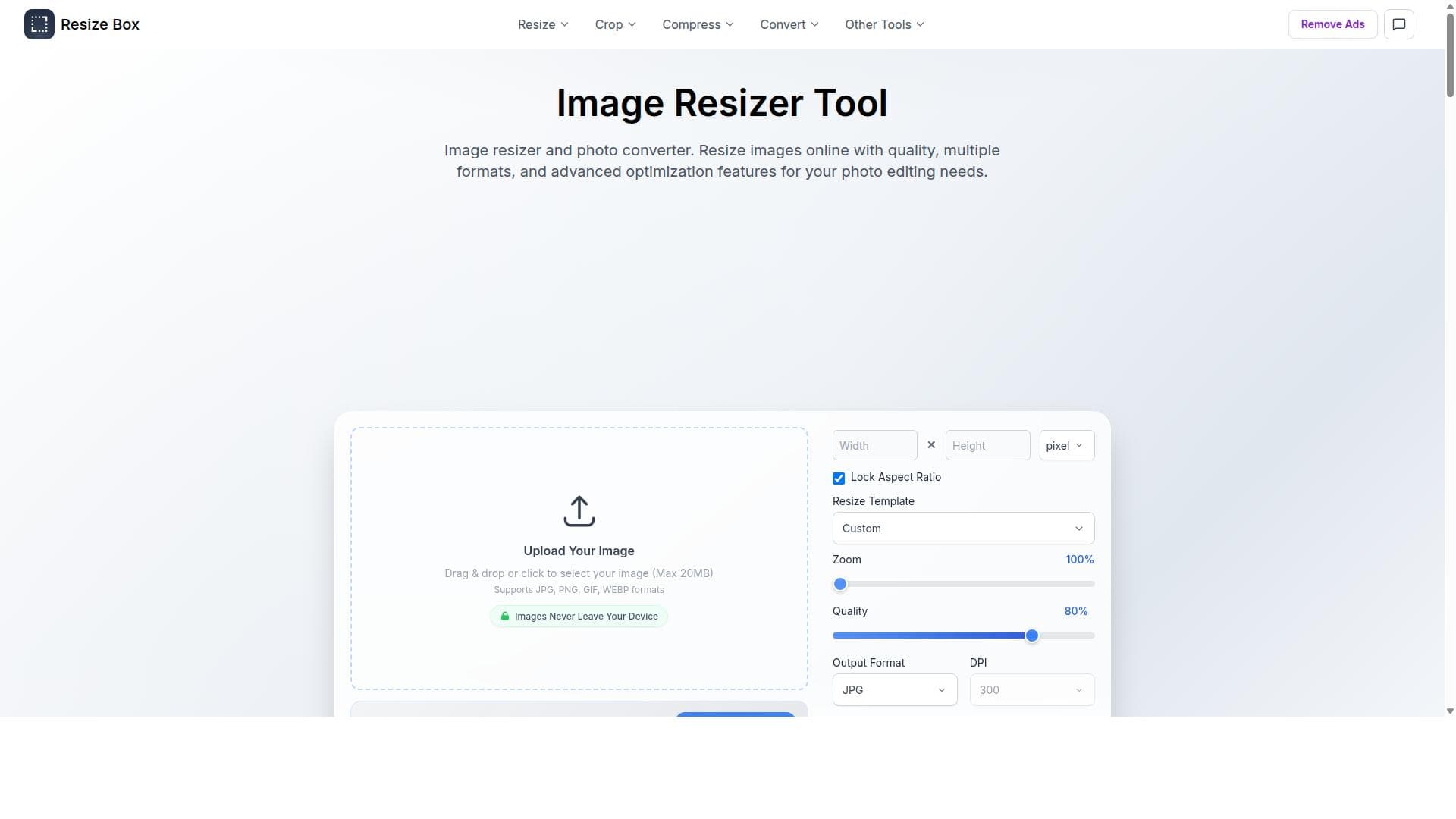
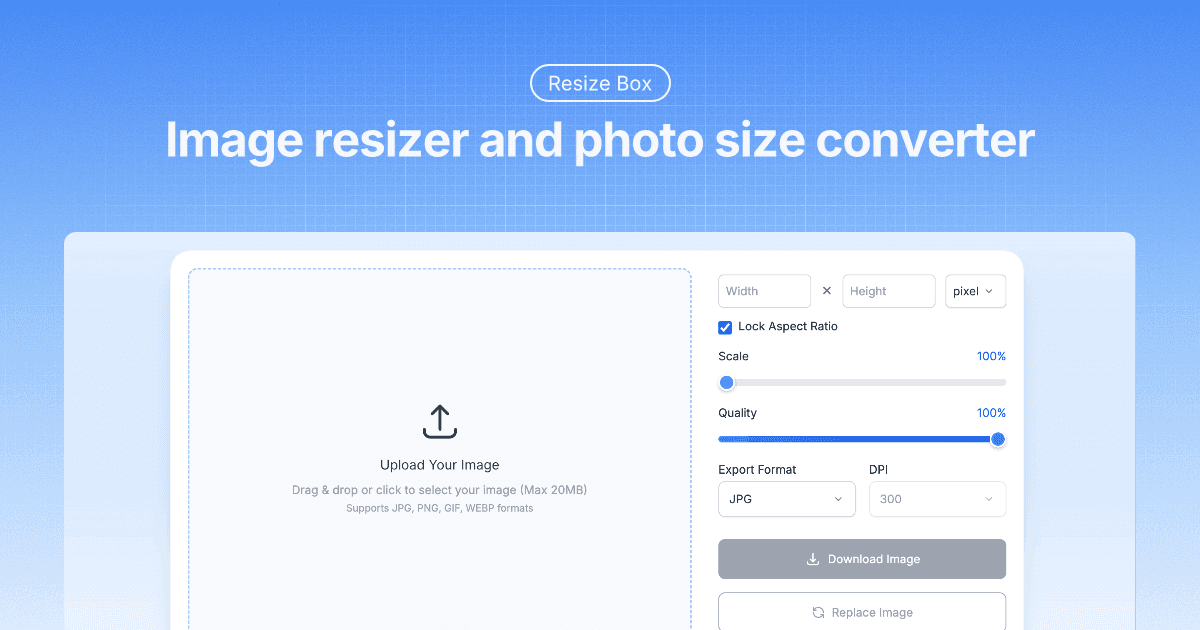


ResizeBox is a professional online image resizer and converter that supports multiple formats and advanced compression to optimize image quality and size. Ideal for photographers, designers, and marketers, it offers bulk resizing, cropping, PDF conversion, and collage creation—all in a user-friendly web platform.

Descripción
Professional Image Resizer Tool Advanced image resizer with perfect quality control. Resize photos online, convert image dimensions, and maintain optimal quality for web, print, and social media use. Smart Image Resize Resize images with intelligent algorithms that preserve quality and detail. Our image resizer automatically optimizes photos while maintaining perfect clarity and sharpness for any dimension requirements. Image Compression & Optimization Compress and optimize your images for web use while maintaining visual quality. Reduce file sizes significantly for faster loading times, email attachments, and storage savings without compromising image clarity. Real-time Preview Preview your resized images instantly before downloading. See exactly how your photos will look with different dimensions, ensuring perfect results every time with our image size converter. High Quality Output Maintain original image quality while resizing photos. Our advanced compression algorithms ensure your resized images retain maximum detail and clarity without unwanted artifacts or quality loss. Multiple Format Support Resize and convert between various image formats including JPG, PNG, WebP, and GIF. Perfect for web optimization, social media posting, email attachments, and professional printing requirements. Flexible Sizing Options Choose from pixels, inches, centimeters, or millimeters for precise image dimensions. Set custom DPI values, maintain aspect ratios, and use percentage-based scaling for perfect photo sizing control.
Descripción detallada
ResizeBox is a comprehensive online image resizing and photo size conversion tool designed to deliver professional-quality results with ease. Its core purpose is to enable users to resize, compress, and convert images across multiple formats without compromising on quality. Whether you need to optimize images for web use, social media, or print, ResizeBox offers a robust platform that combines simplicity with advanced features, making it suitable for both casual users and professionals alike. At the heart of ResizeBox's capabilities is its support for a wide array of image formats including JPEG, PNG, GIF, WebP, and AVIF. This extensive format compatibility ensures that users can work with virtually any common image type. The tool also incorporates advanced compression algorithms that optimize image file size while maintaining visual fidelity, a critical feature for web developers and marketers who need fast-loading images without quality loss. Beyond resizing, ResizeBox offers versatile image editing options such as cropping and square cropping with adjustable zoom levels and quality settings, allowing precise control over the final output. Users can also convert images between popular formats like JPG, PNG, and WebP, streamlining workflows that require format standardization. ResizeBox excels in handling bulk operations, supporting the resizing of up to 50 files simultaneously. This bulk resizing feature is a significant time-saver for photographers, designers, and agencies managing large image libraries. Additionally, the tool supports image-to-PDF conversion with customizable page sizes and margins, as well as PDF-to-image conversion with multiple export formats, catering to users who need to interchange between document and image formats efficiently. Another standout feature is the grid maker, which enables users to create image collages with customizable layouts and background colors, perfect for social media posts, presentations, or marketing materials. The tool is ideal for a broad audience including graphic designers, photographers, content creators, marketers, and web developers who require reliable image resizing and format conversion. Its user-friendly interface and powerful features make it accessible to beginners while still offering the depth needed by professionals. Specific use cases include preparing images for e-commerce product listings, optimizing photos for blog posts, creating social media collages, and converting scanned documents between PDF and image formats. ResizeBox is accessible via its website without the need for software installation, providing a convenient and fast solution. While the exact pricing details are not explicitly stated, the tool offers free access with generous limits, including bulk resizing of up to 50 images. This makes it an attractive option for users seeking a cost-effective solution. For more advanced or higher-volume needs, users may want to explore potential subscription plans or premium features if available. Compared to alternatives, ResizeBox stands out due to its combination of multi-format support, advanced compression, and a rich set of editing tools all in one platform. Many competing tools focus solely on resizing or format conversion, but ResizeBox integrates these with cropping, bulk processing, PDF conversion, and collage creation, providing a more comprehensive solution. Its web-based nature also means it is platform-independent and accessible from any device with internet access. However, users should consider some limitations. The maximum file size per image is capped at 20 MB, which may be restrictive for very high-resolution professional photography or large batch jobs. Additionally, while the tool supports many formats, some niche or proprietary image types are not supported. Users requiring offline processing or integration with other software platforms might find ResizeBox less suitable. Lastly, detailed pricing and subscription options are not prominently disclosed, which could be a consideration for enterprise users. In summary, ResizeBox is a powerful, versatile, and easy-to-use online image resizer and converter that caters to a wide range of users. Its extensive feature set, including bulk resizing, advanced compression, format conversion, and image editing, makes it a valuable tool for anyone needing to optimize and manipulate images quickly and efficiently online.
Características de la herramienta
- Supports multiple image formats including JPEG, PNG, GIF, WebP, and AVIF
- Advanced compression capabilities for optimized image size
- Image cropping and square cropping with adjustable zoom and quality
- Bulk image resizing with support for up to 50 files
- Conversion between image formats such as JPG, PNG, and WebP
- Image to PDF conversion with customizable page sizes and margins
- PDF to image conversion supporting multiple export formats
- Grid maker for creating image collages with customizable layouts and backgrounds
Descripción
ResizeBox is a professional online image resizer and converter that supports multiple formats and advanced compression to optimize image quality and size. Ideal for photographers, designers, and marketers, it offers bulk resizing, cropping, PDF conversion, and collage creation—all in a user-friendly web platform.
Professional Image Resizer Tool Advanced image resizer with perfect quality control. Resize photos online, convert image dimensions, and maintain optimal quality for web, print, and social media use. Smart Image Resize Resize images with intelligent algorithms that preserve quality and detail. Our image resizer automatically optimizes photos while maintaining perfect clarity and sharpness for any dimension requirements. Image Compression & Optimization Compress and optimize your images for web use while maintaining visual quality. Reduce file sizes significantly for faster loading times, email attachments, and storage savings without compromising image clarity. Real-time Preview Preview your resized images instantly before downloading. See exactly how your photos will look with different dimensions, ensuring perfect results every time with our image size converter. High Quality Output Maintain original image quality while resizing photos. Our advanced compression algorithms ensure your resized images retain maximum detail and clarity without unwanted artifacts or quality loss. Multiple Format Support Resize and convert between various image formats including JPG, PNG, WebP, and GIF. Perfect for web optimization, social media posting, email attachments, and professional printing requirements. Flexible Sizing Options Choose from pixels, inches, centimeters, or millimeters for precise image dimensions. Set custom DPI values, maintain aspect ratios, and use percentage-based scaling for perfect photo sizing control.
Descripción detallada
ResizeBox is a comprehensive online image resizing and photo size conversion tool designed to deliver professional-quality results with ease. Its core purpose is to enable users to resize, compress, and convert images across multiple formats without compromising on quality. Whether you need to optimize images for web use, social media, or print, ResizeBox offers a robust platform that combines simplicity with advanced features, making it suitable for both casual users and professionals alike. At the heart of ResizeBox's capabilities is its support for a wide array of image formats including JPEG, PNG, GIF, WebP, and AVIF. This extensive format compatibility ensures that users can work with virtually any common image type. The tool also incorporates advanced compression algorithms that optimize image file size while maintaining visual fidelity, a critical feature for web developers and marketers who need fast-loading images without quality loss. Beyond resizing, ResizeBox offers versatile image editing options such as cropping and square cropping with adjustable zoom levels and quality settings, allowing precise control over the final output. Users can also convert images between popular formats like JPG, PNG, and WebP, streamlining workflows that require format standardization. ResizeBox excels in handling bulk operations, supporting the resizing of up to 50 files simultaneously. This bulk resizing feature is a significant time-saver for photographers, designers, and agencies managing large image libraries. Additionally, the tool supports image-to-PDF conversion with customizable page sizes and margins, as well as PDF-to-image conversion with multiple export formats, catering to users who need to interchange between document and image formats efficiently. Another standout feature is the grid maker, which enables users to create image collages with customizable layouts and background colors, perfect for social media posts, presentations, or marketing materials. The tool is ideal for a broad audience including graphic designers, photographers, content creators, marketers, and web developers who require reliable image resizing and format conversion. Its user-friendly interface and powerful features make it accessible to beginners while still offering the depth needed by professionals. Specific use cases include preparing images for e-commerce product listings, optimizing photos for blog posts, creating social media collages, and converting scanned documents between PDF and image formats. ResizeBox is accessible via its website without the need for software installation, providing a convenient and fast solution. While the exact pricing details are not explicitly stated, the tool offers free access with generous limits, including bulk resizing of up to 50 images. This makes it an attractive option for users seeking a cost-effective solution. For more advanced or higher-volume needs, users may want to explore potential subscription plans or premium features if available. Compared to alternatives, ResizeBox stands out due to its combination of multi-format support, advanced compression, and a rich set of editing tools all in one platform. Many competing tools focus solely on resizing or format conversion, but ResizeBox integrates these with cropping, bulk processing, PDF conversion, and collage creation, providing a more comprehensive solution. Its web-based nature also means it is platform-independent and accessible from any device with internet access. However, users should consider some limitations. The maximum file size per image is capped at 20 MB, which may be restrictive for very high-resolution professional photography or large batch jobs. Additionally, while the tool supports many formats, some niche or proprietary image types are not supported. Users requiring offline processing or integration with other software platforms might find ResizeBox less suitable. Lastly, detailed pricing and subscription options are not prominently disclosed, which could be a consideration for enterprise users. In summary, ResizeBox is a powerful, versatile, and easy-to-use online image resizer and converter that caters to a wide range of users. Its extensive feature set, including bulk resizing, advanced compression, format conversion, and image editing, makes it a valuable tool for anyone needing to optimize and manipulate images quickly and efficiently online.
Preguntas frecuentes
What is ResizeBox?
ResizeBox is an online image resizing and photo size conversion tool that allows users to resize, compress, crop, and convert images across multiple formats while maintaining high quality.
How much does ResizeBox cost?
ResizeBox offers free access with generous limits such as bulk resizing of up to 50 images. Specific pricing or premium plans are not prominently detailed on their website.
Who is ResizeBox best for?
ResizeBox is ideal for photographers, graphic designers, content creators, marketers, and web developers who need a reliable, easy-to-use tool for resizing, compressing, and converting images online.
What are the main features of ResizeBox?
Key features include support for multiple image formats (JPEG, PNG, GIF, WebP, AVIF), advanced compression, image cropping and square cropping with zoom, bulk resizing up to 50 files, image-to-PDF and PDF-to-image conversion, and a grid maker for creating image collages.
Does ResizeBox offer a free trial?
ResizeBox is accessible for free online with no explicit mention of a trial period, allowing users to utilize its core features without upfront payment.
What integrations does ResizeBox support?
ResizeBox is a standalone web-based tool and does not currently advertise integrations with other software or platforms.
How does ResizeBox work?
Users upload images to the ResizeBox website, select desired operations such as resizing, cropping, or format conversion, adjust settings like quality and dimensions, and then download the optimized images or converted files.
Reseñas
Aún no hay reseñas. Sé el primero en compartir tu experiencia.




















































