Destacado en:Best AI Writing Tools
Destácate →🚀 Zaprep: Tus redes sociales al máximo. Empezar gratis — automatiza 1,000 DMs/mes y convierte el engagement en leads. con 1,000 DMs automatizados/mes.
Enviar tu herramienta
25,000+ herramientas de IA ya listadas
25K+Herramientas
400K+/moVistas
105K+/moVisitantes


¿Es esta tu herramienta de IA? Reclámala hoy.
Verifica la propiedad, gestiona tu perfil y desbloquea funciones de crecimiento.
✦
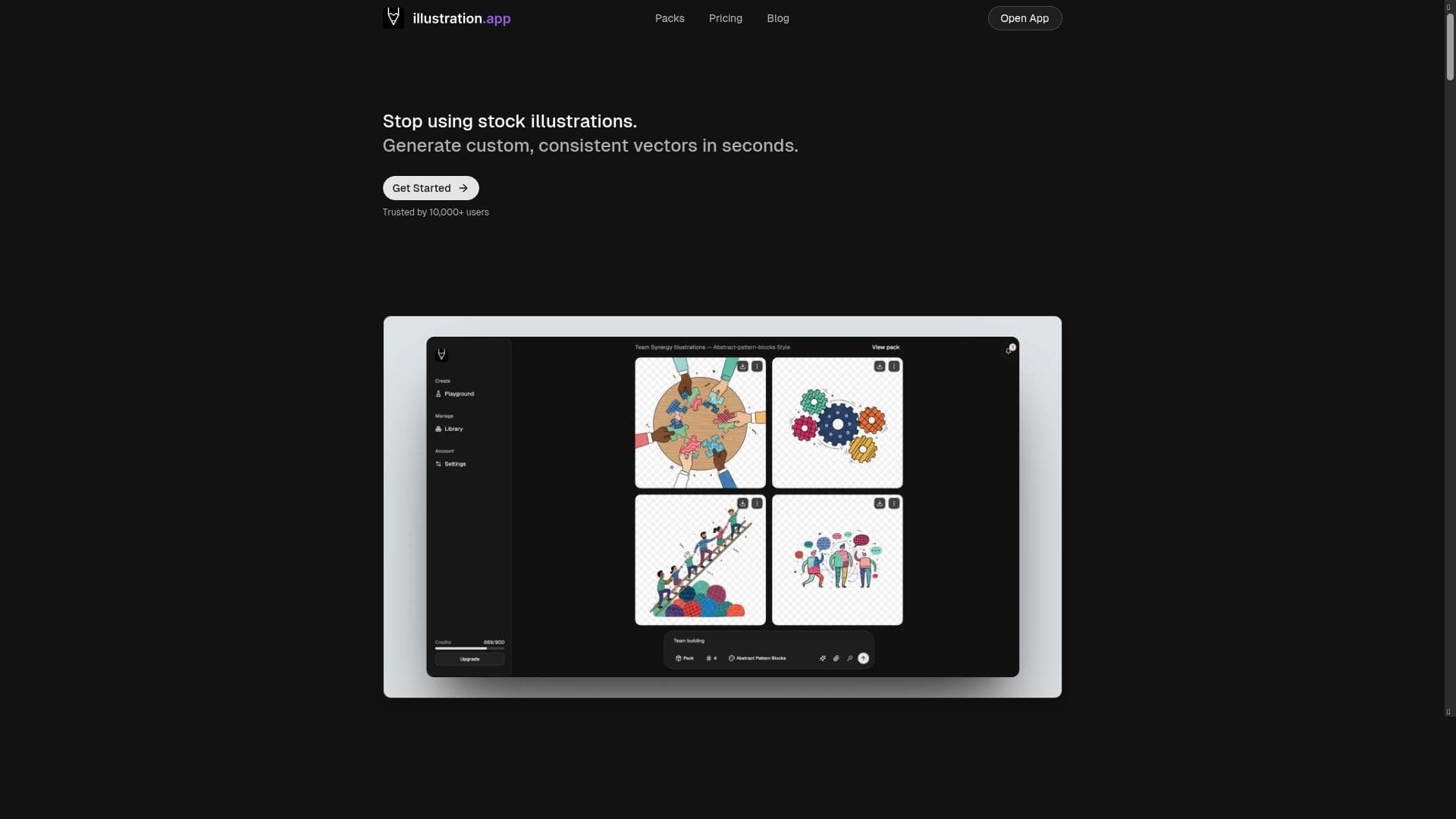
illustration.app harnesses AI to instantly generate scalable, editable vector illustrations, making professional-quality graphics accessible to everyone—no design skills required. Ideal for marketers, developers, and content creators, it streamlines the creation of stunning visuals for websites, apps, and marketing materials in seconds.

Descripción
illustration.app is a powerful vector graphics generator that allows you to create stunning, scalable illustrations in seconds. Perfect for websites, apps, and marketing materials.
Descripción detallada
illustration.app is an advanced vector graphics generator designed to empower users to create stunning, scalable illustrations quickly and effortlessly. Its core purpose is to simplify the illustration creation process by leveraging AI technology, enabling anyone—from professional designers to non-designers—to produce high-quality vector artwork in seconds. This tool is particularly valuable for those working on websites, mobile apps, marketing materials, and other digital or print media where crisp, scalable graphics are essential. By automating the design process, illustration.app removes traditional barriers such as the need for advanced design skills or expensive software, making professional-grade illustration accessible to a broader audience. One of the standout features of illustration.app is its AI-powered custom illustration generation. Users can input ideas or concepts, and the AI instantly transforms these inputs into unique, editable vector illustrations. This capability not only accelerates the creative workflow but also ensures that the artwork is fully scalable without loss of quality, which is critical for responsive web design and print applications. The platform offers editable artwork, allowing users to tweak colors, shapes, and other design elements to better fit their brand or project requirements. This flexibility is ideal for marketers, developers, and content creators who need tailored visuals that align with their messaging. illustration.app is perfect for a wide range of users. Startups and small businesses benefit from the ability to quickly generate professional illustrations without hiring a designer, saving both time and costs. Web and app developers can integrate custom graphics that enhance user interfaces and improve user experience. Marketing teams can produce eye-catching visuals for campaigns, social media, and promotional materials on demand. Even educators and content creators can use the tool to enrich presentations and educational content with engaging illustrations. The platform’s ease of use means that no prior design experience is necessary, making it accessible to anyone who needs quality visuals fast. The pricing model for illustration.app is freemium, allowing users to start creating illustrations at no cost with access to basic features. This approach enables users to test the platform and generate simple illustrations before deciding to upgrade. Paid plans typically unlock advanced features such as higher resolution exports, additional customization options, and commercial usage rights. This tiered pricing ensures that both casual users and professionals can find a plan that fits their needs and budget. When compared to alternative illustration and vector graphic tools, illustration.app stands out due to its AI-driven instant generation capability. Traditional vector graphic software like Adobe Illustrator or CorelDRAW require significant design expertise and time investment, whereas illustration.app streamlines the process with automation. Other AI illustration tools may focus on raster images or lack scalability, but illustration.app’s focus on vector graphics ensures that the output is versatile and professional. However, unlike some comprehensive design suites, it may not offer extensive manual editing or advanced graphic design features, positioning it as a complementary tool rather than a full replacement. Notable limitations include the reliance on AI-generated designs which, while fast and convenient, may sometimes produce generic or less nuanced illustrations compared to those crafted by experienced designers. Users seeking highly customized or complex artwork might find the tool less suitable for their needs. Additionally, integration options with other design or project management platforms may be limited, which could affect workflow for teams relying on interconnected tools. Despite these considerations, illustration.app remains a powerful, user-friendly solution for generating scalable vector illustrations quickly, making it an excellent choice for many digital and marketing projects.
Características de la herramienta
- Create custom illustrations in seconds with AI
- Get scalable, editable artwork
- Perfect for websites, apps, and marketing materials
- No design skills needed
- Transform ideas into stunning illustrations instantly
Descripción
✦
illustration.app harnesses AI to instantly generate scalable, editable vector illustrations, making professional-quality graphics accessible to everyone—no design skills required. Ideal for marketers, developers, and content creators, it streamlines the creation of stunning visuals for websites, apps, and marketing materials in seconds.
illustration.app is a powerful vector graphics generator that allows you to create stunning, scalable illustrations in seconds. Perfect for websites, apps, and marketing materials.
Descripción detallada
illustration.app is an advanced vector graphics generator designed to empower users to create stunning, scalable illustrations quickly and effortlessly. Its core purpose is to simplify the illustration creation process by leveraging AI technology, enabling anyone—from professional designers to non-designers—to produce high-quality vector artwork in seconds. This tool is particularly valuable for those working on websites, mobile apps, marketing materials, and other digital or print media where crisp, scalable graphics are essential. By automating the design process, illustration.app removes traditional barriers such as the need for advanced design skills or expensive software, making professional-grade illustration accessible to a broader audience. One of the standout features of illustration.app is its AI-powered custom illustration generation. Users can input ideas or concepts, and the AI instantly transforms these inputs into unique, editable vector illustrations. This capability not only accelerates the creative workflow but also ensures that the artwork is fully scalable without loss of quality, which is critical for responsive web design and print applications. The platform offers editable artwork, allowing users to tweak colors, shapes, and other design elements to better fit their brand or project requirements. This flexibility is ideal for marketers, developers, and content creators who need tailored visuals that align with their messaging. illustration.app is perfect for a wide range of users. Startups and small businesses benefit from the ability to quickly generate professional illustrations without hiring a designer, saving both time and costs. Web and app developers can integrate custom graphics that enhance user interfaces and improve user experience. Marketing teams can produce eye-catching visuals for campaigns, social media, and promotional materials on demand. Even educators and content creators can use the tool to enrich presentations and educational content with engaging illustrations. The platform’s ease of use means that no prior design experience is necessary, making it accessible to anyone who needs quality visuals fast. The pricing model for illustration.app is freemium, allowing users to start creating illustrations at no cost with access to basic features. This approach enables users to test the platform and generate simple illustrations before deciding to upgrade. Paid plans typically unlock advanced features such as higher resolution exports, additional customization options, and commercial usage rights. This tiered pricing ensures that both casual users and professionals can find a plan that fits their needs and budget. When compared to alternative illustration and vector graphic tools, illustration.app stands out due to its AI-driven instant generation capability. Traditional vector graphic software like Adobe Illustrator or CorelDRAW require significant design expertise and time investment, whereas illustration.app streamlines the process with automation. Other AI illustration tools may focus on raster images or lack scalability, but illustration.app’s focus on vector graphics ensures that the output is versatile and professional. However, unlike some comprehensive design suites, it may not offer extensive manual editing or advanced graphic design features, positioning it as a complementary tool rather than a full replacement. Notable limitations include the reliance on AI-generated designs which, while fast and convenient, may sometimes produce generic or less nuanced illustrations compared to those crafted by experienced designers. Users seeking highly customized or complex artwork might find the tool less suitable for their needs. Additionally, integration options with other design or project management platforms may be limited, which could affect workflow for teams relying on interconnected tools. Despite these considerations, illustration.app remains a powerful, user-friendly solution for generating scalable vector illustrations quickly, making it an excellent choice for many digital and marketing projects.
Preguntas frecuentes
What is illustration.app?
illustration.app is an AI-powered vector graphics generator that enables users to create custom, scalable illustrations quickly and easily, perfect for digital and print projects.
How much does illustration.app cost?
illustration.app offers a freemium pricing model, allowing free access to basic features with paid plans available for advanced capabilities and higher resolution exports.
Who is illustration.app best for?
It is best suited for marketers, web and app developers, small businesses, startups, and anyone needing professional-quality illustrations without design expertise.
What are the main features of illustration.app?
Key features include AI-driven custom illustration creation in seconds, scalable and editable vector artwork, no design skills required, and suitability for websites, apps, and marketing materials.
Does illustration.app offer a free trial?
Yes, illustration.app’s freemium plan allows users to try the platform and create basic illustrations at no cost before upgrading to paid plans.
What integrations does illustration.app support?
Currently, illustration.app focuses on standalone vector illustration generation and may have limited integrations with other design or project management tools.
How does illustration.app work?
Users input ideas or concepts, and the AI instantly generates unique, editable vector illustrations that can be customized and scaled for various digital and print uses.
Redes sociales
Usar herramientaReseñas
0 reseñas
Aún no hay reseñas. Sé el primero en compartir tu experiencia.
Herramientas patrocinadas











































Herramientas recomendadas
Mantente al día con las últimas herramientas de IA
Obtén las últimas novedades, únete a nuestro boletín
Leído y confiado por 50,000+ lectores
Únete a la comunidad de IA más grande
¡Nuestra comunidad y equipo están aquí para ayudarte!
Tus comentarios ayudarán a Alice AI a mejorar en futuras versiones.








Enviar tu herramienta


PoweredByAI.app es un directorio de herramientas de IA que ayuda a personas, empresas y creadores a descubrir las mejores herramientas de IA para escritura, programación, diseño, productividad y más.
© 2026 , Producto de011BQ. Todos los derechos reservados.