Destacado en:Best AI Writing Tools
Destácate →🚀 Zaprep: Tus redes sociales al máximo. Empezar gratis — automatiza 1,000 DMs/mes y convierte el engagement en leads. con 1,000 DMs automatizados/mes.
Enviar tu herramienta
25,000+ herramientas de IA ya listadas
25K+Herramientas
400K+/moVistas
105K+/moVisitantes



✦
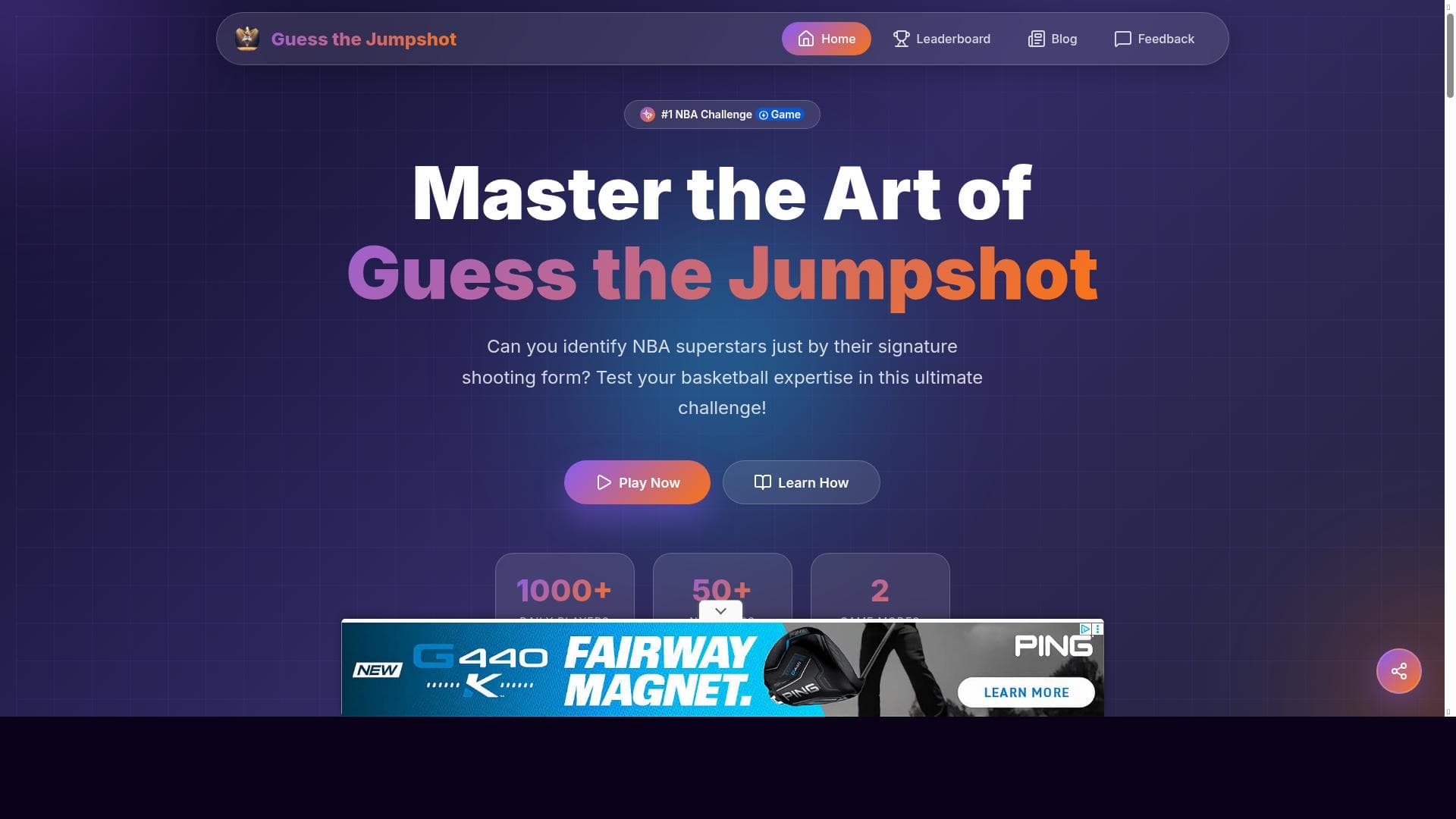
Guess the Jumpshot is a unique basketball challenge game that tests your ability to identify NBA players solely by their shooting form. Perfect for NBA fans and basketball enthusiasts, it offers over 50 stars, daily challenges, and a highly rated, accessible web experience to sharpen your player recognition skills.

Descripción
Test your NBA knowledge by identifying players from their shooting form. Play the ultimate basketball challenge game featuring over 50 NBA stars and daily challenges to keep you engaged and improve your recognition skills.
Descripción detallada
Guess the Jumpshot is an engaging and interactive web-based game designed to test and enhance your knowledge of NBA players by challenging you to identify them solely based on their unique shooting forms. The core purpose of this tool is to provide basketball enthusiasts, fans, and casual players with a fun yet challenging way to recognize and appreciate the distinct shooting styles of over 50 NBA stars. By focusing on the subtle nuances of each player's jumpshot, the game sharpens observational skills and deepens familiarity with the sport's top athletes. One of the standout features of Guess the Jumpshot is its extensive roster of NBA players, featuring more than 50 stars from various eras and teams. This wide selection ensures that players encounter a diverse range of shooting styles, from classic forms to modern techniques. The game offers daily challenges that keep the experience fresh and engaging, encouraging users to return regularly and continually test their knowledge against new sets of jumpshots. Additionally, the single-player mode allows users to play at their own pace, making it accessible for both quick sessions and longer, more focused gameplay. The game is fully playable on web browsers, requiring no downloads or installations, which makes it highly accessible across different devices including desktops, laptops, tablets, and smartphones. This ease of access combined with a user-friendly interface contributes to its high user rating of 4.8 out of 5, reflecting strong community approval and satisfaction. The game's design emphasizes quick recognition and decision-making, helping players improve their ability to identify players in real game scenarios based on shooting form alone. Guess the Jumpshot is best suited for NBA fans, basketball players, coaches, and sports analysts who want to deepen their understanding of player mechanics and shooting techniques. It also appeals to trivia lovers and competitive gamers looking for a unique challenge that blends sports knowledge with visual recognition skills. Coaches and trainers might find it useful as a supplementary tool for teaching players about shooting form diversity and player tendencies. In terms of pricing, Guess the Jumpshot is completely free to play, making it an accessible option for anyone interested in basketball without any financial commitment. This free access, combined with its quality content and engaging gameplay, positions it favorably against other sports trivia or recognition games that may require subscriptions or in-app purchases. Compared to alternative basketball trivia games or player recognition apps, Guess the Jumpshot stands out due to its specific focus on shooting form, a niche aspect of basketball that is often overlooked. While many games focus on statistics, player names, or team affiliations, this tool challenges users to recognize players through their biomechanical shooting style, adding a unique layer of difficulty and educational value. However, unlike some apps that may offer multiplayer modes or social features, Guess the Jumpshot currently supports only single-player gameplay, which might limit social interaction and competition. Notable limitations include the absence of multiplayer or community features, which could enhance engagement through leaderboards or player challenges. Additionally, while the roster is extensive, it may not include every current or past NBA player, potentially limiting recognition for some users. The game also relies heavily on visual cues, so users with visual impairments might find it less accessible. Despite these considerations, Guess the Jumpshot remains a highly specialized and enjoyable tool for basketball fans seeking to test and improve their player recognition skills in a fun, interactive way.
Características de la herramienta
- Identify NBA players by their shooting form
- Includes 50+ NBA stars
- Daily challenges to test knowledge
- Single player game mode
- Playable on web browsers
- High user rating of 4.8 out of 5
Descripción
✦
Guess the Jumpshot is a unique basketball challenge game that tests your ability to identify NBA players solely by their shooting form. Perfect for NBA fans and basketball enthusiasts, it offers over 50 stars, daily challenges, and a highly rated, accessible web experience to sharpen your player recognition skills.
Test your NBA knowledge by identifying players from their shooting form. Play the ultimate basketball challenge game featuring over 50 NBA stars and daily challenges to keep you engaged and improve your recognition skills.
Descripción detallada
Guess the Jumpshot is an engaging and interactive web-based game designed to test and enhance your knowledge of NBA players by challenging you to identify them solely based on their unique shooting forms. The core purpose of this tool is to provide basketball enthusiasts, fans, and casual players with a fun yet challenging way to recognize and appreciate the distinct shooting styles of over 50 NBA stars. By focusing on the subtle nuances of each player's jumpshot, the game sharpens observational skills and deepens familiarity with the sport's top athletes. One of the standout features of Guess the Jumpshot is its extensive roster of NBA players, featuring more than 50 stars from various eras and teams. This wide selection ensures that players encounter a diverse range of shooting styles, from classic forms to modern techniques. The game offers daily challenges that keep the experience fresh and engaging, encouraging users to return regularly and continually test their knowledge against new sets of jumpshots. Additionally, the single-player mode allows users to play at their own pace, making it accessible for both quick sessions and longer, more focused gameplay. The game is fully playable on web browsers, requiring no downloads or installations, which makes it highly accessible across different devices including desktops, laptops, tablets, and smartphones. This ease of access combined with a user-friendly interface contributes to its high user rating of 4.8 out of 5, reflecting strong community approval and satisfaction. The game's design emphasizes quick recognition and decision-making, helping players improve their ability to identify players in real game scenarios based on shooting form alone. Guess the Jumpshot is best suited for NBA fans, basketball players, coaches, and sports analysts who want to deepen their understanding of player mechanics and shooting techniques. It also appeals to trivia lovers and competitive gamers looking for a unique challenge that blends sports knowledge with visual recognition skills. Coaches and trainers might find it useful as a supplementary tool for teaching players about shooting form diversity and player tendencies. In terms of pricing, Guess the Jumpshot is completely free to play, making it an accessible option for anyone interested in basketball without any financial commitment. This free access, combined with its quality content and engaging gameplay, positions it favorably against other sports trivia or recognition games that may require subscriptions or in-app purchases. Compared to alternative basketball trivia games or player recognition apps, Guess the Jumpshot stands out due to its specific focus on shooting form, a niche aspect of basketball that is often overlooked. While many games focus on statistics, player names, or team affiliations, this tool challenges users to recognize players through their biomechanical shooting style, adding a unique layer of difficulty and educational value. However, unlike some apps that may offer multiplayer modes or social features, Guess the Jumpshot currently supports only single-player gameplay, which might limit social interaction and competition. Notable limitations include the absence of multiplayer or community features, which could enhance engagement through leaderboards or player challenges. Additionally, while the roster is extensive, it may not include every current or past NBA player, potentially limiting recognition for some users. The game also relies heavily on visual cues, so users with visual impairments might find it less accessible. Despite these considerations, Guess the Jumpshot remains a highly specialized and enjoyable tool for basketball fans seeking to test and improve their player recognition skills in a fun, interactive way.
Preguntas frecuentes
What is Guess the Jumpshot?
Guess the Jumpshot is an interactive web-based game that challenges users to identify NBA players based on their unique shooting forms. It features over 50 NBA stars and daily challenges to test and improve your basketball knowledge.
How much does Guess the Jumpshot cost?
Guess the Jumpshot is completely free to play with no subscription or purchase required.
Who is Guess the Jumpshot best for?
It is ideal for NBA fans, basketball players, coaches, sports analysts, and trivia enthusiasts who want to improve their recognition of player shooting styles and deepen their basketball knowledge.
What are the main features of Guess the Jumpshot?
Key features include identifying NBA players by their shooting form, a roster of over 50 NBA stars, daily challenges, a single-player mode, browser-based playability, and a high user rating of 4.8 out of 5.
Does Guess the Jumpshot offer a free trial?
Since the game is free to play, there is no need for a free trial or additional purchases.
What integrations does Guess the Jumpshot support?
Guess the Jumpshot is a standalone web game and does not currently support integrations with other platforms or services.
How does Guess the Jumpshot work?
Players view animations or images of NBA players’ shooting forms and must correctly identify the player based on visual cues. Daily challenges and a large roster keep the gameplay engaging and educational.
Reseñas
0 reseñas
Aún no hay reseñas. Sé el primero en compartir tu experiencia.
Herramientas patrocinadas











































Herramientas recomendadas
Mantente al día con las últimas herramientas de IA
Obtén las últimas novedades, únete a nuestro boletín
Leído y confiado por 50,000+ lectores
Únete a la comunidad de IA más grande
¡Nuestra comunidad y equipo están aquí para ayudarte!
Tus comentarios ayudarán a Alice AI a mejorar en futuras versiones.








Enviar tu herramienta


PoweredByAI.app es un directorio de herramientas de IA que ayuda a personas, empresas y creadores a descubrir las mejores herramientas de IA para escritura, programación, diseño, productividad y más.
© 2026 , Producto de011BQ. Todos los derechos reservados.