Destacado en:Best AI Education Tools
Destácate →🚀 Zaprep: Tus redes sociales al máximo. Empezar gratis — automatiza 1,000 DMs/mes y convierte el engagement en leads. con 1,000 DMs automatizados/mes.
Enviar tu herramienta
25,000+ herramientas de IA ya listadas
25K+Herramientas
400K+/moVistas
105K+/moVisitantes



✦
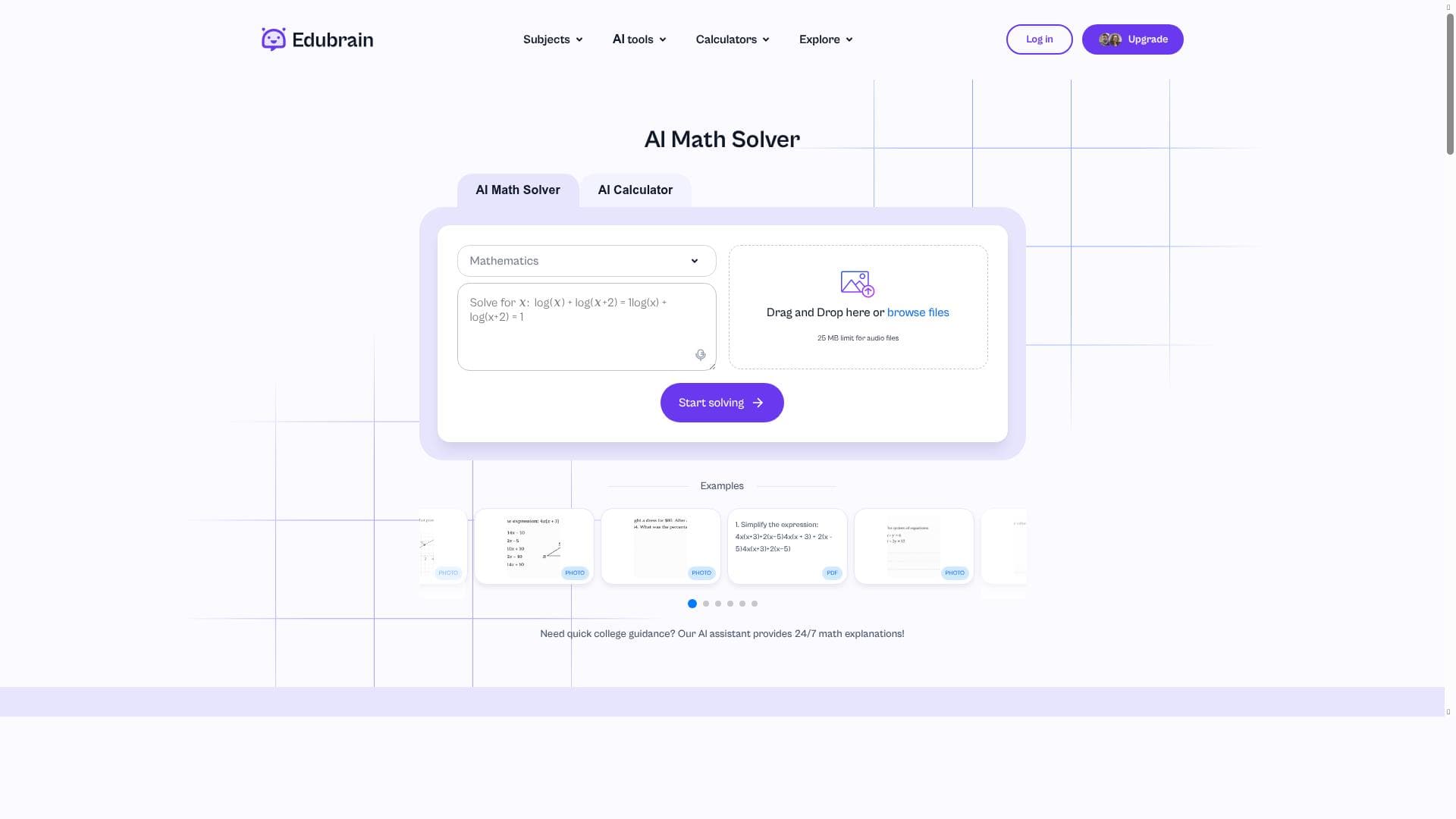
EduBrain Math Solver is a versatile AI-driven tool that simplifies math problem solving by offering multi-input options and detailed step-by-step explanations. Perfect for students and educators alike, it transforms complex math challenges into clear, understandable lessons tailored to individual learning needs.
Descripción
Math Solver is a straightforward tool that helps you solve math problems quickly and easily. You can add problems by typing, add images, or use voice input. It provides you with easy-to-follow steps for solving simple and complex problems in mathematics and calculus. Math Solver is a smart AI that explains every step and makes it easier to follow and learn.
Descripción detallada
EduBrain Math Solver is an advanced AI-powered tool designed to assist users in solving a wide range of mathematical problems efficiently and effectively. Its core purpose is to simplify the process of tackling math challenges by providing clear, step-by-step solutions that enhance understanding and learning. Whether you are dealing with basic arithmetic, algebra, geometry, or more complex calculus problems, EduBrain Math Solver offers a versatile platform that caters to learners of all levels. Users can input problems in multiple formats: by typing equations directly, uploading images of handwritten or printed problems, or even using voice input for hands-free problem entry. This flexibility makes it accessible and convenient for diverse learning environments and preferences. One of the standout features of EduBrain Math Solver is its AI-powered math learning assistance. The tool doesn't just deliver answers; it breaks down each problem into easy-to-follow steps, explaining the reasoning behind every calculation and method used. This interactive problem-solving support helps users grasp underlying concepts rather than just memorizing solutions. Additionally, the solver personalizes the learning experience by adapting explanations and problem difficulty based on the user's progress and needs. This tailored approach ensures that learners remain engaged and challenged appropriately, fostering deeper comprehension and retention. EduBrain Math Solver is ideal for students, educators, and self-learners who seek a reliable and intelligent assistant to navigate the complexities of mathematics. High school and college students can benefit from its ability to clarify difficult topics and prepare for exams. Teachers can use it as a supplementary tool to demonstrate problem-solving techniques in class or assign personalized practice problems. Moreover, lifelong learners and professionals needing quick math solutions will find the tool's multi-input options and detailed explanations particularly useful for continuous skill development. The pricing model for EduBrain Math Solver follows a freemium approach, allowing users to access basic functionalities at no cost. This includes solving standard math problems with step-by-step guidance. For users requiring more advanced features, such as solving complex calculus problems, enhanced personalization, or priority support, premium subscription plans are available. These paid tiers unlock additional capabilities and remove usage limits, making the tool scalable for casual users and intensive learners alike. When compared to other math-solving tools on the market, EduBrain Math Solver distinguishes itself through its multi-modal input options and comprehensive step explanations. While many competitors focus solely on typed input or provide only final answers, EduBrain emphasizes learning by explaining each step in detail and supporting image and voice inputs. This makes it more accessible and educationally valuable. However, unlike some specialized software that integrates deeply with classroom management systems or offers extensive offline capabilities, EduBrain Math Solver is primarily web-based and may require an internet connection for optimal performance. Potential limitations include occasional difficulties in interpreting poorly written or complex handwritten inputs via images, which may affect accuracy. Additionally, while the AI explanations are thorough, users seeking highly advanced mathematical proofs or research-level problem solving might find the tool less suited for those needs. Nonetheless, for the vast majority of educational and practical applications, EduBrain Math Solver provides a robust, user-friendly, and intelligent platform to enhance math learning and problem-solving efficiency.
Características de la herramienta
- AI-powered math learning assistance
- Interactive problem-solving support
- Personalized learning experience
Descripción
✦
EduBrain Math Solver is a versatile AI-driven tool that simplifies math problem solving by offering multi-input options and detailed step-by-step explanations. Perfect for students and educators alike, it transforms complex math challenges into clear, understandable lessons tailored to individual learning needs.
Math Solver is a straightforward tool that helps you solve math problems quickly and easily. You can add problems by typing, add images, or use voice input. It provides you with easy-to-follow steps for solving simple and complex problems in mathematics and calculus. Math Solver is a smart AI that explains every step and makes it easier to follow and learn.
Descripción detallada
EduBrain Math Solver is an advanced AI-powered tool designed to assist users in solving a wide range of mathematical problems efficiently and effectively. Its core purpose is to simplify the process of tackling math challenges by providing clear, step-by-step solutions that enhance understanding and learning. Whether you are dealing with basic arithmetic, algebra, geometry, or more complex calculus problems, EduBrain Math Solver offers a versatile platform that caters to learners of all levels. Users can input problems in multiple formats: by typing equations directly, uploading images of handwritten or printed problems, or even using voice input for hands-free problem entry. This flexibility makes it accessible and convenient for diverse learning environments and preferences. One of the standout features of EduBrain Math Solver is its AI-powered math learning assistance. The tool doesn't just deliver answers; it breaks down each problem into easy-to-follow steps, explaining the reasoning behind every calculation and method used. This interactive problem-solving support helps users grasp underlying concepts rather than just memorizing solutions. Additionally, the solver personalizes the learning experience by adapting explanations and problem difficulty based on the user's progress and needs. This tailored approach ensures that learners remain engaged and challenged appropriately, fostering deeper comprehension and retention. EduBrain Math Solver is ideal for students, educators, and self-learners who seek a reliable and intelligent assistant to navigate the complexities of mathematics. High school and college students can benefit from its ability to clarify difficult topics and prepare for exams. Teachers can use it as a supplementary tool to demonstrate problem-solving techniques in class or assign personalized practice problems. Moreover, lifelong learners and professionals needing quick math solutions will find the tool's multi-input options and detailed explanations particularly useful for continuous skill development. The pricing model for EduBrain Math Solver follows a freemium approach, allowing users to access basic functionalities at no cost. This includes solving standard math problems with step-by-step guidance. For users requiring more advanced features, such as solving complex calculus problems, enhanced personalization, or priority support, premium subscription plans are available. These paid tiers unlock additional capabilities and remove usage limits, making the tool scalable for casual users and intensive learners alike. When compared to other math-solving tools on the market, EduBrain Math Solver distinguishes itself through its multi-modal input options and comprehensive step explanations. While many competitors focus solely on typed input or provide only final answers, EduBrain emphasizes learning by explaining each step in detail and supporting image and voice inputs. This makes it more accessible and educationally valuable. However, unlike some specialized software that integrates deeply with classroom management systems or offers extensive offline capabilities, EduBrain Math Solver is primarily web-based and may require an internet connection for optimal performance. Potential limitations include occasional difficulties in interpreting poorly written or complex handwritten inputs via images, which may affect accuracy. Additionally, while the AI explanations are thorough, users seeking highly advanced mathematical proofs or research-level problem solving might find the tool less suited for those needs. Nonetheless, for the vast majority of educational and practical applications, EduBrain Math Solver provides a robust, user-friendly, and intelligent platform to enhance math learning and problem-solving efficiency.
Preguntas frecuentes
What is EduBrain Math Solver?
EduBrain Math Solver is an AI-powered tool designed to help users solve mathematical problems quickly and easily by providing detailed, step-by-step explanations. It supports multiple input methods including typing, image uploads, and voice input, making math learning interactive and accessible.
How much does EduBrain Math Solver cost?
EduBrain Math Solver offers a freemium pricing model. Basic features are available for free, while premium plans with advanced capabilities, enhanced personalization, and priority support require a subscription.
Who is EduBrain Math Solver best for?
The tool is best suited for students at various educational levels, educators seeking teaching aids, self-learners wanting to improve their math skills, and professionals needing quick and clear math solutions.
What are the main features of EduBrain Math Solver?
Key features include AI-powered math learning assistance, interactive problem-solving support, personalized learning experiences, multi-modal input options (typing, images, voice), and detailed step-by-step explanations for a wide range of math topics.
Does EduBrain Math Solver offer a free trial?
Yes, EduBrain Math Solver provides free access to its basic features, allowing users to try the tool without any cost before opting for premium plans.
What integrations does EduBrain Math Solver support?
Currently, EduBrain Math Solver is primarily a standalone web-based tool and does not offer extensive third-party integrations or classroom management system connectivity.
How does EduBrain Math Solver work?
Users input math problems by typing, uploading images, or using voice commands. The AI then analyzes the problem, generates a step-by-step solution, and explains each step to facilitate learning and comprehension.
Redes sociales
Usar herramientaReseñas
0 reseñas
Aún no hay reseñas. Sé el primero en compartir tu experiencia.
Herramientas patrocinadas











































Herramientas recomendadas
Mantente al día con las últimas herramientas de IA
Obtén las últimas novedades, únete a nuestro boletín
Leído y confiado por 50,000+ lectores
Únete a la comunidad de IA más grande
¡Nuestra comunidad y equipo están aquí para ayudarte!
Tus comentarios ayudarán a Alice AI a mejorar en futuras versiones.








Enviar tu herramienta


PoweredByAI.app es un directorio de herramientas de IA que ayuda a personas, empresas y creadores a descubrir las mejores herramientas de IA para escritura, programación, diseño, productividad y más.
© 2026 , Producto de011BQ. Todos los derechos reservados.