Destacado en:Best AI Audio Tools
Destácate →🚀 Zaprep: Tus redes sociales al máximo. Empezar gratis — automatiza 1,000 DMs/mes y convierte el engagement en leads. con 1,000 DMs automatizados/mes.
Enviar tu herramienta
25,000+ herramientas de IA ya listadas
25K+Herramientas
400K+/moVistas
105K+/moVisitantes

EasySub - Auto Subtitle Generator


✦
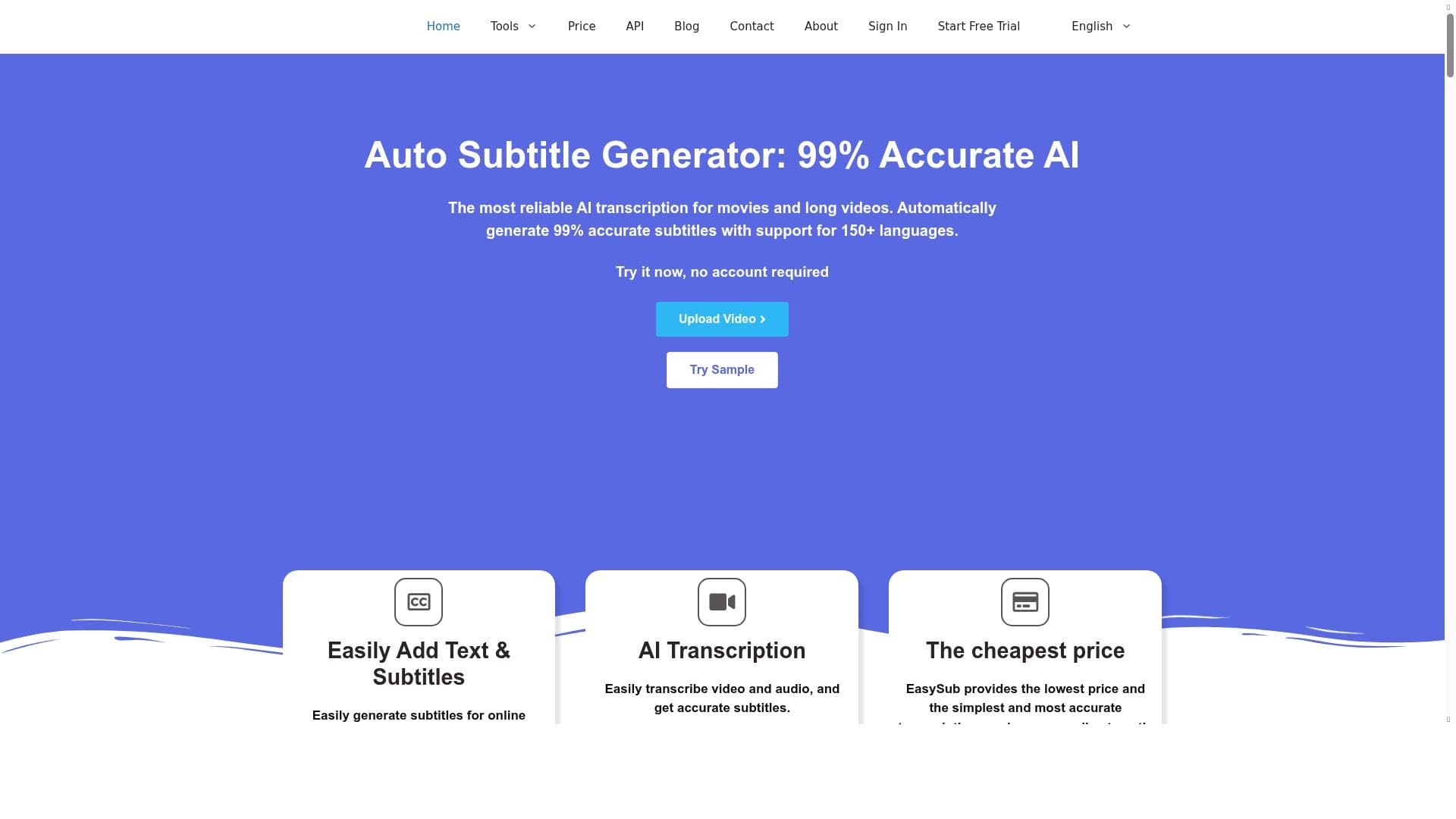
EasySub is a web-based AI tool that automatically generates and translates subtitles with over 95% accuracy, supporting more than 150 languages and unlimited video length. It’s perfect for video creators, professional subtitlers, and educators who need fast, reliable subtitle generation for long and large video files.

Descripción
EasySub is the tool to automatically generate subtitles and translate subtitles, as well as simple video editing and exporting. **Key Features and Advantages**: EasySub is a web application, so it is compatible with almost all operating systems. - **[Feature 1]**: More than 95% automatic subtitle accuracy. - **[Feature 2]**: More than 150+ national language subtitles humanized AI translation. - **[Feature 3]**:There is no upload limit, focusing on subtitle generation and translation for long videos and large file video and audio. - **[Feature 4]**:Simple and fast operation platform, ready to use at any time **Use Cases**: - **[Usecase 1]**: Most video creators need to quickly and accurately generate subtitles through EasySub. - **[Usecase 2]**: Professional subtitlers save a lot of time in manual subtitles with EasySub. - **[Usecase 3]**: Educators help more students and teachers by adding subtitles to instructional videos. **Summary**: EasySub has a professional AI speech recognition team, which makes the accuracy of the subtitles it generates has reasonably exceeded most of the relevant software on the market. EasySub is committed to providing teaching video subtitle generation and services to users who have generated a large number of long videos.
Descripción detallada
EasySub - Auto Subtitle Generator is a powerful web-based tool designed to automatically generate and translate subtitles for videos, alongside offering simple video editing and exporting capabilities. Its core purpose is to streamline the process of subtitle creation, making it accessible and efficient for a wide range of users including video creators, professional subtitlers, and educators. By leveraging advanced AI speech recognition technology, EasySub delivers highly accurate subtitles and supports extensive language translation, facilitating global content accessibility. One of the standout features of EasySub is its impressive subtitle accuracy, boasting over 95% automatic accuracy in transcription. This high level of precision is achieved through a dedicated AI speech recognition team that continuously refines the underlying algorithms. Additionally, EasySub supports humanized AI translation for more than 150 national languages, enabling users to reach diverse audiences worldwide with culturally and linguistically appropriate subtitles. Unlike many other subtitle tools, EasySub imposes no upload limits, making it particularly suitable for handling long videos and large audio or video files without compromising performance. The platform is designed for simplicity and speed, offering a user-friendly interface that requires minimal setup and allows users to generate subtitles quickly and efficiently. EasySub is ideal for a variety of users and use cases. Video creators who need to produce subtitles rapidly and accurately will find EasySub invaluable, as it reduces the time and effort typically required for manual subtitle creation. Professional subtitlers can leverage the tool to significantly cut down on labor-intensive transcription tasks, freeing up time for quality control and creative work. Educators benefit from EasySub by adding subtitles to instructional videos, thereby enhancing accessibility for students and teachers, including those with hearing impairments or language barriers. The tool’s ability to handle long-format content also makes it a preferred choice for filmmakers and content producers working on movies or extended video projects. Regarding pricing, EasySub offers a freemium model, allowing users to access basic features at no cost while providing premium options for more advanced needs. This approach makes it accessible to individual creators and small teams while scaling to meet the demands of professional users. The freemium plan typically includes essential subtitle generation and translation features, with paid tiers unlocking additional functionalities such as higher accuracy, faster processing, and export options. Compared to alternatives, EasySub stands out due to its combination of high accuracy, extensive language support, and no upload limits. Many competing tools either restrict video length or file size or offer limited language options. EasySub’s web-based nature ensures compatibility across operating systems without requiring software installation, which is a significant advantage for users working on different platforms. Its focus on long videos and large files also differentiates it from subtitle generators that primarily target short clips or social media content. However, potential users should consider that while EasySub excels in automatic subtitle generation and translation, it may not offer the depth of advanced video editing features found in dedicated video editing software. Users requiring complex editing beyond subtitle addition might need to complement EasySub with other tools. Additionally, as with any AI-driven transcription service, occasional errors can occur, especially with poor audio quality or heavy accents, so manual review is recommended for critical projects. In summary, EasySub - Auto Subtitle Generator is a robust, user-friendly solution for generating and translating subtitles with high accuracy and efficiency. Its web-based platform, extensive language support, and ability to handle large files make it an excellent choice for video creators, subtitlers, and educators seeking to enhance video accessibility and reach a global audience.
Características de la herramienta
- 99% accuracy in subtitle generation
- Specialized in movies and long videos
- Fast video-to-text conversion
- AI translation
- SRT export
Descripción
✦
EasySub is a web-based AI tool that automatically generates and translates subtitles with over 95% accuracy, supporting more than 150 languages and unlimited video length. It’s perfect for video creators, professional subtitlers, and educators who need fast, reliable subtitle generation for long and large video files.
EasySub is the tool to automatically generate subtitles and translate subtitles, as well as simple video editing and exporting. **Key Features and Advantages**: EasySub is a web application, so it is compatible with almost all operating systems. - **[Feature 1]**: More than 95% automatic subtitle accuracy. - **[Feature 2]**: More than 150+ national language subtitles humanized AI translation. - **[Feature 3]**:There is no upload limit, focusing on subtitle generation and translation for long videos and large file video and audio. - **[Feature 4]**:Simple and fast operation platform, ready to use at any time **Use Cases**: - **[Usecase 1]**: Most video creators need to quickly and accurately generate subtitles through EasySub. - **[Usecase 2]**: Professional subtitlers save a lot of time in manual subtitles with EasySub. - **[Usecase 3]**: Educators help more students and teachers by adding subtitles to instructional videos. **Summary**: EasySub has a professional AI speech recognition team, which makes the accuracy of the subtitles it generates has reasonably exceeded most of the relevant software on the market. EasySub is committed to providing teaching video subtitle generation and services to users who have generated a large number of long videos.
Descripción detallada
EasySub - Auto Subtitle Generator is a powerful web-based tool designed to automatically generate and translate subtitles for videos, alongside offering simple video editing and exporting capabilities. Its core purpose is to streamline the process of subtitle creation, making it accessible and efficient for a wide range of users including video creators, professional subtitlers, and educators. By leveraging advanced AI speech recognition technology, EasySub delivers highly accurate subtitles and supports extensive language translation, facilitating global content accessibility. One of the standout features of EasySub is its impressive subtitle accuracy, boasting over 95% automatic accuracy in transcription. This high level of precision is achieved through a dedicated AI speech recognition team that continuously refines the underlying algorithms. Additionally, EasySub supports humanized AI translation for more than 150 national languages, enabling users to reach diverse audiences worldwide with culturally and linguistically appropriate subtitles. Unlike many other subtitle tools, EasySub imposes no upload limits, making it particularly suitable for handling long videos and large audio or video files without compromising performance. The platform is designed for simplicity and speed, offering a user-friendly interface that requires minimal setup and allows users to generate subtitles quickly and efficiently. EasySub is ideal for a variety of users and use cases. Video creators who need to produce subtitles rapidly and accurately will find EasySub invaluable, as it reduces the time and effort typically required for manual subtitle creation. Professional subtitlers can leverage the tool to significantly cut down on labor-intensive transcription tasks, freeing up time for quality control and creative work. Educators benefit from EasySub by adding subtitles to instructional videos, thereby enhancing accessibility for students and teachers, including those with hearing impairments or language barriers. The tool’s ability to handle long-format content also makes it a preferred choice for filmmakers and content producers working on movies or extended video projects. Regarding pricing, EasySub offers a freemium model, allowing users to access basic features at no cost while providing premium options for more advanced needs. This approach makes it accessible to individual creators and small teams while scaling to meet the demands of professional users. The freemium plan typically includes essential subtitle generation and translation features, with paid tiers unlocking additional functionalities such as higher accuracy, faster processing, and export options. Compared to alternatives, EasySub stands out due to its combination of high accuracy, extensive language support, and no upload limits. Many competing tools either restrict video length or file size or offer limited language options. EasySub’s web-based nature ensures compatibility across operating systems without requiring software installation, which is a significant advantage for users working on different platforms. Its focus on long videos and large files also differentiates it from subtitle generators that primarily target short clips or social media content. However, potential users should consider that while EasySub excels in automatic subtitle generation and translation, it may not offer the depth of advanced video editing features found in dedicated video editing software. Users requiring complex editing beyond subtitle addition might need to complement EasySub with other tools. Additionally, as with any AI-driven transcription service, occasional errors can occur, especially with poor audio quality or heavy accents, so manual review is recommended for critical projects. In summary, EasySub - Auto Subtitle Generator is a robust, user-friendly solution for generating and translating subtitles with high accuracy and efficiency. Its web-based platform, extensive language support, and ability to handle large files make it an excellent choice for video creators, subtitlers, and educators seeking to enhance video accessibility and reach a global audience.
Preguntas frecuentes
What is EasySub - Auto Subtitle Generator?
EasySub is a web application that automatically generates and translates subtitles for videos using advanced AI speech recognition technology. It also offers simple video editing and exporting features, focusing on high accuracy and support for long videos and large files.
How much does EasySub - Auto Subtitle Generator cost?
EasySub operates on a freemium pricing model, offering basic subtitle generation and translation features for free, with premium plans available for users who need enhanced accuracy, faster processing, and additional export options.
Who is EasySub - Auto Subtitle Generator best for?
EasySub is ideal for video creators who need quick and accurate subtitles, professional subtitlers looking to save time on manual transcription, and educators who want to add subtitles to instructional videos to improve accessibility.
What are the main features of EasySub - Auto Subtitle Generator?
Key features include over 95% subtitle accuracy, AI-powered translation in more than 150 languages, no upload limits for long or large video files, a simple and fast user interface, fast video-to-text conversion, and SRT subtitle export.
Does EasySub - Auto Subtitle Generator offer a free trial?
Yes, EasySub offers a freemium plan that allows users to access core subtitle generation and translation features at no cost, effectively serving as a free trial with optional upgrades to premium plans.
What integrations does EasySub - Auto Subtitle Generator support?
EasySub is primarily a standalone web application compatible with all major operating systems via browsers. It does not currently advertise specific third-party integrations but supports exporting subtitles in standard formats like SRT for use in other video editing tools.
How does EasySub - Auto Subtitle Generator work?
Users upload their video or audio files to the EasySub web platform, where AI-driven speech recognition transcribes the audio into subtitles. The tool then applies AI translation if needed, allowing users to edit and export subtitles quickly without file size or length restrictions.
Redes sociales
Usar herramientaReseñas
0 reseñas
Aún no hay reseñas. Sé el primero en compartir tu experiencia.
Herramientas patrocinadas











































Herramientas recomendadas
Mantente al día con las últimas herramientas de IA
Obtén las últimas novedades, únete a nuestro boletín
Leído y confiado por 50,000+ lectores
Únete a la comunidad de IA más grande
¡Nuestra comunidad y equipo están aquí para ayudarte!
Tus comentarios ayudarán a Alice AI a mejorar en futuras versiones.








Enviar tu herramienta


PoweredByAI.app es un directorio de herramientas de IA que ayuda a personas, empresas y creadores a descubrir las mejores herramientas de IA para escritura, programación, diseño, productividad y más.
© 2026 , Producto de011BQ. Todos los derechos reservados.