
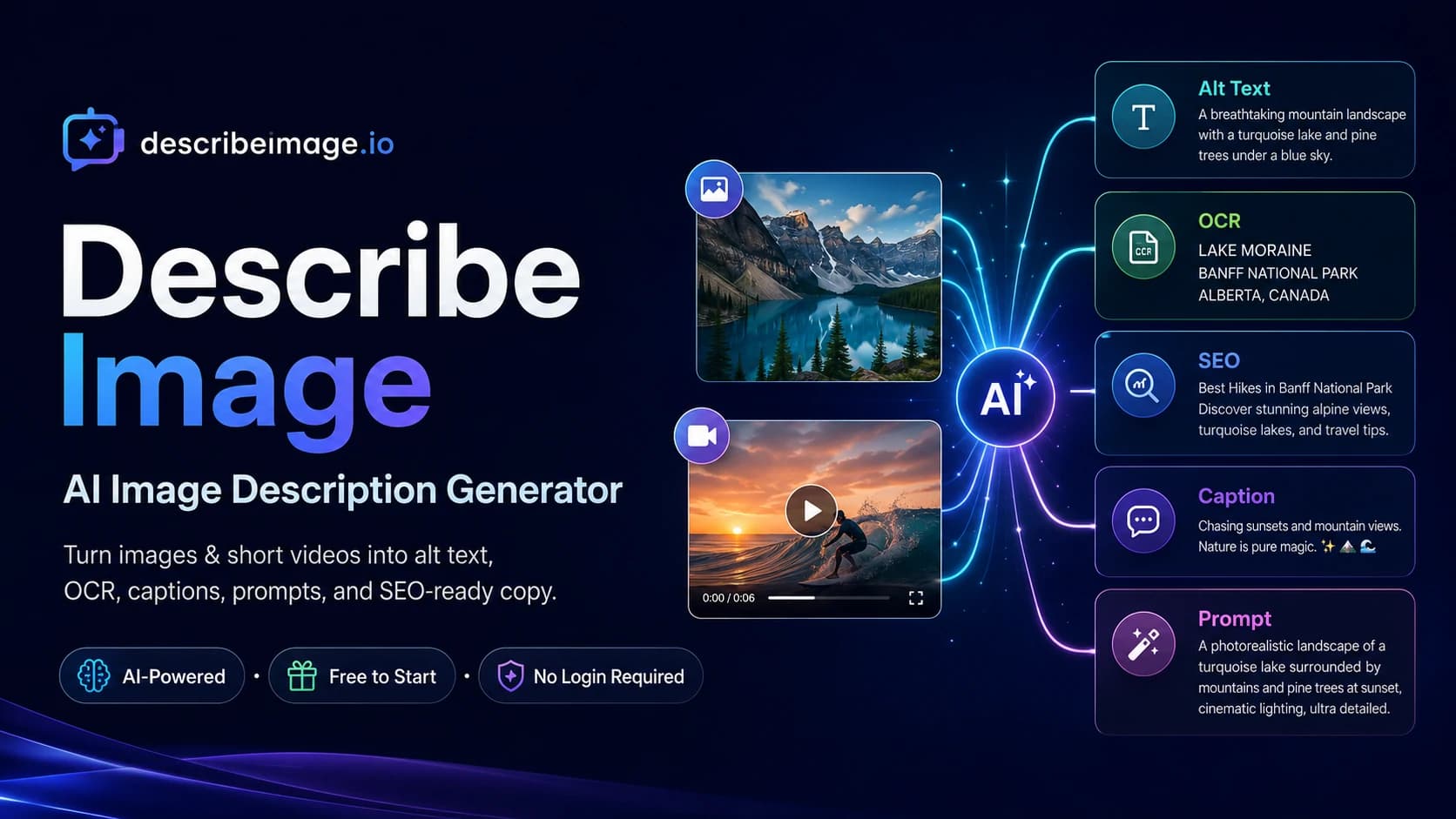
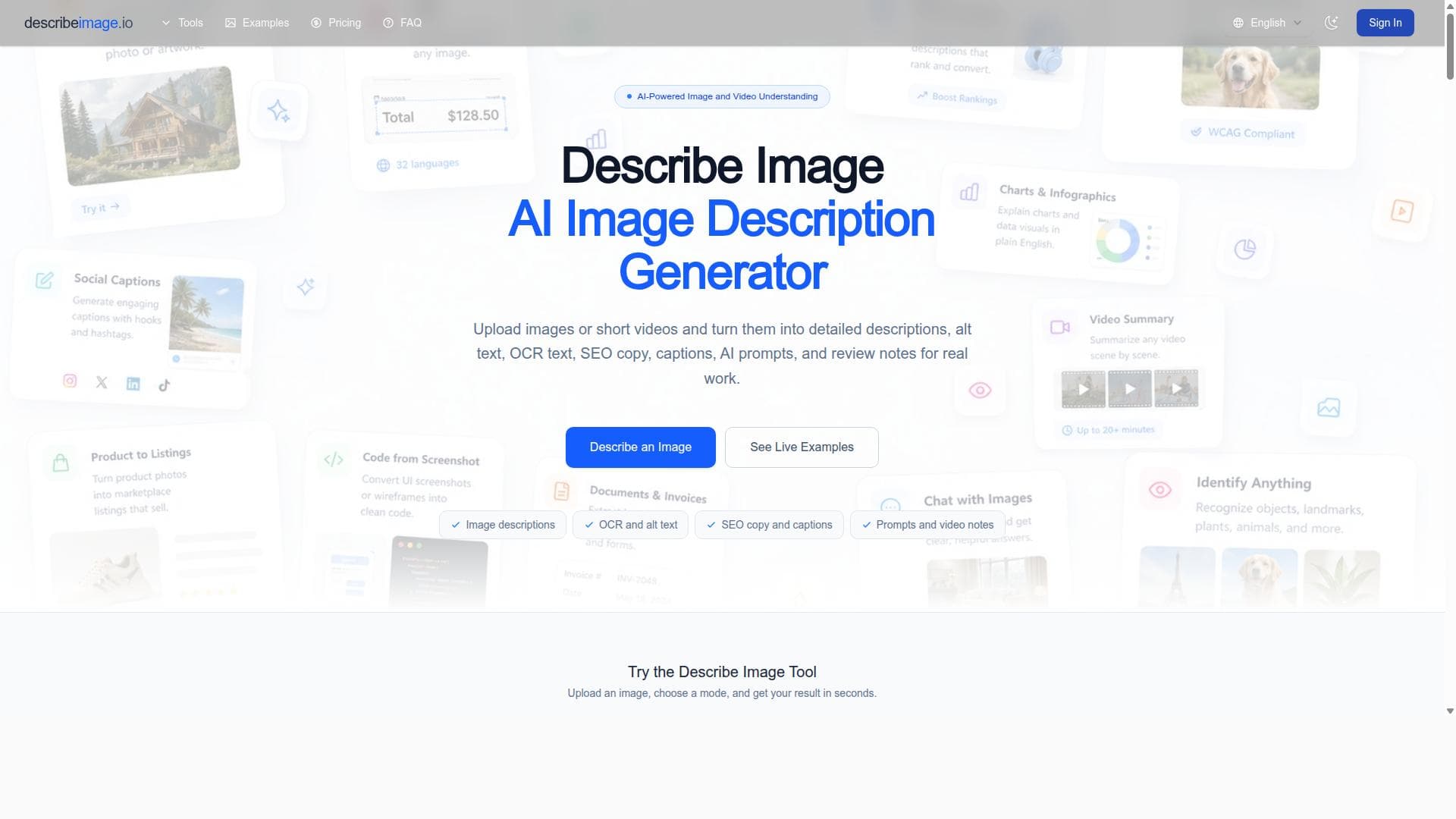
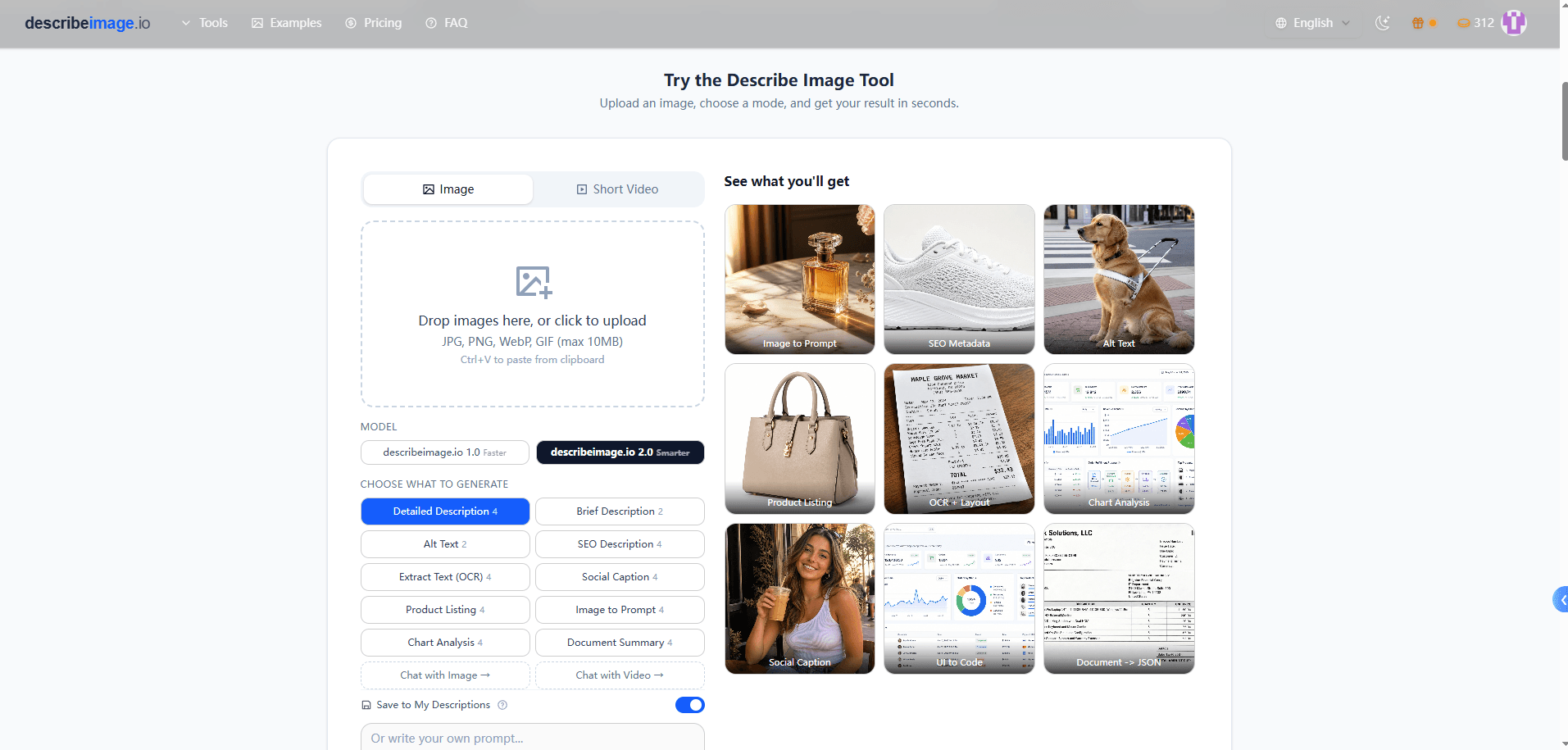


Describe Image is a versatile AI tool that transforms images and short videos into detailed, SEO-friendly text, including descriptions, alt text, captions, and product copy. Ideal for creators, marketers, educators, and e-commerce sellers, it accelerates content creation and accessibility workflows by combining advanced image recognition with OCR and color detection.

Descripción
Describe Image is an AI image-to-text tool that helps users turn images and short videos into clear, useful written content. Users can upload photos, screenshots, charts, documents, product images, infographics, or short videos and generate detailed descriptions, accessibility alt text, OCR text extraction, captions, SEO-ready image copy, product descriptions, summaries, and reusable AI prompts. Describe Image is useful for creators, marketers, bloggers, e-commerce sellers, educators, SEO teams, website owners, accessibility workflows, and anyone who needs to describe, understand, search, or repurpose visual content faster. Common use cases include extracting text from screenshots, writing alt text for websites, explaining charts and infographics, creating social media captions, generating SEO metadata for images, turning product photos into listing copy, summarizing visual documents, and reviewing short videos scene by scene.
Descripción detallada
Describe Image is an advanced AI-powered image-to-text tool designed to transform visual content such as images and short videos into clear, detailed written descriptions and useful textual outputs. Its core purpose is to help users quickly generate meaningful text from various visual inputs including photos, screenshots, charts, documents, product images, infographics, and short video clips. By leveraging cutting-edge artificial intelligence, Describe Image enables users to extract detailed descriptions, accessibility alt text, OCR-based text extraction, captions, SEO-optimized image copy, product descriptions, summaries, and even reusable AI prompts. This comprehensive approach makes it an invaluable tool for anyone needing to understand, describe, search, or repurpose visual content efficiently and accurately. At the heart of Describe Image’s capabilities is its AI-powered detailed image description engine that identifies objects, scenes, and contextual elements within images. This allows it to generate rich, human-like descriptions that go beyond simple labels. The tool also incorporates robust OCR (Optical Character Recognition) technology to extract text embedded in images such as screenshots or scanned documents, making it easy to digitize and repurpose textual content. Additionally, Describe Image detects colors and other visual attributes to enhance the descriptions and support SEO-friendly copy generation. Users can create alt text that meets accessibility standards, write engaging social media captions, generate SEO metadata to improve image search rankings, and produce product listing copy from photos. The tool also supports summarizing complex visual documents and reviewing short videos scene by scene to generate detailed notes or prompts. Describe Image is particularly well-suited for a diverse range of users and industries. Content creators, marketers, and bloggers benefit from its ability to quickly generate descriptive captions and SEO-optimized text that improve engagement and search visibility. E-commerce sellers can transform product photos into compelling listing descriptions that drive sales. Educators and accessibility professionals use it to create alt text and accessible content for visually impaired audiences. SEO teams and website owners leverage its metadata generation to boost image search performance. Additionally, anyone involved in managing or repurposing visual content—such as social media managers, researchers, and digital archivists—will find Describe Image invaluable for speeding up workflows and enhancing content quality. Regarding pricing, Describe Image offers flexible plans tailored to different user needs, typically including a free tier with limited usage to test core features, and paid subscriptions that unlock higher usage limits, advanced capabilities, and priority support. Specific pricing details can be found on their website, but the tiered approach ensures accessibility for individual users as well as businesses requiring large-scale image processing. Compared to alternatives, Describe Image stands out due to its comprehensive feature set that combines detailed AI-generated descriptions, OCR text extraction, color detection, and SEO-focused copy generation in a single platform. Many competing tools specialize in either OCR or basic image captioning, but Describe Image’s ability to handle a wide variety of visual content types—including short videos—and produce multiple forms of textual output makes it uniquely versatile. Its focus on accessibility and SEO also differentiates it from generic image-to-text converters. However, users should consider some limitations. As with any AI-based tool, the accuracy of descriptions and text extraction can vary depending on image quality and complexity. Extremely abstract or low-resolution visuals may yield less precise results. Additionally, while Describe Image supports short videos, longer or highly dynamic video content may require manual review or alternative tools. Integration options may be limited compared to some enterprise-grade platforms, so users with complex workflow automation needs should verify compatibility. In summary, Describe Image is a powerful, multi-functional AI tool that streamlines the conversion of visual content into rich, actionable text. Its blend of detailed image analysis, OCR, SEO optimization, and accessibility features makes it an essential solution for creators, marketers, educators, and businesses aiming to maximize the value and reach of their visual assets.
Características de la herramienta
- AI-powered detailed image descriptions
- Object and scene identification
- Text recognition with OCR
- Color detection
- Generation of alt text and SEO copy
- Creation of captions, prompts, and scene notes
Descripción
Describe Image is a versatile AI tool that transforms images and short videos into detailed, SEO-friendly text, including descriptions, alt text, captions, and product copy. Ideal for creators, marketers, educators, and e-commerce sellers, it accelerates content creation and accessibility workflows by combining advanced image recognition with OCR and color detection.
Describe Image is an AI image-to-text tool that helps users turn images and short videos into clear, useful written content. Users can upload photos, screenshots, charts, documents, product images, infographics, or short videos and generate detailed descriptions, accessibility alt text, OCR text extraction, captions, SEO-ready image copy, product descriptions, summaries, and reusable AI prompts. Describe Image is useful for creators, marketers, bloggers, e-commerce sellers, educators, SEO teams, website owners, accessibility workflows, and anyone who needs to describe, understand, search, or repurpose visual content faster. Common use cases include extracting text from screenshots, writing alt text for websites, explaining charts and infographics, creating social media captions, generating SEO metadata for images, turning product photos into listing copy, summarizing visual documents, and reviewing short videos scene by scene.
Descripción detallada
Describe Image is an advanced AI-powered image-to-text tool designed to transform visual content such as images and short videos into clear, detailed written descriptions and useful textual outputs. Its core purpose is to help users quickly generate meaningful text from various visual inputs including photos, screenshots, charts, documents, product images, infographics, and short video clips. By leveraging cutting-edge artificial intelligence, Describe Image enables users to extract detailed descriptions, accessibility alt text, OCR-based text extraction, captions, SEO-optimized image copy, product descriptions, summaries, and even reusable AI prompts. This comprehensive approach makes it an invaluable tool for anyone needing to understand, describe, search, or repurpose visual content efficiently and accurately. At the heart of Describe Image’s capabilities is its AI-powered detailed image description engine that identifies objects, scenes, and contextual elements within images. This allows it to generate rich, human-like descriptions that go beyond simple labels. The tool also incorporates robust OCR (Optical Character Recognition) technology to extract text embedded in images such as screenshots or scanned documents, making it easy to digitize and repurpose textual content. Additionally, Describe Image detects colors and other visual attributes to enhance the descriptions and support SEO-friendly copy generation. Users can create alt text that meets accessibility standards, write engaging social media captions, generate SEO metadata to improve image search rankings, and produce product listing copy from photos. The tool also supports summarizing complex visual documents and reviewing short videos scene by scene to generate detailed notes or prompts. Describe Image is particularly well-suited for a diverse range of users and industries. Content creators, marketers, and bloggers benefit from its ability to quickly generate descriptive captions and SEO-optimized text that improve engagement and search visibility. E-commerce sellers can transform product photos into compelling listing descriptions that drive sales. Educators and accessibility professionals use it to create alt text and accessible content for visually impaired audiences. SEO teams and website owners leverage its metadata generation to boost image search performance. Additionally, anyone involved in managing or repurposing visual content—such as social media managers, researchers, and digital archivists—will find Describe Image invaluable for speeding up workflows and enhancing content quality. Regarding pricing, Describe Image offers flexible plans tailored to different user needs, typically including a free tier with limited usage to test core features, and paid subscriptions that unlock higher usage limits, advanced capabilities, and priority support. Specific pricing details can be found on their website, but the tiered approach ensures accessibility for individual users as well as businesses requiring large-scale image processing. Compared to alternatives, Describe Image stands out due to its comprehensive feature set that combines detailed AI-generated descriptions, OCR text extraction, color detection, and SEO-focused copy generation in a single platform. Many competing tools specialize in either OCR or basic image captioning, but Describe Image’s ability to handle a wide variety of visual content types—including short videos—and produce multiple forms of textual output makes it uniquely versatile. Its focus on accessibility and SEO also differentiates it from generic image-to-text converters. However, users should consider some limitations. As with any AI-based tool, the accuracy of descriptions and text extraction can vary depending on image quality and complexity. Extremely abstract or low-resolution visuals may yield less precise results. Additionally, while Describe Image supports short videos, longer or highly dynamic video content may require manual review or alternative tools. Integration options may be limited compared to some enterprise-grade platforms, so users with complex workflow automation needs should verify compatibility. In summary, Describe Image is a powerful, multi-functional AI tool that streamlines the conversion of visual content into rich, actionable text. Its blend of detailed image analysis, OCR, SEO optimization, and accessibility features makes it an essential solution for creators, marketers, educators, and businesses aiming to maximize the value and reach of their visual assets.
Preguntas frecuentes
What is Describe Image?
Describe Image is an AI-powered image-to-text tool that converts images and short videos into detailed written content such as descriptions, alt text, captions, SEO copy, product descriptions, and text extracted via OCR.
How much does Describe Image cost?
Describe Image offers multiple pricing plans including a free tier with limited usage and paid subscriptions that provide higher limits and advanced features. Exact pricing details are available on their website.
Who is Describe Image best for?
Describe Image is ideal for content creators, marketers, bloggers, e-commerce sellers, educators, SEO teams, website owners, and accessibility professionals who need to describe, understand, search, or repurpose visual content efficiently.
What are the main features of Describe Image?
Key features include AI-powered detailed image descriptions, object and scene identification, OCR text extraction, color detection, generation of accessibility alt text, SEO copy, captions, reusable AI prompts, and short video scene analysis.
Does Describe Image offer a free trial?
Yes, Describe Image provides a free tier or trial option that allows users to test core features with limited usage before committing to a paid plan.
What integrations does Describe Image support?
While Describe Image primarily functions as a standalone web tool, users should check the website for any available API access or integration options to connect with other platforms or workflows.
How does Describe Image work?
Users upload images or short videos to the platform, which then uses AI to analyze visual content, identify objects and scenes, extract text via OCR, detect colors, and generate various forms of written content including descriptions, alt text, captions, and SEO metadata.
Reseñas
Aún no hay reseñas. Sé el primero en compartir tu experiencia.




















































