Destacado en:Best AI Writing Tools
Destácate →🚀 Zaprep: Tus redes sociales al máximo. Empezar gratis — automatiza 1,000 DMs/mes y convierte el engagement en leads. con 1,000 DMs automatizados/mes.
Enviar tu herramienta
25,000+ herramientas de IA ya listadas
25K+Herramientas
400K+/moVistas
105K+/moVisitantes


✦
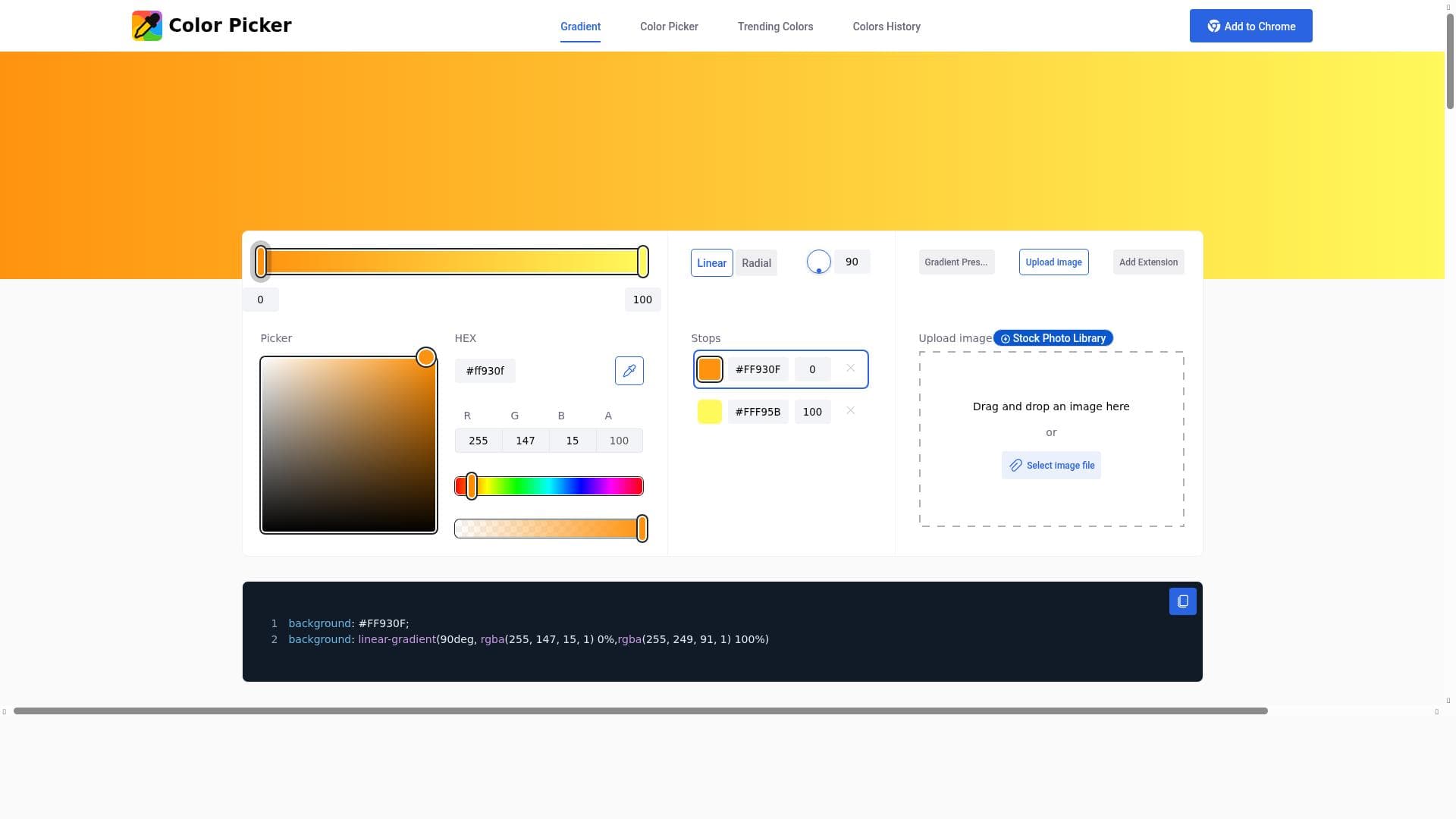
Color Picker is a free, intuitive tool that lets users select colors from any image or screen, create smooth gradients, and generate HEX, RGB, and HSL codes effortlessly. Ideal for designers and developers seeking precise color management, it combines simplicity with powerful palette generation and color combination exploration features.

Descripción
An intuitive color picker for selecting colors, shades from any image or screen, creating smooth gradients, and generating HEX, RGB, and HSL color codes.
Descripción detallada
Color Picker is a versatile and intuitive digital tool designed to simplify the process of selecting, analyzing, and generating colors for a wide range of creative projects. Its core purpose is to empower designers, artists, developers, and anyone working with digital visuals to accurately identify and utilize colors from any image or screen. Whether you need to extract a precise shade from a photograph, create harmonious color palettes, or generate smooth gradients, Color Picker provides an accessible and efficient solution. By supporting multiple color code formats such as HEX, RGB, and HSL, it ensures compatibility with various design and development workflows. One of the standout features of Color Picker is its color selection tool, which allows users to pick colors directly from images or anywhere on their screen. This functionality is invaluable for designers who want to replicate or complement colors found in real-world visuals or digital content. Beyond simple color picking, the tool offers palette generation capabilities, enabling users to create cohesive sets of colors that work well together. This feature is particularly useful for branding, UI/UX design, and artistic projects where color harmony is critical. Additionally, Color Picker facilitates color combination exploration, allowing users to experiment with different shades and tones to find the perfect match or contrast for their designs. Color Picker is best suited for graphic designers, web developers, digital artists, and marketing professionals who require precise color management in their work. It is also beneficial for educators and students in design fields who need an easy-to-use tool for learning about color theory and application. Specific use cases include extracting brand colors from logos, generating color schemes for websites or apps, creating gradients for digital illustrations, and ensuring color consistency across various media. Its user-friendly interface and comprehensive feature set make it accessible to both beginners and experienced professionals. The tool is available for free, making it an attractive option for individuals and small teams who need robust color selection and palette creation capabilities without a financial commitment. Unlike many paid alternatives, Color Picker offers its full suite of features at no cost, which lowers the barrier to entry and encourages widespread adoption. There are no subscription plans or premium tiers, simplifying the user experience and ensuring that all users have equal access to its functionalities. When compared to other color picking and palette generation tools, Color Picker stands out due to its combination of simplicity and depth. While some tools focus solely on color extraction or palette creation, Color Picker integrates these features seamlessly, providing a comprehensive color management environment. Its support for multiple color code formats and the ability to pick colors from any part of the screen add to its versatility. However, unlike some advanced professional software, it may lack integration with complex design suites or collaborative features, which could be a consideration for larger teams or enterprise users. Notable limitations of Color Picker include the absence of direct integration with popular design platforms like Adobe Creative Cloud or Figma, which means users need to manually transfer color codes. Additionally, while the tool is excellent for static color selection and palette generation, it does not offer advanced color analytics or AI-driven color suggestions based on project context. Users should also be aware that as a free tool, support options may be limited compared to premium services. Despite these considerations, Color Picker remains a powerful and accessible resource for anyone needing precise and flexible color selection and palette creation capabilities.
Características de la herramienta
- Color selection tool
- Palette generation
- Color combination exploration
Descripción
✦
Color Picker is a free, intuitive tool that lets users select colors from any image or screen, create smooth gradients, and generate HEX, RGB, and HSL codes effortlessly. Ideal for designers and developers seeking precise color management, it combines simplicity with powerful palette generation and color combination exploration features.
An intuitive color picker for selecting colors, shades from any image or screen, creating smooth gradients, and generating HEX, RGB, and HSL color codes.
Descripción detallada
Color Picker is a versatile and intuitive digital tool designed to simplify the process of selecting, analyzing, and generating colors for a wide range of creative projects. Its core purpose is to empower designers, artists, developers, and anyone working with digital visuals to accurately identify and utilize colors from any image or screen. Whether you need to extract a precise shade from a photograph, create harmonious color palettes, or generate smooth gradients, Color Picker provides an accessible and efficient solution. By supporting multiple color code formats such as HEX, RGB, and HSL, it ensures compatibility with various design and development workflows. One of the standout features of Color Picker is its color selection tool, which allows users to pick colors directly from images or anywhere on their screen. This functionality is invaluable for designers who want to replicate or complement colors found in real-world visuals or digital content. Beyond simple color picking, the tool offers palette generation capabilities, enabling users to create cohesive sets of colors that work well together. This feature is particularly useful for branding, UI/UX design, and artistic projects where color harmony is critical. Additionally, Color Picker facilitates color combination exploration, allowing users to experiment with different shades and tones to find the perfect match or contrast for their designs. Color Picker is best suited for graphic designers, web developers, digital artists, and marketing professionals who require precise color management in their work. It is also beneficial for educators and students in design fields who need an easy-to-use tool for learning about color theory and application. Specific use cases include extracting brand colors from logos, generating color schemes for websites or apps, creating gradients for digital illustrations, and ensuring color consistency across various media. Its user-friendly interface and comprehensive feature set make it accessible to both beginners and experienced professionals. The tool is available for free, making it an attractive option for individuals and small teams who need robust color selection and palette creation capabilities without a financial commitment. Unlike many paid alternatives, Color Picker offers its full suite of features at no cost, which lowers the barrier to entry and encourages widespread adoption. There are no subscription plans or premium tiers, simplifying the user experience and ensuring that all users have equal access to its functionalities. When compared to other color picking and palette generation tools, Color Picker stands out due to its combination of simplicity and depth. While some tools focus solely on color extraction or palette creation, Color Picker integrates these features seamlessly, providing a comprehensive color management environment. Its support for multiple color code formats and the ability to pick colors from any part of the screen add to its versatility. However, unlike some advanced professional software, it may lack integration with complex design suites or collaborative features, which could be a consideration for larger teams or enterprise users. Notable limitations of Color Picker include the absence of direct integration with popular design platforms like Adobe Creative Cloud or Figma, which means users need to manually transfer color codes. Additionally, while the tool is excellent for static color selection and palette generation, it does not offer advanced color analytics or AI-driven color suggestions based on project context. Users should also be aware that as a free tool, support options may be limited compared to premium services. Despite these considerations, Color Picker remains a powerful and accessible resource for anyone needing precise and flexible color selection and palette creation capabilities.
Preguntas frecuentes
What is Color Picker?
Color Picker is an intuitive digital tool designed to help users select colors and shades from any image or screen, create smooth gradients, and generate color codes in HEX, RGB, and HSL formats. It also enables palette generation and color combination exploration for design projects.
How much does Color Picker cost?
Color Picker is completely free to use, with no subscription fees or premium plans.
Who is Color Picker best for?
Color Picker is ideal for graphic designers, web developers, digital artists, marketing professionals, educators, and students who need precise and easy-to-use color selection and palette creation tools.
What are the main features of Color Picker?
The main features include a color selection tool for picking colors from images or screens, palette generation for creating harmonious color sets, and color combination exploration to experiment with different shades and tones.
Does Color Picker offer a free trial?
Color Picker is free to use and does not require a trial period or payment to access its features.
What integrations does Color Picker support?
Currently, Color Picker does not offer direct integrations with other design platforms or software; users manually transfer color codes to their preferred tools.
How does Color Picker work?
Color Picker works by allowing users to select colors directly from images or anywhere on their screen, then generates corresponding color codes and palettes. Users can explore color combinations and create gradients within the tool to support their design needs.
Reseñas
0 reseñas
Aún no hay reseñas. Sé el primero en compartir tu experiencia.
Herramientas patrocinadas











































Herramientas recomendadas
Mantente al día con las últimas herramientas de IA
Obtén las últimas novedades, únete a nuestro boletín
Leído y confiado por 50,000+ lectores
Únete a la comunidad de IA más grande
¡Nuestra comunidad y equipo están aquí para ayudarte!
Tus comentarios ayudarán a Alice AI a mejorar en futuras versiones.








Enviar tu herramienta


PoweredByAI.app es un directorio de herramientas de IA que ayuda a personas, empresas y creadores a descubrir las mejores herramientas de IA para escritura, programación, diseño, productividad y más.
© 2026 , Producto de011BQ. Todos los derechos reservados.