Destacado en:Best AI Education Tools
Destácate →🚀 Zaprep: Tus redes sociales al máximo. Empezar gratis — automatiza 1,000 DMs/mes y convierte el engagement en leads. con 1,000 DMs automatizados/mes.
Enviar tu herramienta
25,000+ herramientas de IA ya listadas
25K+Herramientas
400K+/moVistas
105K+/moVisitantes


✦
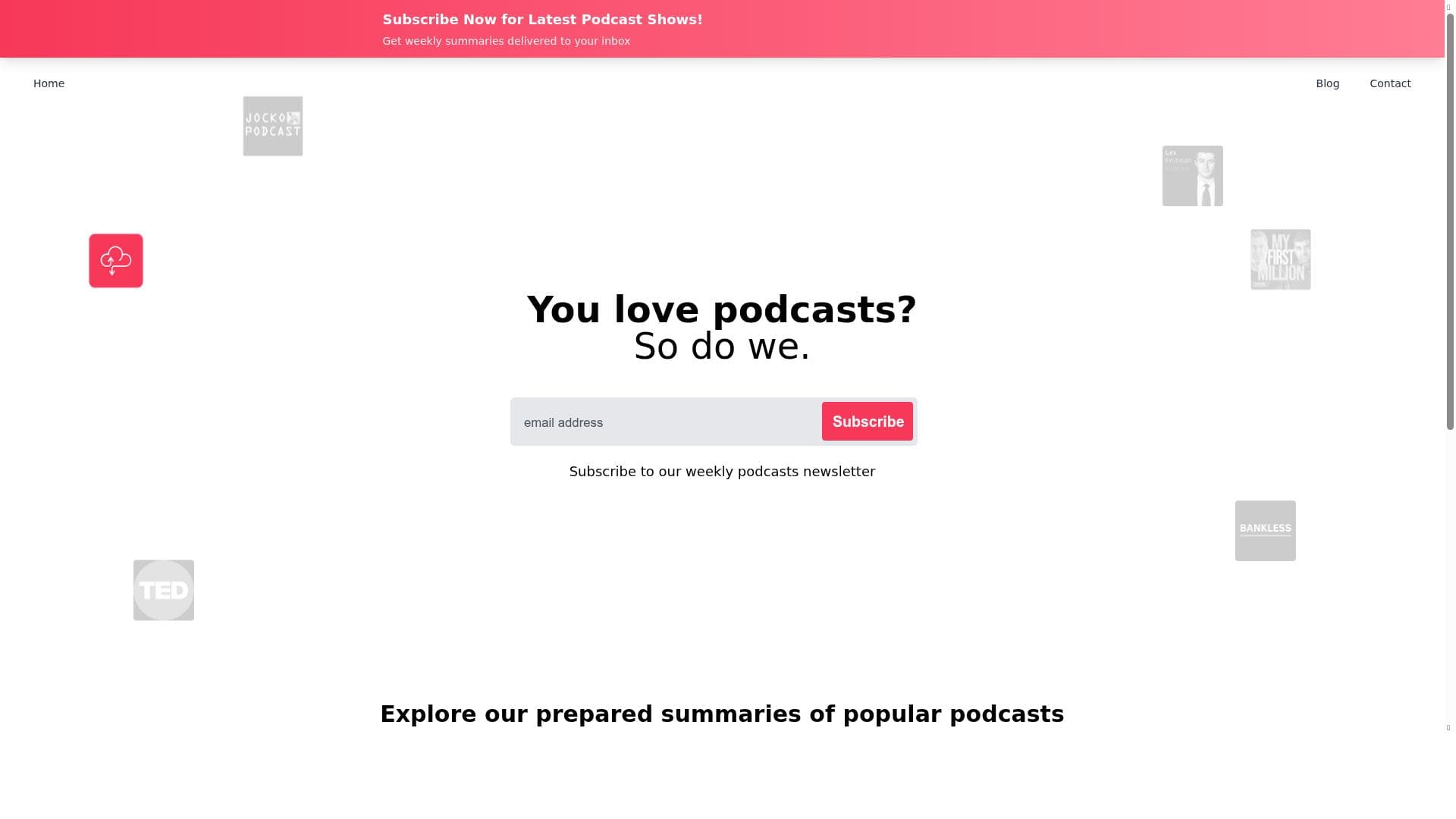
Clipnote transforms lengthy YouTube videos into concise, actionable summaries, making it ideal for students, professionals, and content creators who want to learn efficiently from video content. Its unique combination of on-demand video summarization and weekly email digests helps users stay informed without spending hours watching videos.

Descripción
Transforming hours of YouTube videos into bite-sized knowledge nuggets
Descripción detallada
Clipnote is an innovative AI-powered tool designed to transform lengthy YouTube videos into concise, easily digestible knowledge nuggets. Its core purpose is to help users efficiently extract and retain key information from video content without the need to watch entire videos. By leveraging advanced summarization algorithms, Clipnote condenses hours of video into brief summaries, enabling users to learn faster and stay informed with minimal time investment. This makes it an invaluable resource for students, professionals, content creators, and lifelong learners who rely heavily on video-based content for education and inspiration. One of the standout features of Clipnote is its ability to generate detailed summaries of YouTube videos. Users simply input a video link, and Clipnote processes the content to deliver a clear and structured summary highlighting the most important points. This feature is particularly useful for lengthy lectures, tutorials, webinars, and interviews where key takeaways can otherwise be buried in extensive footage. Additionally, Clipnote offers weekly summaries delivered directly to users’ email inboxes. These curated digests compile highlights from multiple videos, allowing users to stay updated on topics of interest without actively searching for new content. This proactive approach to content delivery enhances learning efficiency and helps users maintain a steady flow of knowledge. Clipnote’s design emphasizes efficient learning from video content. By breaking down complex or lengthy videos into bite-sized pieces, it facilitates better comprehension and retention. The tool’s summarization technology ensures that users receive coherent and relevant information, making it easier to review and reference later. Furthermore, Clipnote’s user-friendly interface and seamless integration with YouTube simplify the process of content summarization, requiring minimal effort from users. This tool is best suited for a wide range of users including students who need to review lecture videos quickly, professionals seeking to stay current with industry webinars, content creators looking to repurpose video material, and anyone who consumes educational or informational videos regularly. For example, a marketing professional can use Clipnote to summarize lengthy strategy sessions or tutorials, while a student can efficiently review recorded classes. The weekly email summaries also cater to busy individuals who want to keep up with multiple topics without dedicating large blocks of time. Clipnote operates on a freemium pricing model, making it accessible to a broad audience. The free tier offers essential summarization features and weekly email digests, allowing users to experience the core benefits without upfront costs. For users requiring more extensive usage or advanced capabilities, premium plans are available that may include higher usage limits, priority processing, and additional customization options. This flexible pricing structure ensures that Clipnote can serve casual users and power users alike. Compared to alternative video summarization tools, Clipnote stands out due to its specific focus on YouTube content and its combination of on-demand summarization with regular email updates. While some competitors may offer generic video summarization or transcription services, Clipnote’s tailored approach to YouTube videos and its weekly digest feature provide a unique value proposition. However, unlike some tools that integrate with multiple video platforms or offer extensive editing features, Clipnote’s scope is currently centered on summarization and knowledge distillation from YouTube videos. Potential limitations include the reliance on the quality and clarity of the original video content, as poor audio or highly technical jargon may affect summary accuracy. Additionally, users seeking multi-platform support or advanced video editing might find Clipnote’s feature set somewhat narrow. Nonetheless, for those focused on efficient learning from YouTube videos, Clipnote offers a robust and user-friendly solution that significantly reduces time spent consuming video content while enhancing knowledge retention.
Características de la herramienta
- YouTube video summarization
- Weekly summaries delivered via email
- Efficient learning from video content
Descripción
✦
Clipnote transforms lengthy YouTube videos into concise, actionable summaries, making it ideal for students, professionals, and content creators who want to learn efficiently from video content. Its unique combination of on-demand video summarization and weekly email digests helps users stay informed without spending hours watching videos.
Transforming hours of YouTube videos into bite-sized knowledge nuggets
Descripción detallada
Clipnote is an innovative AI-powered tool designed to transform lengthy YouTube videos into concise, easily digestible knowledge nuggets. Its core purpose is to help users efficiently extract and retain key information from video content without the need to watch entire videos. By leveraging advanced summarization algorithms, Clipnote condenses hours of video into brief summaries, enabling users to learn faster and stay informed with minimal time investment. This makes it an invaluable resource for students, professionals, content creators, and lifelong learners who rely heavily on video-based content for education and inspiration. One of the standout features of Clipnote is its ability to generate detailed summaries of YouTube videos. Users simply input a video link, and Clipnote processes the content to deliver a clear and structured summary highlighting the most important points. This feature is particularly useful for lengthy lectures, tutorials, webinars, and interviews where key takeaways can otherwise be buried in extensive footage. Additionally, Clipnote offers weekly summaries delivered directly to users’ email inboxes. These curated digests compile highlights from multiple videos, allowing users to stay updated on topics of interest without actively searching for new content. This proactive approach to content delivery enhances learning efficiency and helps users maintain a steady flow of knowledge. Clipnote’s design emphasizes efficient learning from video content. By breaking down complex or lengthy videos into bite-sized pieces, it facilitates better comprehension and retention. The tool’s summarization technology ensures that users receive coherent and relevant information, making it easier to review and reference later. Furthermore, Clipnote’s user-friendly interface and seamless integration with YouTube simplify the process of content summarization, requiring minimal effort from users. This tool is best suited for a wide range of users including students who need to review lecture videos quickly, professionals seeking to stay current with industry webinars, content creators looking to repurpose video material, and anyone who consumes educational or informational videos regularly. For example, a marketing professional can use Clipnote to summarize lengthy strategy sessions or tutorials, while a student can efficiently review recorded classes. The weekly email summaries also cater to busy individuals who want to keep up with multiple topics without dedicating large blocks of time. Clipnote operates on a freemium pricing model, making it accessible to a broad audience. The free tier offers essential summarization features and weekly email digests, allowing users to experience the core benefits without upfront costs. For users requiring more extensive usage or advanced capabilities, premium plans are available that may include higher usage limits, priority processing, and additional customization options. This flexible pricing structure ensures that Clipnote can serve casual users and power users alike. Compared to alternative video summarization tools, Clipnote stands out due to its specific focus on YouTube content and its combination of on-demand summarization with regular email updates. While some competitors may offer generic video summarization or transcription services, Clipnote’s tailored approach to YouTube videos and its weekly digest feature provide a unique value proposition. However, unlike some tools that integrate with multiple video platforms or offer extensive editing features, Clipnote’s scope is currently centered on summarization and knowledge distillation from YouTube videos. Potential limitations include the reliance on the quality and clarity of the original video content, as poor audio or highly technical jargon may affect summary accuracy. Additionally, users seeking multi-platform support or advanced video editing might find Clipnote’s feature set somewhat narrow. Nonetheless, for those focused on efficient learning from YouTube videos, Clipnote offers a robust and user-friendly solution that significantly reduces time spent consuming video content while enhancing knowledge retention.
Preguntas frecuentes
What is Clipnote?
Clipnote is an AI-powered tool that summarizes YouTube videos into brief, easy-to-understand knowledge nuggets, enabling users to quickly grasp key information without watching the entire video.
How much does Clipnote cost?
Clipnote offers a freemium pricing model with a free tier providing basic summarization and weekly email summaries. Premium plans with enhanced features and higher usage limits are also available.
Who is Clipnote best for?
Clipnote is ideal for students, professionals, content creators, and anyone who regularly consumes educational or informational YouTube videos and wants to learn more efficiently.
What are the main features of Clipnote?
The main features include YouTube video summarization, weekly summaries delivered via email, and tools designed to facilitate efficient learning from video content.
Does Clipnote offer a free trial?
Yes, Clipnote’s freemium model allows users to access core features for free, effectively serving as a trial to experience the tool before opting for premium plans.
What integrations does Clipnote support?
Clipnote primarily integrates with YouTube, enabling users to input video links directly for summarization. There are no widely advertised integrations with other platforms as of now.
How does Clipnote work?
Users provide a YouTube video link to Clipnote, which then uses AI algorithms to analyze the video’s content and generate a concise summary. Additionally, users receive weekly email digests summarizing multiple videos.
Redes sociales
Usar herramientaReseñas
0 reseñas
Aún no hay reseñas. Sé el primero en compartir tu experiencia.
Herramientas patrocinadas











































Herramientas recomendadas
Mantente al día con las últimas herramientas de IA
Obtén las últimas novedades, únete a nuestro boletín
Leído y confiado por 50,000+ lectores
Únete a la comunidad de IA más grande
¡Nuestra comunidad y equipo están aquí para ayudarte!
Tus comentarios ayudarán a Alice AI a mejorar en futuras versiones.








Enviar tu herramienta


PoweredByAI.app es un directorio de herramientas de IA que ayuda a personas, empresas y creadores a descubrir las mejores herramientas de IA para escritura, programación, diseño, productividad y más.
© 2026 , Producto de011BQ. Todos los derechos reservados.