

¿Es esta tu herramienta de IA? Reclámala hoy.
Verifica la propiedad, gestiona tu perfil y desbloquea funciones de crecimiento.
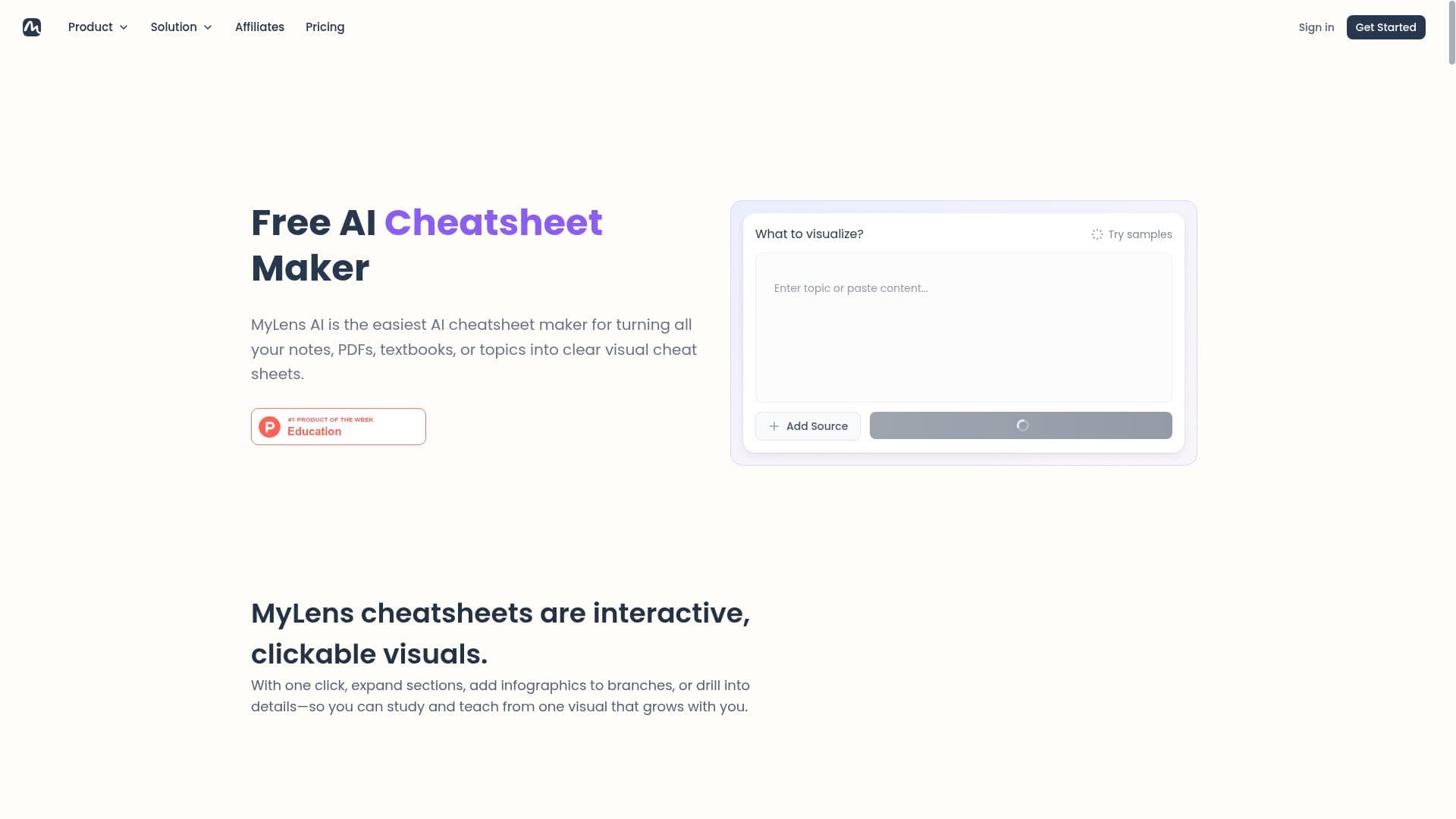
CheatSheet AI revolutionizes learning by instantly creating visual cheat sheets on any topic, combining advanced object detection and facial recognition to deliver highly accurate, engaging summaries. Perfect for students, educators, and professionals, it makes mastering new information faster, easier, and more enjoyable.

Descripción
It’s a new AI app that helps you create visual cheat sheets on any topic with one click. Perfect for students, teachers, and professionals who need to learn new things, prep for exams, or make engaging presentations. It makes learning easier, quicker, and fun.
Descripción detallada
CheatSheet AI is an innovative artificial intelligence application designed to simplify and enhance the process of learning and information retention by generating visual cheat sheets on any topic with just one click. Its core purpose is to transform complex information into easily digestible, visually appealing summaries that aid students, educators, and professionals alike. Whether preparing for exams, creating engaging presentations, or quickly grasping new concepts, CheatSheet AI streamlines the learning process by providing a powerful tool that makes studying faster, more efficient, and enjoyable. At the heart of CheatSheet AI are several advanced features that set it apart from conventional note-taking or summarization tools. It boasts advanced object detection capabilities, allowing it to accurately identify and categorize various elements within images or documents. This is complemented by facial recognition technology, which can be particularly useful in educational or professional settings where visual identification enhances the context of the cheat sheets. Additionally, CheatSheet AI includes robust data labeling tools designed to facilitate the training of AI models, making it a valuable resource not only for end-users but also for developers working on AI projects. Its high-accuracy image processing ensures that visual data is captured and rendered with precision, supporting multiple image formats for maximum flexibility. The user-friendly interface is tailored for developers and non-technical users alike, ensuring seamless integration with existing AI models and workflows. CheatSheet AI is ideally suited for a diverse audience. Students benefit from quick, visually organized summaries that help in exam preparation and concept retention. Teachers can leverage the tool to create engaging teaching materials that cater to visual learners, enhancing classroom interaction and comprehension. Professionals across various industries can use CheatSheet AI to condense complex reports, prepare for presentations, or learn new skills efficiently. Its versatility makes it a valuable asset in academic, corporate, and creative environments, where time and clarity are of the essence. The pricing model for CheatSheet AI follows a freemium approach, allowing users to access core functionalities at no cost while offering premium features for advanced needs. This model makes it accessible to a wide range of users, from casual learners to professionals requiring more sophisticated capabilities. Details on specific premium tiers or enterprise options are typically available on the official website, providing flexibility depending on user requirements. When compared to alternative tools, CheatSheet AI stands out due to its combination of visual cheat sheet generation with powerful AI-driven image processing and recognition technologies. While many apps focus solely on text summarization or note-taking, CheatSheet AI integrates object detection and facial recognition to enrich the content and context of the cheat sheets. Its support for various image formats and developer-friendly interface also provide a competitive edge, making it not just a learning aid but also a tool that can be embedded into larger AI workflows. However, potential users should consider certain limitations. As with any AI-based tool, the accuracy of object detection and facial recognition may vary depending on the quality of input data and specific use cases. Privacy concerns related to facial recognition technology may also require users to be mindful of ethical and legal considerations. Additionally, while the freemium model offers accessibility, some advanced features may only be available in paid plans, which could be a factor for budget-conscious users. Overall, CheatSheet AI represents a cutting-edge solution for visual learning and AI integration but should be evaluated in the context of individual needs and constraints.
Características de la herramienta
- Advanced object detection capabilities
- Facial recognition technology
- Data labeling tools for training AI models
- High accuracy image processing
- Support for various image formats
- User-friendly interface for developers
- Integration with AI models
Descripción
CheatSheet AI revolutionizes learning by instantly creating visual cheat sheets on any topic, combining advanced object detection and facial recognition to deliver highly accurate, engaging summaries. Perfect for students, educators, and professionals, it makes mastering new information faster, easier, and more enjoyable.
It’s a new AI app that helps you create visual cheat sheets on any topic with one click. Perfect for students, teachers, and professionals who need to learn new things, prep for exams, or make engaging presentations. It makes learning easier, quicker, and fun.
Descripción detallada
CheatSheet AI is an innovative artificial intelligence application designed to simplify and enhance the process of learning and information retention by generating visual cheat sheets on any topic with just one click. Its core purpose is to transform complex information into easily digestible, visually appealing summaries that aid students, educators, and professionals alike. Whether preparing for exams, creating engaging presentations, or quickly grasping new concepts, CheatSheet AI streamlines the learning process by providing a powerful tool that makes studying faster, more efficient, and enjoyable. At the heart of CheatSheet AI are several advanced features that set it apart from conventional note-taking or summarization tools. It boasts advanced object detection capabilities, allowing it to accurately identify and categorize various elements within images or documents. This is complemented by facial recognition technology, which can be particularly useful in educational or professional settings where visual identification enhances the context of the cheat sheets. Additionally, CheatSheet AI includes robust data labeling tools designed to facilitate the training of AI models, making it a valuable resource not only for end-users but also for developers working on AI projects. Its high-accuracy image processing ensures that visual data is captured and rendered with precision, supporting multiple image formats for maximum flexibility. The user-friendly interface is tailored for developers and non-technical users alike, ensuring seamless integration with existing AI models and workflows. CheatSheet AI is ideally suited for a diverse audience. Students benefit from quick, visually organized summaries that help in exam preparation and concept retention. Teachers can leverage the tool to create engaging teaching materials that cater to visual learners, enhancing classroom interaction and comprehension. Professionals across various industries can use CheatSheet AI to condense complex reports, prepare for presentations, or learn new skills efficiently. Its versatility makes it a valuable asset in academic, corporate, and creative environments, where time and clarity are of the essence. The pricing model for CheatSheet AI follows a freemium approach, allowing users to access core functionalities at no cost while offering premium features for advanced needs. This model makes it accessible to a wide range of users, from casual learners to professionals requiring more sophisticated capabilities. Details on specific premium tiers or enterprise options are typically available on the official website, providing flexibility depending on user requirements. When compared to alternative tools, CheatSheet AI stands out due to its combination of visual cheat sheet generation with powerful AI-driven image processing and recognition technologies. While many apps focus solely on text summarization or note-taking, CheatSheet AI integrates object detection and facial recognition to enrich the content and context of the cheat sheets. Its support for various image formats and developer-friendly interface also provide a competitive edge, making it not just a learning aid but also a tool that can be embedded into larger AI workflows. However, potential users should consider certain limitations. As with any AI-based tool, the accuracy of object detection and facial recognition may vary depending on the quality of input data and specific use cases. Privacy concerns related to facial recognition technology may also require users to be mindful of ethical and legal considerations. Additionally, while the freemium model offers accessibility, some advanced features may only be available in paid plans, which could be a factor for budget-conscious users. Overall, CheatSheet AI represents a cutting-edge solution for visual learning and AI integration but should be evaluated in the context of individual needs and constraints.
Preguntas frecuentes
What is CheatSheet AI?
CheatSheet AI is an AI-powered application that generates visual cheat sheets on any topic with a single click, helping users learn and retain information more effectively through advanced image processing and recognition technologies.
How much does CheatSheet AI cost?
CheatSheet AI operates on a freemium pricing model, offering core features for free with optional premium plans that unlock advanced capabilities and additional tools.
Who is CheatSheet AI best for?
It is ideal for students, teachers, and professionals who need to quickly learn new topics, prepare for exams, or create engaging presentations using visual summaries.
What are the main features of CheatSheet AI?
Key features include advanced object detection, facial recognition technology, data labeling tools for AI training, high accuracy image processing, support for multiple image formats, a user-friendly developer interface, and integration with AI models.
Does CheatSheet AI offer a free trial?
Yes, CheatSheet AI offers a freemium plan that allows users to try the core functionalities for free without a time-limited trial period.
What integrations does CheatSheet AI support?
CheatSheet AI supports integration with various AI models and workflows, enabling developers to incorporate its features into broader AI systems and applications.
How does CheatSheet AI work?
The tool uses advanced AI algorithms to analyze input data, detect objects and faces within images, and generate visually organized cheat sheets that summarize information quickly and accurately.
Redes sociales
Usar herramientaReseñas
Aún no hay reseñas. Sé el primero en compartir tu experiencia.




















































