🚀 Zaprep: Tus redes sociales al máximo. Empezar gratis — automatiza 1,000 DMs/mes y convierte el engagement en leads. con 1,000 DMs automatizados/mes.
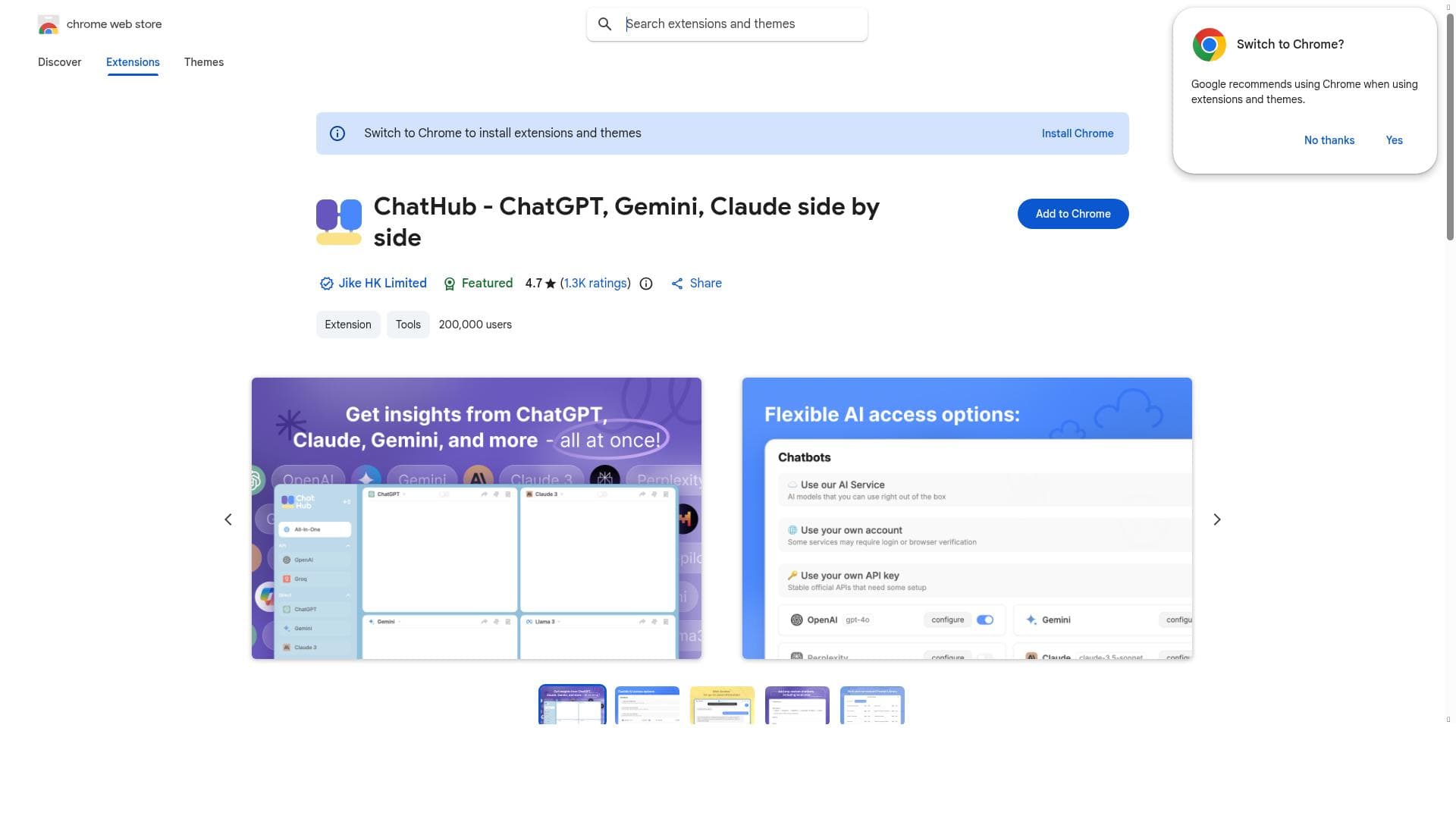


ChatHub uniquely combines multiple top-tier AI chatbots like GPT-4, Gemini, and Claude into a single, easy-to-use interface, making it the ultimate productivity booster for professionals, students, and creators alike. Its free access and seamless integration empower users to leverage diverse AI capabilities without juggling multiple platforms.

Descripción
All-in-one chatbot client
Descripción detallada
ChatHub is a comprehensive all-in-one chatbot client designed to unify multiple AI chatbot experiences into a single, streamlined interface. Its core purpose is to simplify and enhance the way users interact with various advanced AI models by providing seamless access to multiple chatbots without the need to switch between different platforms or applications. By integrating leading AI models such as GPT-4, Gemini, and Claude, ChatHub offers a versatile and powerful solution for users seeking efficient AI assistance across a wide range of tasks. Whether you need help with creative writing, coding, research, or general inquiries, ChatHub centralizes these capabilities to boost productivity and user convenience. One of the standout features of ChatHub is its ability to integrate multiple AI chatbots in one interface. This means users can access the strengths of different AI models simultaneously, leveraging the unique capabilities of each. For instance, GPT-4 is renowned for its advanced natural language understanding and generation, Gemini offers cutting-edge conversational AI, and Claude provides nuanced and context-aware responses. By combining these models, ChatHub ensures users receive the most relevant and accurate assistance tailored to their specific needs. Additionally, the platform supports versatile AI assistance, enabling users to handle diverse tasks such as drafting emails, generating creative content, coding help, brainstorming ideas, and more. ChatHub is particularly well-suited for professionals, students, developers, content creators, and anyone who regularly interacts with AI chatbots for work or personal projects. Its multi-model integration makes it ideal for users who want to compare responses or utilize different AI strengths without juggling multiple accounts or tools. For example, a developer might use ChatHub to get coding suggestions from GPT-4 while simultaneously consulting Claude for documentation summaries. Similarly, content creators can draft and refine text using different AI perspectives within a single platform, saving time and effort. In terms of pricing, ChatHub is available for free, making it an accessible option for a broad audience. This free access lowers the barrier to entry for users who want to explore multiple AI chatbots without incurring additional costs. While the tool currently does not specify premium plans or paid tiers, its free availability combined with robust features positions it as a valuable resource for both casual users and professionals. When compared to alternatives, ChatHub stands out due to its multi-model integration and unified interface. Many chatbot clients focus on a single AI model or require users to manage separate accounts for different services. ChatHub’s approach eliminates this fragmentation, offering a more cohesive and efficient user experience. However, unlike some specialized platforms that may offer deeper customization or enterprise-level features, ChatHub focuses on accessibility and versatility, making it a strong choice for general users rather than niche or highly technical applications. Despite its many advantages, users should consider some limitations. As a free tool hosted via a browser extension, ChatHub’s performance and availability may depend on browser compatibility and internet connectivity. Additionally, while it supports major AI models, the depth of integration and feature set for each model may not be as extensive as using those models’ native platforms. Users requiring advanced model-specific features or enterprise-grade security might find ChatHub less suitable. Furthermore, since it aggregates multiple AI services, response times and consistency can vary depending on the underlying models and their current load. Overall, ChatHub offers a compelling, user-friendly solution for anyone looking to harness the power of multiple AI chatbots in one place. Its free pricing, multi-model support, and productivity-enhancing design make it a standout tool for a wide range of users seeking efficient and versatile AI assistance.
Características de la herramienta
- Integrates multiple AI chatbots in one interface
- Supports GPT-4, Gemini, and Claude AI models
- Provides versatile AI assistance for various tasks
- Enhances productivity with seamless AI interactions
Descripción
ChatHub uniquely combines multiple top-tier AI chatbots like GPT-4, Gemini, and Claude into a single, easy-to-use interface, making it the ultimate productivity booster for professionals, students, and creators alike. Its free access and seamless integration empower users to leverage diverse AI capabilities without juggling multiple platforms.
All-in-one chatbot client
Descripción detallada
ChatHub is a comprehensive all-in-one chatbot client designed to unify multiple AI chatbot experiences into a single, streamlined interface. Its core purpose is to simplify and enhance the way users interact with various advanced AI models by providing seamless access to multiple chatbots without the need to switch between different platforms or applications. By integrating leading AI models such as GPT-4, Gemini, and Claude, ChatHub offers a versatile and powerful solution for users seeking efficient AI assistance across a wide range of tasks. Whether you need help with creative writing, coding, research, or general inquiries, ChatHub centralizes these capabilities to boost productivity and user convenience. One of the standout features of ChatHub is its ability to integrate multiple AI chatbots in one interface. This means users can access the strengths of different AI models simultaneously, leveraging the unique capabilities of each. For instance, GPT-4 is renowned for its advanced natural language understanding and generation, Gemini offers cutting-edge conversational AI, and Claude provides nuanced and context-aware responses. By combining these models, ChatHub ensures users receive the most relevant and accurate assistance tailored to their specific needs. Additionally, the platform supports versatile AI assistance, enabling users to handle diverse tasks such as drafting emails, generating creative content, coding help, brainstorming ideas, and more. ChatHub is particularly well-suited for professionals, students, developers, content creators, and anyone who regularly interacts with AI chatbots for work or personal projects. Its multi-model integration makes it ideal for users who want to compare responses or utilize different AI strengths without juggling multiple accounts or tools. For example, a developer might use ChatHub to get coding suggestions from GPT-4 while simultaneously consulting Claude for documentation summaries. Similarly, content creators can draft and refine text using different AI perspectives within a single platform, saving time and effort. In terms of pricing, ChatHub is available for free, making it an accessible option for a broad audience. This free access lowers the barrier to entry for users who want to explore multiple AI chatbots without incurring additional costs. While the tool currently does not specify premium plans or paid tiers, its free availability combined with robust features positions it as a valuable resource for both casual users and professionals. When compared to alternatives, ChatHub stands out due to its multi-model integration and unified interface. Many chatbot clients focus on a single AI model or require users to manage separate accounts for different services. ChatHub’s approach eliminates this fragmentation, offering a more cohesive and efficient user experience. However, unlike some specialized platforms that may offer deeper customization or enterprise-level features, ChatHub focuses on accessibility and versatility, making it a strong choice for general users rather than niche or highly technical applications. Despite its many advantages, users should consider some limitations. As a free tool hosted via a browser extension, ChatHub’s performance and availability may depend on browser compatibility and internet connectivity. Additionally, while it supports major AI models, the depth of integration and feature set for each model may not be as extensive as using those models’ native platforms. Users requiring advanced model-specific features or enterprise-grade security might find ChatHub less suitable. Furthermore, since it aggregates multiple AI services, response times and consistency can vary depending on the underlying models and their current load. Overall, ChatHub offers a compelling, user-friendly solution for anyone looking to harness the power of multiple AI chatbots in one place. Its free pricing, multi-model support, and productivity-enhancing design make it a standout tool for a wide range of users seeking efficient and versatile AI assistance.
Preguntas frecuentes
What is ChatHub?
ChatHub is an all-in-one chatbot client that integrates multiple AI chatbots, including GPT-4, Gemini, and Claude, into a single interface to provide versatile AI assistance for various tasks.
How much does ChatHub cost?
ChatHub is available for free, allowing users to access multiple AI chatbots without any subscription or payment.
Who is ChatHub best for?
ChatHub is ideal for professionals, students, developers, content creators, and anyone who wants to efficiently access multiple AI chatbots in one place for diverse tasks.
What are the main features of ChatHub?
Its main features include integration of multiple AI chatbots in one interface, support for GPT-4, Gemini, and Claude AI models, versatile AI assistance across various tasks, and enhanced productivity through seamless AI interactions.
Does ChatHub offer a free trial?
ChatHub itself is free to use, so there is no need for a separate free trial.
What integrations does ChatHub support?
ChatHub supports integration of multiple AI chatbot models including GPT-4, Gemini, and Claude, allowing users to interact with these AI services within one platform.
How does ChatHub work?
ChatHub works by providing a unified interface that connects to multiple AI chatbot models simultaneously, enabling users to access and interact with different AI assistants without switching platforms.
Reseñas
Aún no hay reseñas. Sé el primero en compartir tu experiencia.
Herramientas patrocinadas











































Herramientas recomendadas
Mantente al día con las últimas herramientas de IA
Obtén las últimas novedades, únete a nuestro boletín
Leído y confiado por 50,000+ lectores
Únete a la comunidad de IA más grande
¡Nuestra comunidad y equipo están aquí para ayudarte!
Tus comentarios ayudarán a Alice AI a mejorar en futuras versiones.








Enviar tu herramienta


PoweredByAI.app es un directorio de herramientas de IA que ayuda a personas, empresas y creadores a descubrir las mejores herramientas de IA para escritura, programación, diseño, productividad y más.
© 2026 , Producto de011BQ. Todos los derechos reservados.