🚀 Zaprep: Tus redes sociales al máximo. Empezar gratis — automatiza 1,000 DMs/mes y convierte el engagement en leads. con 1,000 DMs automatizados/mes.


¿Es esta tu herramienta de IA? Reclámala hoy.
Verifica la propiedad, gestiona tu perfil y desbloquea funciones de crecimiento.
BashBuddy transforms natural language into precise bash or PowerShell commands, making command-line tasks faster and easier for developers and sysadmins alike. Its unique blend of local operation and optional cloud acceleration ensures privacy without sacrificing speed, perfect for anyone looking to simplify shell scripting.

Descripción
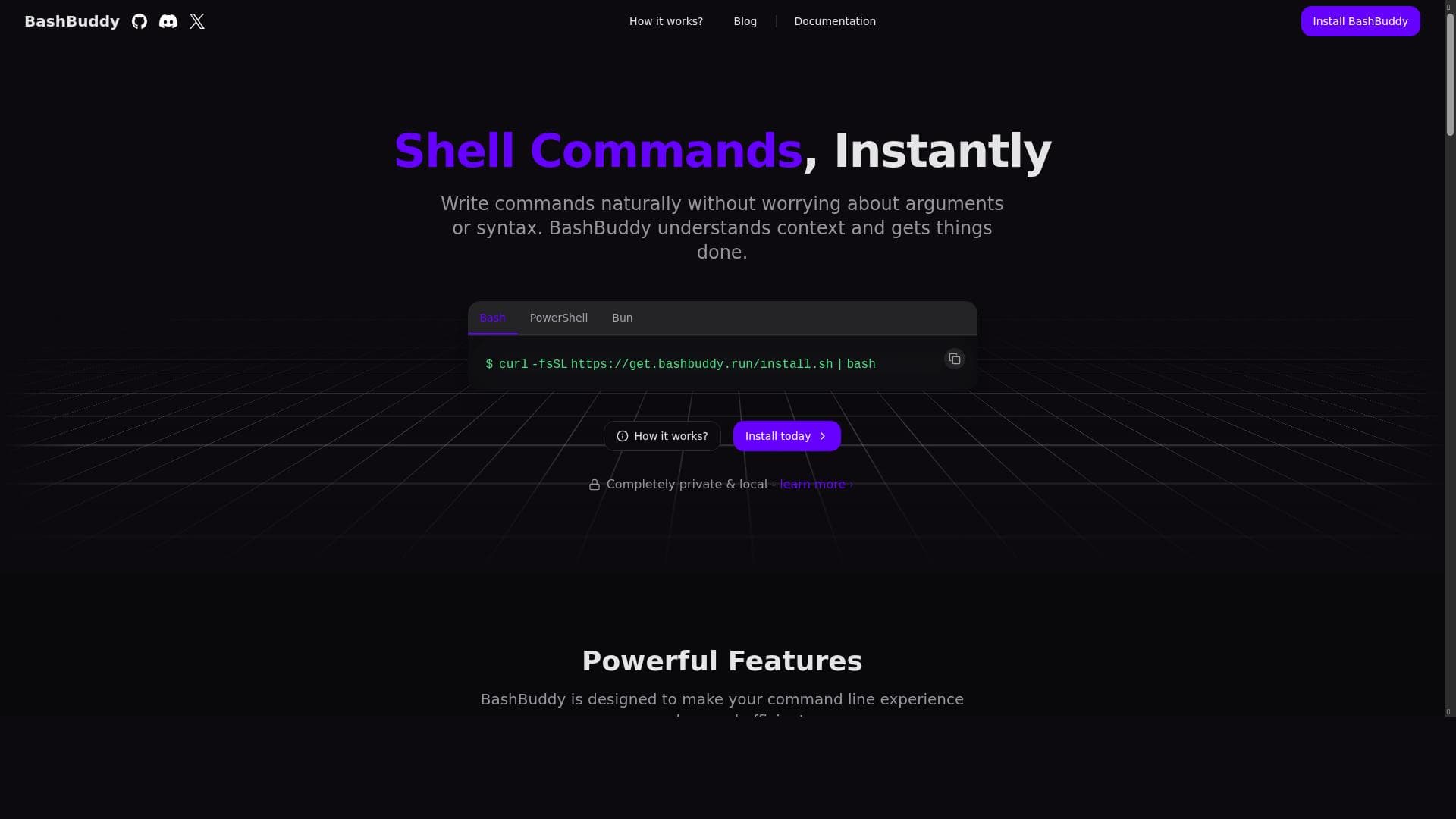
BashBuddy CLI is going to make you more productive, by generating bash (or powershell) commands with natural language. It's completely local, or for $2 you can use BashBuddy Cloud for near-instant command generation. Everything is completely open-source.
Descripción detallada
BashBuddy is an innovative command-line interface (CLI) tool designed to boost productivity by generating bash or PowerShell commands from natural language input. Its core purpose is to simplify the often complex and syntax-heavy process of writing shell commands, allowing users to express their intentions in plain English and receive accurate, executable commands in return. This approach eliminates the need to memorize intricate command arguments or syntax rules, making command-line operations more accessible and less error-prone. BashBuddy operates entirely locally by default, ensuring privacy and security, but also offers a cloud-based option called BashBuddy Cloud for $2, which provides near-instant command generation for users seeking faster responses. The tool is fully open-source, encouraging transparency and community contributions. At the heart of BashBuddy are several key features that distinguish it from traditional command-line tools. First, it enables users to write shell commands naturally, without worrying about the precise syntax or argument order. This natural language processing capability understands the context of the user's request, allowing it to generate commands that are not only syntactically correct but also contextually relevant. For example, if a user wants to find all files modified in the last 24 hours within a directory, BashBuddy can interpret this intent and produce the appropriate 'find' command with the correct flags. Additionally, BashBuddy integrates seamlessly with existing shell environments, making it easy to incorporate into daily workflows without disrupting established habits. It also provides comprehensive documentation and installation guides, ensuring users can get started quickly and troubleshoot effectively. BashBuddy is particularly well-suited for developers, system administrators, DevOps engineers, and anyone who frequently interacts with the command line but may not be an expert in shell scripting. It is invaluable for users who want to save time and reduce frustration by avoiding the trial-and-error process of crafting complex commands. Specific use cases include automating routine file management tasks, quickly generating commands for system monitoring, or learning shell command syntax through practical examples generated on demand. Its local operation mode appeals to privacy-conscious users, while the cloud option benefits those who prioritize speed and convenience. Regarding pricing, BashBuddy offers a free version that runs completely locally, providing full functionality without any cost. For users who require faster command generation, the BashBuddy Cloud service is available at a nominal fee of $2, delivering near-instant responses by leveraging cloud resources. This pricing model makes BashBuddy accessible to a wide range of users, from hobbyists to professionals, without imposing significant financial barriers. When compared to alternatives, BashBuddy stands out due to its open-source nature, local-first design, and natural language command generation capabilities. Unlike traditional CLI tools that require memorization of commands and flags, BashBuddy lowers the learning curve and accelerates command creation. While some AI-powered command generators exist, many rely solely on cloud processing, raising privacy concerns. BashBuddy’s hybrid approach offers users the choice between local privacy and cloud speed. However, some alternatives may offer broader language support or deeper integration with specific development environments, which BashBuddy may not currently provide. Notable limitations include the potential for occasional misunderstandings in complex or ambiguous command requests, as natural language processing can sometimes misinterpret user intent. Additionally, while BashBuddy supports bash and PowerShell, it may not cover all shell variants or niche command-line environments. Users should also consider that the free local mode might have slower response times compared to the cloud service. Despite these considerations, BashBuddy remains a powerful and user-friendly tool that significantly enhances command-line productivity and accessibility.
Características de la herramienta
- Write shell commands naturally without worrying about arguments or syntax
- Understands context to get things done
- Helps make day-to-day command line usage less painful
- Provides documentation and installation guides
- Integrates with shell environments
Descripción
BashBuddy transforms natural language into precise bash or PowerShell commands, making command-line tasks faster and easier for developers and sysadmins alike. Its unique blend of local operation and optional cloud acceleration ensures privacy without sacrificing speed, perfect for anyone looking to simplify shell scripting.
BashBuddy CLI is going to make you more productive, by generating bash (or powershell) commands with natural language. It's completely local, or for $2 you can use BashBuddy Cloud for near-instant command generation. Everything is completely open-source.
Descripción detallada
BashBuddy is an innovative command-line interface (CLI) tool designed to boost productivity by generating bash or PowerShell commands from natural language input. Its core purpose is to simplify the often complex and syntax-heavy process of writing shell commands, allowing users to express their intentions in plain English and receive accurate, executable commands in return. This approach eliminates the need to memorize intricate command arguments or syntax rules, making command-line operations more accessible and less error-prone. BashBuddy operates entirely locally by default, ensuring privacy and security, but also offers a cloud-based option called BashBuddy Cloud for $2, which provides near-instant command generation for users seeking faster responses. The tool is fully open-source, encouraging transparency and community contributions. At the heart of BashBuddy are several key features that distinguish it from traditional command-line tools. First, it enables users to write shell commands naturally, without worrying about the precise syntax or argument order. This natural language processing capability understands the context of the user's request, allowing it to generate commands that are not only syntactically correct but also contextually relevant. For example, if a user wants to find all files modified in the last 24 hours within a directory, BashBuddy can interpret this intent and produce the appropriate 'find' command with the correct flags. Additionally, BashBuddy integrates seamlessly with existing shell environments, making it easy to incorporate into daily workflows without disrupting established habits. It also provides comprehensive documentation and installation guides, ensuring users can get started quickly and troubleshoot effectively. BashBuddy is particularly well-suited for developers, system administrators, DevOps engineers, and anyone who frequently interacts with the command line but may not be an expert in shell scripting. It is invaluable for users who want to save time and reduce frustration by avoiding the trial-and-error process of crafting complex commands. Specific use cases include automating routine file management tasks, quickly generating commands for system monitoring, or learning shell command syntax through practical examples generated on demand. Its local operation mode appeals to privacy-conscious users, while the cloud option benefits those who prioritize speed and convenience. Regarding pricing, BashBuddy offers a free version that runs completely locally, providing full functionality without any cost. For users who require faster command generation, the BashBuddy Cloud service is available at a nominal fee of $2, delivering near-instant responses by leveraging cloud resources. This pricing model makes BashBuddy accessible to a wide range of users, from hobbyists to professionals, without imposing significant financial barriers. When compared to alternatives, BashBuddy stands out due to its open-source nature, local-first design, and natural language command generation capabilities. Unlike traditional CLI tools that require memorization of commands and flags, BashBuddy lowers the learning curve and accelerates command creation. While some AI-powered command generators exist, many rely solely on cloud processing, raising privacy concerns. BashBuddy’s hybrid approach offers users the choice between local privacy and cloud speed. However, some alternatives may offer broader language support or deeper integration with specific development environments, which BashBuddy may not currently provide. Notable limitations include the potential for occasional misunderstandings in complex or ambiguous command requests, as natural language processing can sometimes misinterpret user intent. Additionally, while BashBuddy supports bash and PowerShell, it may not cover all shell variants or niche command-line environments. Users should also consider that the free local mode might have slower response times compared to the cloud service. Despite these considerations, BashBuddy remains a powerful and user-friendly tool that significantly enhances command-line productivity and accessibility.
Preguntas frecuentes
What is BashBuddy?
BashBuddy is a command-line interface tool that generates bash or PowerShell commands from natural language input, helping users write shell commands without needing to know exact syntax or arguments.
How much does BashBuddy cost?
BashBuddy is free to use locally. For faster command generation, users can opt for BashBuddy Cloud at a cost of $2.
Who is BashBuddy best for?
BashBuddy is ideal for developers, system administrators, DevOps engineers, and anyone who frequently uses the command line but wants to simplify command creation and reduce errors.
What are the main features of BashBuddy?
Key features include natural language command generation, context understanding, integration with shell environments, comprehensive documentation, and the option to run fully locally or via a cloud service.
Does BashBuddy offer a free trial?
Yes, the fully local version of BashBuddy is free to use with no trial required.
What integrations does BashBuddy support?
BashBuddy integrates directly with bash and PowerShell shell environments, allowing seamless use within existing command-line workflows.
How does BashBuddy work?
BashBuddy uses natural language processing to interpret user input and generate accurate shell commands. It can operate entirely locally for privacy or use a cloud service for faster responses.
Redes sociales
Usar herramientaReseñas
Aún no hay reseñas. Sé el primero en compartir tu experiencia.
Herramientas patrocinadas











































Herramientas recomendadas
Mantente al día con las últimas herramientas de IA
Obtén las últimas novedades, únete a nuestro boletín
Leído y confiado por 50,000+ lectores
Únete a la comunidad de IA más grande
¡Nuestra comunidad y equipo están aquí para ayudarte!
Tus comentarios ayudarán a Alice AI a mejorar en futuras versiones.








Enviar tu herramienta


PoweredByAI.app es un directorio de herramientas de IA que ayuda a personas, empresas y creadores a descubrir las mejores herramientas de IA para escritura, programación, diseño, productividad y más.
© 2026 , Producto de011BQ. Todos los derechos reservados.