Destacado en:Best AI Writing Tools
Destácate →🚀 Zaprep: Tus redes sociales al máximo. Empezar gratis — automatiza 1,000 DMs/mes y convierte el engagement en leads. con 1,000 DMs automatizados/mes.
Enviar tu herramienta
25,000+ herramientas de IA ya listadas
25K+Herramientas
400K+/moVistas
105K+/moVisitantes
Awesome Video Editor


✦
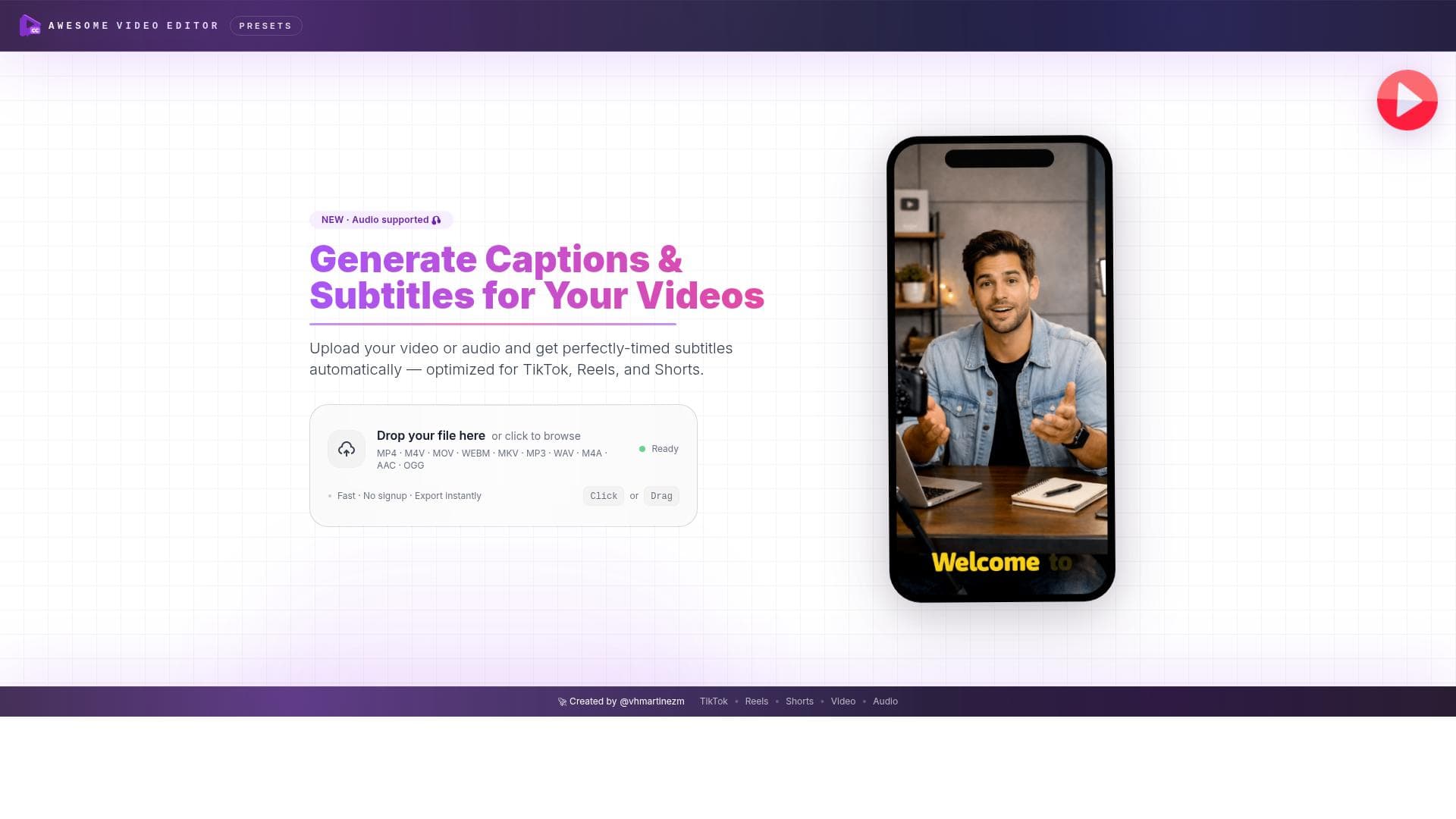
Awesome Video Editor leverages AI to automatically generate accurate subtitles for videos and audio in seconds, requiring no signup and offering fast, free processing. It's perfect for content creators, educators, and marketers looking to boost accessibility and engagement effortlessly.

Descripción
Awesome Video Editor makes it effortless to add accurate subtitles to your videos. Our AI-powered tool automatically transcribes speech into text, enhancing accessibility, engagement, and global reach. Customize, edit, and export subtitles in just a few clicks!
Descripción detallada
Awesome Video Editor is a powerful AI-driven tool designed to simplify the process of adding accurate subtitles and captions to video and audio content. Its core purpose is to enhance video accessibility, viewer engagement, and global reach by automatically transcribing spoken words into text. This eliminates the traditionally time-consuming and error-prone manual subtitling process, making it effortless for content creators, educators, marketers, and social media managers to produce professional-quality subtitled videos quickly and efficiently. At the heart of Awesome Video Editor is its advanced speech recognition technology, which automatically generates captions and subtitles with high accuracy. Users can upload their video or audio files and receive instant transcriptions that can be customized and edited directly within the platform. The tool supports rapid processing speeds, allowing subtitles to be added in seconds rather than minutes or hours. Importantly, it requires no signup, removing barriers to entry and enabling immediate use without account creation or lengthy onboarding. Key features include automatic caption generation, subtitle editing capabilities, and seamless export options. Users can adjust the timing, font style, size, and positioning of subtitles to match their branding or aesthetic preferences. The tool supports various video and audio formats, making it versatile for different content types. Its user-friendly interface ensures that even those with no prior video editing experience can navigate the subtitling process with ease. Additionally, the tool is completely free to use, making it accessible to individuals and organizations with limited budgets. Awesome Video Editor is ideal for a wide range of users. Content creators on platforms like YouTube, TikTok, and Instagram can boost viewer retention and engagement by adding subtitles that cater to viewers watching without sound. Educators and trainers can improve comprehension and accessibility for learners, including those with hearing impairments or non-native speakers. Marketing teams can expand their audience reach by providing multilingual subtitle options, while podcasters and audio producers can create transcripts to accompany their episodes. The tool’s speed and simplicity make it especially valuable for professionals needing quick turnaround times without sacrificing quality. In terms of pricing, Awesome Video Editor stands out by offering its full suite of features completely free of charge. Unlike many competitors that require subscriptions or impose usage limits, this tool allows unlimited access without hidden fees or premium tiers. This makes it an excellent choice for freelancers, small businesses, and hobbyists who need reliable subtitling without financial commitment. Compared to alternative subtitle editors and transcription services, Awesome Video Editor excels in ease of use, speed, and accessibility. Many other tools require account creation, have complex interfaces, or charge for advanced features. While some competitors may offer more extensive video editing capabilities, Awesome Video Editor focuses specifically on delivering fast, accurate, and customizable subtitle generation with minimal hassle. However, it may lack some advanced video editing functions found in comprehensive video suites. Notable limitations include the absence of direct integration with popular video hosting or social media platforms, which means users must manually upload subtitled videos after export. Additionally, while the AI transcription is highly accurate, extremely noisy audio or multiple overlapping speakers may reduce subtitle precision. Users should review and edit subtitles as needed to ensure quality. Despite these minor considerations, Awesome Video Editor remains a standout solution for anyone seeking a free, fast, and straightforward way to add subtitles and captions to their video content.
Características de la herramienta
- Automatic generation of captions and subtitles for videos
- Add subtitles to video or audio in seconds
- No signup required
- Fast processing
Descripción
✦
Awesome Video Editor leverages AI to automatically generate accurate subtitles for videos and audio in seconds, requiring no signup and offering fast, free processing. It's perfect for content creators, educators, and marketers looking to boost accessibility and engagement effortlessly.
Awesome Video Editor makes it effortless to add accurate subtitles to your videos. Our AI-powered tool automatically transcribes speech into text, enhancing accessibility, engagement, and global reach. Customize, edit, and export subtitles in just a few clicks!
Descripción detallada
Awesome Video Editor is a powerful AI-driven tool designed to simplify the process of adding accurate subtitles and captions to video and audio content. Its core purpose is to enhance video accessibility, viewer engagement, and global reach by automatically transcribing spoken words into text. This eliminates the traditionally time-consuming and error-prone manual subtitling process, making it effortless for content creators, educators, marketers, and social media managers to produce professional-quality subtitled videos quickly and efficiently. At the heart of Awesome Video Editor is its advanced speech recognition technology, which automatically generates captions and subtitles with high accuracy. Users can upload their video or audio files and receive instant transcriptions that can be customized and edited directly within the platform. The tool supports rapid processing speeds, allowing subtitles to be added in seconds rather than minutes or hours. Importantly, it requires no signup, removing barriers to entry and enabling immediate use without account creation or lengthy onboarding. Key features include automatic caption generation, subtitle editing capabilities, and seamless export options. Users can adjust the timing, font style, size, and positioning of subtitles to match their branding or aesthetic preferences. The tool supports various video and audio formats, making it versatile for different content types. Its user-friendly interface ensures that even those with no prior video editing experience can navigate the subtitling process with ease. Additionally, the tool is completely free to use, making it accessible to individuals and organizations with limited budgets. Awesome Video Editor is ideal for a wide range of users. Content creators on platforms like YouTube, TikTok, and Instagram can boost viewer retention and engagement by adding subtitles that cater to viewers watching without sound. Educators and trainers can improve comprehension and accessibility for learners, including those with hearing impairments or non-native speakers. Marketing teams can expand their audience reach by providing multilingual subtitle options, while podcasters and audio producers can create transcripts to accompany their episodes. The tool’s speed and simplicity make it especially valuable for professionals needing quick turnaround times without sacrificing quality. In terms of pricing, Awesome Video Editor stands out by offering its full suite of features completely free of charge. Unlike many competitors that require subscriptions or impose usage limits, this tool allows unlimited access without hidden fees or premium tiers. This makes it an excellent choice for freelancers, small businesses, and hobbyists who need reliable subtitling without financial commitment. Compared to alternative subtitle editors and transcription services, Awesome Video Editor excels in ease of use, speed, and accessibility. Many other tools require account creation, have complex interfaces, or charge for advanced features. While some competitors may offer more extensive video editing capabilities, Awesome Video Editor focuses specifically on delivering fast, accurate, and customizable subtitle generation with minimal hassle. However, it may lack some advanced video editing functions found in comprehensive video suites. Notable limitations include the absence of direct integration with popular video hosting or social media platforms, which means users must manually upload subtitled videos after export. Additionally, while the AI transcription is highly accurate, extremely noisy audio or multiple overlapping speakers may reduce subtitle precision. Users should review and edit subtitles as needed to ensure quality. Despite these minor considerations, Awesome Video Editor remains a standout solution for anyone seeking a free, fast, and straightforward way to add subtitles and captions to their video content.
Preguntas frecuentes
What is Awesome Video Editor?
Awesome Video Editor is an AI-powered tool that automatically transcribes speech in videos and audio files to generate accurate subtitles and captions, enhancing accessibility and viewer engagement.
How much does Awesome Video Editor cost?
Awesome Video Editor is completely free to use, with no hidden fees or premium plans.
Who is Awesome Video Editor best for?
It is ideal for content creators, educators, marketers, podcasters, and anyone needing quick, accurate subtitles to improve accessibility and audience reach.
What are the main features of Awesome Video Editor?
Key features include automatic caption and subtitle generation, subtitle customization and editing, fast processing times, no signup requirement, and support for various video and audio formats.
Does Awesome Video Editor offer a free trial?
Since Awesome Video Editor is free to use with no signup required, there is no need for a free trial.
What integrations does Awesome Video Editor support?
Currently, Awesome Video Editor does not offer direct integrations with video hosting or social media platforms; users must manually upload exported subtitled videos.
How does Awesome Video Editor work?
Users upload their video or audio files, and the AI automatically transcribes the speech to generate subtitles. These can then be customized, edited, and exported quickly without needing an account.
Reseñas
0 reseñas
Aún no hay reseñas. Sé el primero en compartir tu experiencia.
Herramientas patrocinadas











































Herramientas recomendadas
Mantente al día con las últimas herramientas de IA
Obtén las últimas novedades, únete a nuestro boletín
Leído y confiado por 50,000+ lectores
Únete a la comunidad de IA más grande
¡Nuestra comunidad y equipo están aquí para ayudarte!
Tus comentarios ayudarán a Alice AI a mejorar en futuras versiones.








Enviar tu herramienta


PoweredByAI.app es un directorio de herramientas de IA que ayuda a personas, empresas y creadores a descubrir las mejores herramientas de IA para escritura, programación, diseño, productividad y más.
© 2026 , Producto de011BQ. Todos los derechos reservados.