Destacado en:Best AI Writing Tools
Destácate →🚀 Zaprep: Tus redes sociales al máximo. Empezar gratis — automatiza 1,000 DMs/mes y convierte el engagement en leads. con 1,000 DMs automatizados/mes.
Enviar tu herramienta
25,000+ herramientas de IA ya listadas
25K+Herramientas
400K+/moVistas
105K+/moVisitantes


¿Es esta tu herramienta de IA? Reclámala hoy.
Verifica la propiedad, gestiona tu perfil y desbloquea funciones de crecimiento.
✦
Airbrush Studio is a cutting-edge AI-powered desktop photo editor tailored for effortless, professional portrait retouching and enhancement. Perfect for photographers and creators seeking high-quality skin smoothing, object removal, and photo enhancement on Windows and Mac, it streamlines complex edits into simple, effective workflows.

Descripción
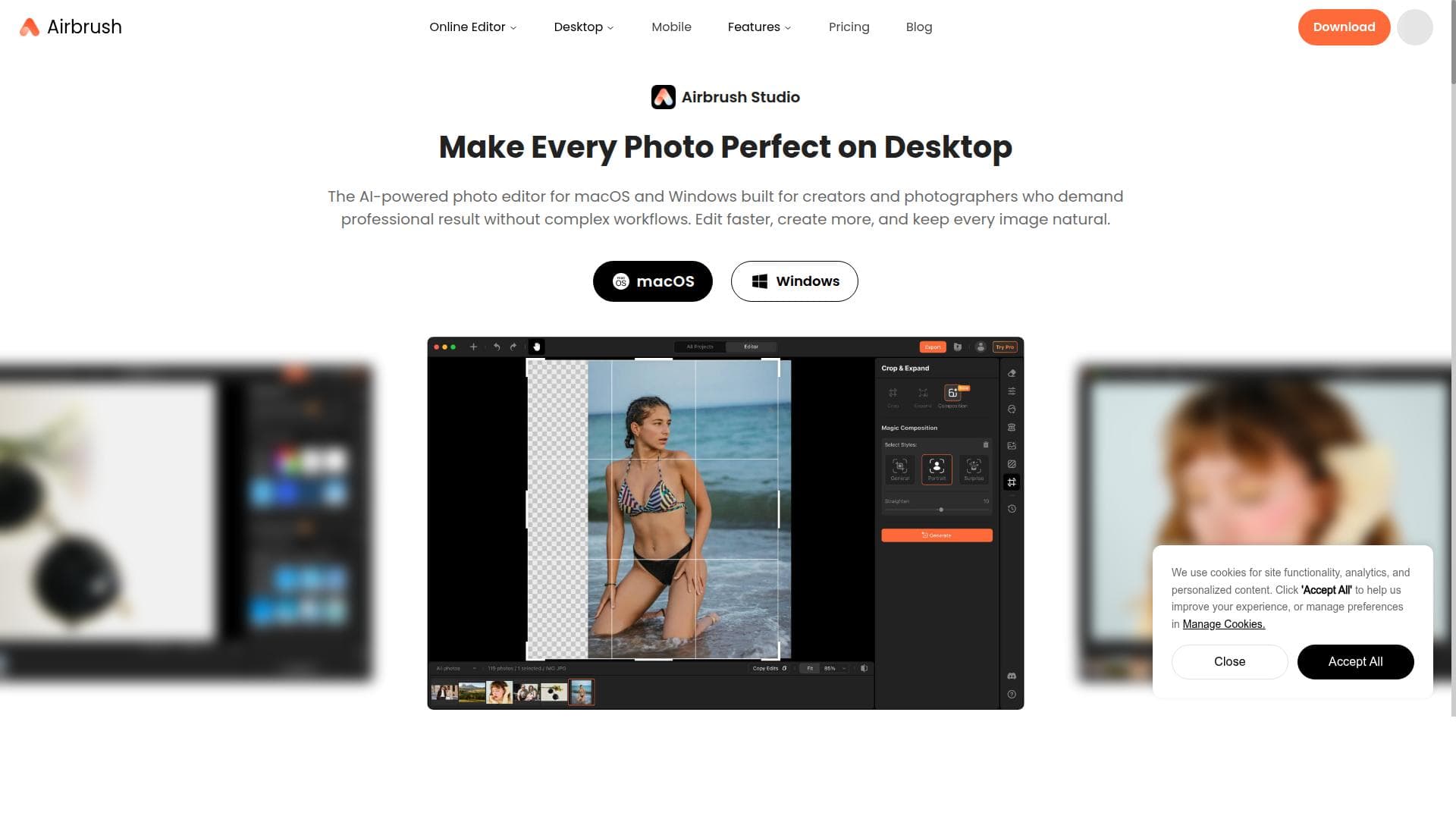
Airbrush Studio is an AI-powered photo editor built for creators and photographers who want professional-quality results without the complexity of manual editing. From portrait retouching and background cleanup to image composition, Airbrush Studio simplifies manual workflows with AI automation and task-specific presets, helping you edit faster and create more.
Descripción detallada
Airbrush Studio is a sophisticated AI-powered desktop photo editor specifically designed to enhance and retouch portrait photography with professional precision. Its core purpose is to provide creators, photographers, and digital artists with an intuitive yet powerful toolset that simplifies complex editing tasks, allowing them to produce high-quality, polished portraits effortlessly. Available on both Windows and Mac platforms, Airbrush Studio combines advanced artificial intelligence algorithms with user-friendly interfaces to deliver seamless photo enhancement experiences. At the heart of Airbrush Studio are its AI-driven portrait retouching capabilities. The software intelligently analyzes facial features to apply natural-looking skin smoothing that removes blemishes, wrinkles, and imperfections while preserving skin texture. This ensures that edits appear realistic rather than overly airbrushed. Additionally, the object removal feature leverages AI to detect and erase unwanted elements from photos, such as distracting background objects or photobombers, without compromising image quality. Beyond these, Airbrush Studio offers a suite of professional-quality photo enhancement tools including color correction, lighting adjustments, sharpening, and detail enhancement, enabling users to elevate their portraits with a single application. Airbrush Studio is best suited for a wide range of users including professional photographers, social media influencers, content creators, and hobbyists who prioritize portrait aesthetics. It is ideal for those who want to achieve studio-level retouching results without the steep learning curve of traditional photo editing software. For example, portrait photographers can quickly prepare client photos for delivery, influencers can enhance selfies and promotional images to boost engagement, and digital artists can refine character portraits with precision. The desktop nature of the software ensures that users can work offline and handle high-resolution files efficiently. Regarding pricing, Airbrush Studio typically offers a flexible model that may include a free trial period allowing users to explore its features risk-free. Paid plans generally provide full access to all editing tools and updates, with options for monthly or annual subscriptions. This pricing approach makes it accessible for both casual users and professionals who require ongoing access to advanced editing capabilities. Specific pricing details can be found on the official website, ensuring transparency and choice. When compared to alternatives, Airbrush Studio stands out due to its exclusive focus on portrait retouching powered by AI, which automates many tedious manual edits common in other photo editors. Unlike generic photo editing software that requires extensive manual adjustments, Airbrush Studio’s AI-driven tools streamline workflows and reduce editing time significantly. While competitors like Adobe Photoshop offer broader editing functions, Airbrush Studio’s specialization provides a more targeted and efficient solution for portrait enhancement. However, it may lack some advanced compositing or graphic design features found in more comprehensive suites. Notable limitations include the fact that Airbrush Studio is desktop-only, which may not suit users who prefer mobile or cloud-based editing solutions. Additionally, while AI automation is powerful, it might occasionally produce results that require manual fine-tuning for perfection, especially in complex images with unusual lighting or textures. Users should also consider system requirements to ensure optimal performance on their Windows or Mac devices. Despite these considerations, Airbrush Studio remains a compelling choice for anyone focused on achieving professional portrait retouching with minimal effort and maximum quality.
Características de la herramienta
- AI-powered portrait retouching
- Skin smoothing
- Object removal
- Professional-quality photo enhancement
- Available on Windows and Mac
Descripción
✦
Airbrush Studio is a cutting-edge AI-powered desktop photo editor tailored for effortless, professional portrait retouching and enhancement. Perfect for photographers and creators seeking high-quality skin smoothing, object removal, and photo enhancement on Windows and Mac, it streamlines complex edits into simple, effective workflows.
Airbrush Studio is an AI-powered photo editor built for creators and photographers who want professional-quality results without the complexity of manual editing. From portrait retouching and background cleanup to image composition, Airbrush Studio simplifies manual workflows with AI automation and task-specific presets, helping you edit faster and create more.
Descripción detallada
Airbrush Studio is a sophisticated AI-powered desktop photo editor specifically designed to enhance and retouch portrait photography with professional precision. Its core purpose is to provide creators, photographers, and digital artists with an intuitive yet powerful toolset that simplifies complex editing tasks, allowing them to produce high-quality, polished portraits effortlessly. Available on both Windows and Mac platforms, Airbrush Studio combines advanced artificial intelligence algorithms with user-friendly interfaces to deliver seamless photo enhancement experiences. At the heart of Airbrush Studio are its AI-driven portrait retouching capabilities. The software intelligently analyzes facial features to apply natural-looking skin smoothing that removes blemishes, wrinkles, and imperfections while preserving skin texture. This ensures that edits appear realistic rather than overly airbrushed. Additionally, the object removal feature leverages AI to detect and erase unwanted elements from photos, such as distracting background objects or photobombers, without compromising image quality. Beyond these, Airbrush Studio offers a suite of professional-quality photo enhancement tools including color correction, lighting adjustments, sharpening, and detail enhancement, enabling users to elevate their portraits with a single application. Airbrush Studio is best suited for a wide range of users including professional photographers, social media influencers, content creators, and hobbyists who prioritize portrait aesthetics. It is ideal for those who want to achieve studio-level retouching results without the steep learning curve of traditional photo editing software. For example, portrait photographers can quickly prepare client photos for delivery, influencers can enhance selfies and promotional images to boost engagement, and digital artists can refine character portraits with precision. The desktop nature of the software ensures that users can work offline and handle high-resolution files efficiently. Regarding pricing, Airbrush Studio typically offers a flexible model that may include a free trial period allowing users to explore its features risk-free. Paid plans generally provide full access to all editing tools and updates, with options for monthly or annual subscriptions. This pricing approach makes it accessible for both casual users and professionals who require ongoing access to advanced editing capabilities. Specific pricing details can be found on the official website, ensuring transparency and choice. When compared to alternatives, Airbrush Studio stands out due to its exclusive focus on portrait retouching powered by AI, which automates many tedious manual edits common in other photo editors. Unlike generic photo editing software that requires extensive manual adjustments, Airbrush Studio’s AI-driven tools streamline workflows and reduce editing time significantly. While competitors like Adobe Photoshop offer broader editing functions, Airbrush Studio’s specialization provides a more targeted and efficient solution for portrait enhancement. However, it may lack some advanced compositing or graphic design features found in more comprehensive suites. Notable limitations include the fact that Airbrush Studio is desktop-only, which may not suit users who prefer mobile or cloud-based editing solutions. Additionally, while AI automation is powerful, it might occasionally produce results that require manual fine-tuning for perfection, especially in complex images with unusual lighting or textures. Users should also consider system requirements to ensure optimal performance on their Windows or Mac devices. Despite these considerations, Airbrush Studio remains a compelling choice for anyone focused on achieving professional portrait retouching with minimal effort and maximum quality.
Preguntas frecuentes
What is Airbrush Studio?
Airbrush Studio is an AI-powered desktop photo editor designed specifically for portrait retouching and photo enhancement. It offers tools like skin smoothing, object removal, and professional-quality enhancements to help users create polished portraits easily on Windows and Mac.
How much does Airbrush Studio cost?
Airbrush Studio typically offers a free trial period followed by paid subscription plans. Pricing options usually include monthly and annual subscriptions that grant full access to all features. For the most accurate and up-to-date pricing, users should visit the official Airbrush Studio website.
Who is Airbrush Studio best for?
Airbrush Studio is ideal for professional photographers, social media influencers, content creators, and hobbyists who want to achieve high-quality portrait retouching without complex manual editing. It suits anyone looking for efficient, AI-driven tools to enhance portraits on desktop platforms.
What are the main features of Airbrush Studio?
Key features include AI-powered portrait retouching, skin smoothing that preserves natural texture, object removal to eliminate unwanted elements, and professional-quality photo enhancement tools such as color correction and sharpening. It is available for both Windows and Mac.
Does Airbrush Studio offer a free trial?
Yes, Airbrush Studio generally provides a free trial period so users can test its features before committing to a paid subscription. Details about the trial duration and access can be found on their official website.
What integrations does Airbrush Studio support?
Airbrush Studio primarily functions as a standalone desktop application for Windows and Mac. It does not focus on extensive third-party integrations but supports common image file formats for easy import and export with other software.
How does Airbrush Studio work?
Airbrush Studio uses advanced AI algorithms to analyze portrait photos and automatically apply enhancements such as skin smoothing and object removal. Users can adjust settings through an intuitive interface to customize edits, enabling quick and professional-quality results without extensive manual work.
Reseñas
0 reseñas
Aún no hay reseñas. Sé el primero en compartir tu experiencia.
Herramientas patrocinadas











































Herramientas recomendadas
Mantente al día con las últimas herramientas de IA
Obtén las últimas novedades, únete a nuestro boletín
Leído y confiado por 50,000+ lectores
Únete a la comunidad de IA más grande
¡Nuestra comunidad y equipo están aquí para ayudarte!
Tus comentarios ayudarán a Alice AI a mejorar en futuras versiones.








Enviar tu herramienta


PoweredByAI.app es un directorio de herramientas de IA que ayuda a personas, empresas y creadores a descubrir las mejores herramientas de IA para escritura, programación, diseño, productividad y más.
© 2026 , Producto de011BQ. Todos los derechos reservados.