Destacado en:Best AI Writing Tools
Destácate →🚀 Zaprep: Tus redes sociales al máximo. Empezar gratis — automatiza 1,000 DMs/mes y convierte el engagement en leads. con 1,000 DMs automatizados/mes.
Enviar tu herramienta
25,000+ herramientas de IA ya listadas
25K+Herramientas
400K+/moVistas
105K+/moVisitantes
AI Infographic Generator


✦
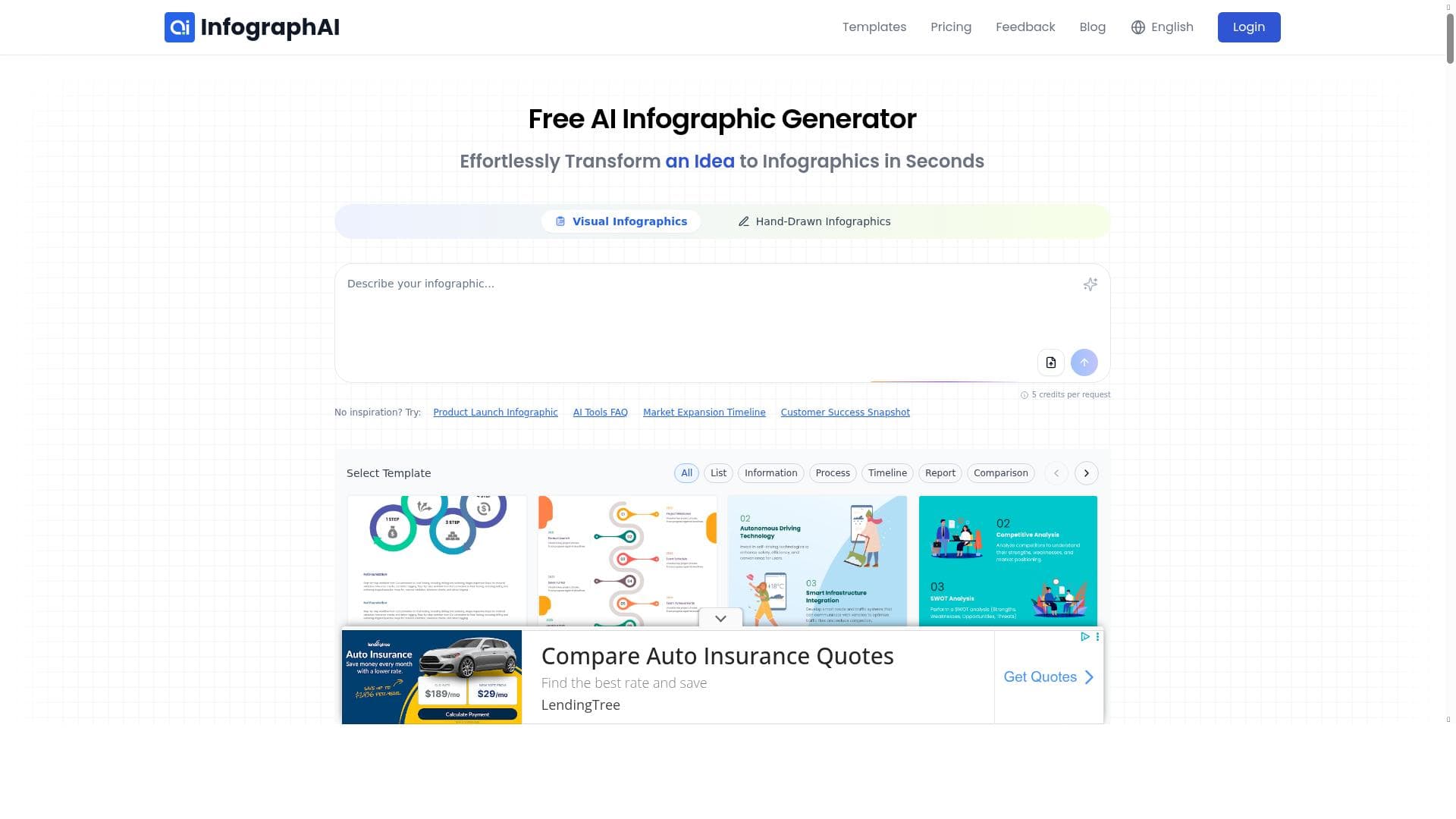
AI Infographic Generator leverages AI to transform raw data into professional, customizable infographics in minutes, making it perfect for business owners, marketers, and educators. Its intuitive interface and fast creation process set it apart as an efficient tool for anyone needing impactful visual data presentations without design expertise.

Descripción
The AI Infographic Generator is a powerful online tool that uses AI to quickly create professional infographics. Simply input your data, and the tool generates customizable templates, making it easy to design impactful visuals. Perfect for business owners, marketers, and educators, it helps present data in an engaging, visual way. With AI-driven customization, you can personalize your infographic by adding, removing, or editing elements. Once done, save and share your infographic for reports, presentations, or teaching. This AI-powered infographic maker streamlines the process, allowing you to create high-quality, data-driven infographics quickly and easily.
Descripción detallada
AI Infographic Generator is an advanced online platform designed to simplify and accelerate the creation of professional-quality infographics using artificial intelligence. At its core, the tool enables users to input raw data or information, which it then transforms into visually compelling infographic templates. This process eliminates the need for extensive graphic design skills or software expertise, making infographic creation accessible to a broad audience. The AI engine analyzes the data provided and automatically generates layouts that highlight key points effectively, ensuring that the final output is both informative and aesthetically pleasing. One of the standout features of AI Infographic Generator is its AI-powered customization capabilities. Users can easily modify generated templates by adding new elements, removing unnecessary components, or editing existing content to better align with their messaging goals. The interface is designed to be intuitive and user-friendly, allowing even those with minimal design experience to navigate and produce high-quality visuals quickly. Additionally, the platform supports fast creation times, enabling users to generate infographics in minutes rather than hours, which is particularly beneficial for time-sensitive projects. This tool is ideal for a variety of users including business owners who need to present sales data or market trends, marketers aiming to create engaging content for campaigns, and educators looking to visually enhance their teaching materials. Specific use cases include generating infographics for reports, social media posts, presentations, and educational handouts. The ability to save and share infographics directly from the platform streamlines collaboration and distribution, making it a versatile solution for both individual and team projects. AI Infographic Generator operates on a freemium pricing model, offering basic features at no cost with options to upgrade for access to premium templates, additional customization tools, and higher resolution exports. This pricing structure allows users to try the core functionalities before committing financially, making it accessible for startups and small businesses as well as larger organizations. Compared to traditional infographic design software, AI Infographic Generator stands out due to its AI-driven automation and ease of use. While many design tools require manual layout adjustments and a steep learning curve, this platform leverages AI to reduce manual effort and speed up the creative process. However, it may not offer the same depth of customization or advanced graphic design features found in professional-grade software like Adobe Illustrator. Users seeking highly intricate designs might find the tool somewhat limited but will appreciate its efficiency for standard infographic needs. Notable considerations include the reliance on AI-generated templates which, while efficient, may occasionally produce layouts that require user refinement to perfectly match complex data sets or branding requirements. Additionally, integration options with other software platforms appear limited, which could impact workflow for users needing seamless connectivity with data sources or content management systems. Despite these minor limitations, AI Infographic Generator remains a powerful and accessible tool for creating visually engaging, data-driven infographics quickly and with minimal effort.
Características de la herramienta
- AI-powered infographic generation
- Simple and intuitive user interface
- Fast creation of professional infographics
Descripción
✦
AI Infographic Generator leverages AI to transform raw data into professional, customizable infographics in minutes, making it perfect for business owners, marketers, and educators. Its intuitive interface and fast creation process set it apart as an efficient tool for anyone needing impactful visual data presentations without design expertise.
The AI Infographic Generator is a powerful online tool that uses AI to quickly create professional infographics. Simply input your data, and the tool generates customizable templates, making it easy to design impactful visuals. Perfect for business owners, marketers, and educators, it helps present data in an engaging, visual way. With AI-driven customization, you can personalize your infographic by adding, removing, or editing elements. Once done, save and share your infographic for reports, presentations, or teaching. This AI-powered infographic maker streamlines the process, allowing you to create high-quality, data-driven infographics quickly and easily.
Descripción detallada
AI Infographic Generator is an advanced online platform designed to simplify and accelerate the creation of professional-quality infographics using artificial intelligence. At its core, the tool enables users to input raw data or information, which it then transforms into visually compelling infographic templates. This process eliminates the need for extensive graphic design skills or software expertise, making infographic creation accessible to a broad audience. The AI engine analyzes the data provided and automatically generates layouts that highlight key points effectively, ensuring that the final output is both informative and aesthetically pleasing. One of the standout features of AI Infographic Generator is its AI-powered customization capabilities. Users can easily modify generated templates by adding new elements, removing unnecessary components, or editing existing content to better align with their messaging goals. The interface is designed to be intuitive and user-friendly, allowing even those with minimal design experience to navigate and produce high-quality visuals quickly. Additionally, the platform supports fast creation times, enabling users to generate infographics in minutes rather than hours, which is particularly beneficial for time-sensitive projects. This tool is ideal for a variety of users including business owners who need to present sales data or market trends, marketers aiming to create engaging content for campaigns, and educators looking to visually enhance their teaching materials. Specific use cases include generating infographics for reports, social media posts, presentations, and educational handouts. The ability to save and share infographics directly from the platform streamlines collaboration and distribution, making it a versatile solution for both individual and team projects. AI Infographic Generator operates on a freemium pricing model, offering basic features at no cost with options to upgrade for access to premium templates, additional customization tools, and higher resolution exports. This pricing structure allows users to try the core functionalities before committing financially, making it accessible for startups and small businesses as well as larger organizations. Compared to traditional infographic design software, AI Infographic Generator stands out due to its AI-driven automation and ease of use. While many design tools require manual layout adjustments and a steep learning curve, this platform leverages AI to reduce manual effort and speed up the creative process. However, it may not offer the same depth of customization or advanced graphic design features found in professional-grade software like Adobe Illustrator. Users seeking highly intricate designs might find the tool somewhat limited but will appreciate its efficiency for standard infographic needs. Notable considerations include the reliance on AI-generated templates which, while efficient, may occasionally produce layouts that require user refinement to perfectly match complex data sets or branding requirements. Additionally, integration options with other software platforms appear limited, which could impact workflow for users needing seamless connectivity with data sources or content management systems. Despite these minor limitations, AI Infographic Generator remains a powerful and accessible tool for creating visually engaging, data-driven infographics quickly and with minimal effort.
Preguntas frecuentes
What is AI Infographic Generator?
AI Infographic Generator is an online tool that uses artificial intelligence to quickly create professional and customizable infographics from user-provided data, simplifying the design process for users without graphic design experience.
How much does AI Infographic Generator cost?
The tool operates on a freemium model, offering free access to basic features with options to upgrade for premium templates, enhanced customization, and higher resolution exports.
Who is AI Infographic Generator best for?
It is best suited for business owners, marketers, educators, and anyone needing to present data visually and engagingly without extensive design skills.
What are the main features of AI Infographic Generator?
Key features include AI-powered infographic generation, an intuitive user interface, fast creation times, and customizable templates allowing users to add, remove, or edit infographic elements.
Does AI Infographic Generator offer a free trial?
Yes, the freemium model allows users to access basic features for free, effectively serving as a trial before deciding to upgrade.
What integrations does AI Infographic Generator support?
Currently, the platform has limited integration options and primarily functions as a standalone tool for creating and exporting infographics.
How does AI Infographic Generator work?
Users input their data into the platform, and the AI analyzes this information to generate customizable infographic templates, which can then be edited and personalized before saving or sharing.
Reseñas
0 reseñas
Aún no hay reseñas. Sé el primero en compartir tu experiencia.
Herramientas patrocinadas











































Herramientas recomendadas
Mantente al día con las últimas herramientas de IA
Obtén las últimas novedades, únete a nuestro boletín
Leído y confiado por 50,000+ lectores
Únete a la comunidad de IA más grande
¡Nuestra comunidad y equipo están aquí para ayudarte!
Tus comentarios ayudarán a Alice AI a mejorar en futuras versiones.








Enviar tu herramienta


PoweredByAI.app es un directorio de herramientas de IA que ayuda a personas, empresas y creadores a descubrir las mejores herramientas de IA para escritura, programación, diseño, productividad y más.
© 2026 , Producto de011BQ. Todos los derechos reservados.