Precise Edit by Ideogram


Ist das dein KI-Tool? Beanspruche es noch heute.
Bestätige die Inhaberschaft, verwalte dein Profil und schalte Wachstumsfunktionen frei.
Precise Edit empowers users to edit ultra-high-definition images up to 8K resolution while preserving original pixel quality and enhancing fine details like small text and logos. Ideal for designers and photographers who demand precision and clarity in their high-res image workflows.

Beschreibung
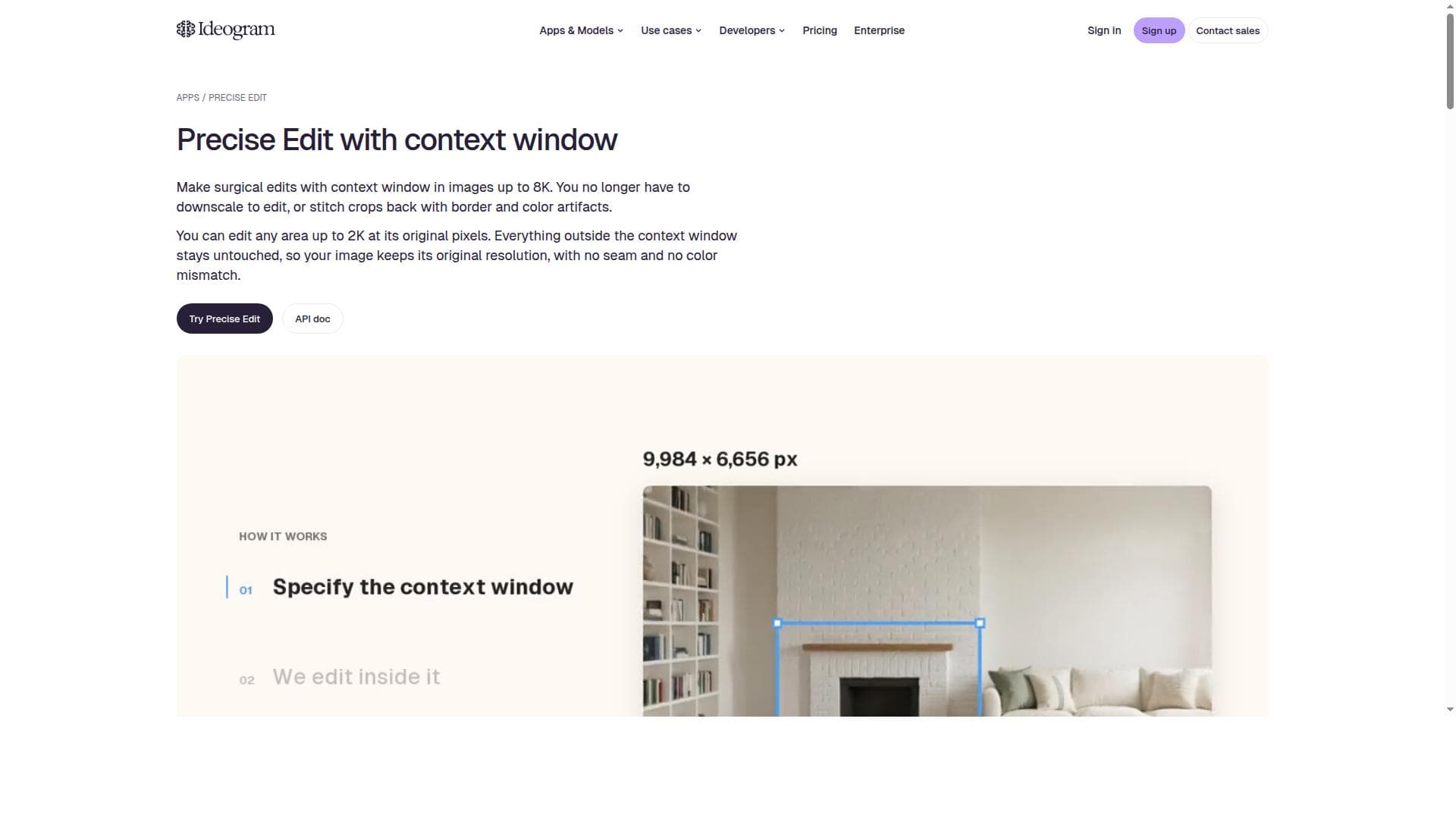
The upgraded Precise Edit supports a context window, so it edits images at any resolution up to 8K at their original pixels and renders small text, logos, and fine detail more sharply.
Ausführliche Beschreibung
Precise Edit is an advanced image editing upgrade designed to empower users with the ability to edit images at resolutions up to 8K while maintaining the original pixel quality. Its core purpose is to provide unparalleled precision and clarity in image editing, especially when working with high-resolution images that contain small text, logos, and intricate details. This tool is particularly valuable for professionals and creatives who require sharp, high-quality edits without compromising the integrity of the original image resolution. At the heart of Precise Edit's capabilities is its support for editing images at any resolution up to 8K. This means users can work on ultra-high-definition images without downscaling or losing detail, which is critical for industries such as graphic design, advertising, digital art, and photography. The upgrade maintains the original pixel quality throughout the editing process, ensuring that the final output remains crisp and true to the source material. Additionally, Precise Edit incorporates a context window feature that enhances the rendering of small elements like text and logos, which are often challenging to edit cleanly in high-resolution images. This context window allows the tool to better understand the surrounding pixels and details, resulting in sharper and more accurate edits. Precise Edit is best suited for graphic designers, marketing professionals, photographers, and digital artists who frequently work with high-resolution images and require meticulous detail preservation. Use cases include refining product images for e-commerce, enhancing marketing materials with precise logo placement, retouching photographs with fine detail, and preparing images for large-format printing where clarity at high resolution is essential. The tool's ability to handle up to 8K resolution makes it ideal for projects demanding the highest visual fidelity. Regarding pricing, Precise Edit is offered as an upgrade through the Ideogram.ai platform. While specific pricing details are not explicitly stated, it is typically available as part of a subscription or as an add-on feature to existing image editing tools on the platform. Users interested in accessing Precise Edit should visit the official website to explore current plans and any available trial options. Compared to alternative image editing tools, Precise Edit stands out due to its focus on maintaining original pixel quality at extremely high resolutions and its specialized context window for enhanced detail rendering. Many standard image editors may struggle with preserving sharpness when working with 8K images or fail to accurately render small text and logos. Precise Edit addresses these challenges by combining high-resolution support with intelligent context-aware editing, offering a superior solution for precision-demanding workflows. However, users should consider that working with 8K resolution images requires significant computing resources, including ample memory and processing power, which may limit performance on lower-end hardware. Additionally, as an upgrade, Precise Edit may require users to be familiar with the Ideogram.ai ecosystem or compatible software, which could be a consideration for those using standalone or different editing platforms. Despite these factors, Precise Edit provides a powerful enhancement for professionals seeking to elevate the quality and precision of their high-resolution image edits.
Tool-Funktionen
- Supports editing images at any resolution up to 8K
- Maintains original pixel quality during edits
- Renders small text, logos, and fine details more sharply
- Includes a context window for enhanced editing precision
Beschreibung
Precise Edit empowers users to edit ultra-high-definition images up to 8K resolution while preserving original pixel quality and enhancing fine details like small text and logos. Ideal for designers and photographers who demand precision and clarity in their high-res image workflows.
The upgraded Precise Edit supports a context window, so it edits images at any resolution up to 8K at their original pixels and renders small text, logos, and fine detail more sharply.
Ausführliche Beschreibung
Precise Edit is an advanced image editing upgrade designed to empower users with the ability to edit images at resolutions up to 8K while maintaining the original pixel quality. Its core purpose is to provide unparalleled precision and clarity in image editing, especially when working with high-resolution images that contain small text, logos, and intricate details. This tool is particularly valuable for professionals and creatives who require sharp, high-quality edits without compromising the integrity of the original image resolution. At the heart of Precise Edit's capabilities is its support for editing images at any resolution up to 8K. This means users can work on ultra-high-definition images without downscaling or losing detail, which is critical for industries such as graphic design, advertising, digital art, and photography. The upgrade maintains the original pixel quality throughout the editing process, ensuring that the final output remains crisp and true to the source material. Additionally, Precise Edit incorporates a context window feature that enhances the rendering of small elements like text and logos, which are often challenging to edit cleanly in high-resolution images. This context window allows the tool to better understand the surrounding pixels and details, resulting in sharper and more accurate edits. Precise Edit is best suited for graphic designers, marketing professionals, photographers, and digital artists who frequently work with high-resolution images and require meticulous detail preservation. Use cases include refining product images for e-commerce, enhancing marketing materials with precise logo placement, retouching photographs with fine detail, and preparing images for large-format printing where clarity at high resolution is essential. The tool's ability to handle up to 8K resolution makes it ideal for projects demanding the highest visual fidelity. Regarding pricing, Precise Edit is offered as an upgrade through the Ideogram.ai platform. While specific pricing details are not explicitly stated, it is typically available as part of a subscription or as an add-on feature to existing image editing tools on the platform. Users interested in accessing Precise Edit should visit the official website to explore current plans and any available trial options. Compared to alternative image editing tools, Precise Edit stands out due to its focus on maintaining original pixel quality at extremely high resolutions and its specialized context window for enhanced detail rendering. Many standard image editors may struggle with preserving sharpness when working with 8K images or fail to accurately render small text and logos. Precise Edit addresses these challenges by combining high-resolution support with intelligent context-aware editing, offering a superior solution for precision-demanding workflows. However, users should consider that working with 8K resolution images requires significant computing resources, including ample memory and processing power, which may limit performance on lower-end hardware. Additionally, as an upgrade, Precise Edit may require users to be familiar with the Ideogram.ai ecosystem or compatible software, which could be a consideration for those using standalone or different editing platforms. Despite these factors, Precise Edit provides a powerful enhancement for professionals seeking to elevate the quality and precision of their high-resolution image edits.
Häufig gestellte Fragen
What is Precise Edit?
Precise Edit is an image editing upgrade that allows users to edit images at resolutions up to 8K while maintaining the original pixel quality. It features a context window that enhances the sharpness of small text, logos, and fine details for more precise and high-quality edits.
How much does Precise Edit cost?
Pricing for Precise Edit is available through the Ideogram.ai platform and may be offered as part of a subscription or as an add-on upgrade. For the most accurate and current pricing details, users should visit the official website.
Who is Precise Edit best for?
Precise Edit is best suited for graphic designers, photographers, digital artists, and marketing professionals who work with high-resolution images and require precise editing of fine details such as small text and logos.
What are the main features of Precise Edit?
The main features include support for editing images at any resolution up to 8K, maintaining original pixel quality during edits, sharper rendering of small text, logos, and fine details, and a context window that enhances editing precision.
Does Precise Edit offer a free trial?
Information about a free trial is not explicitly provided. Interested users should check the Ideogram.ai website or contact their support team to inquire about trial availability.
What integrations does Precise Edit support?
Precise Edit is available as an upgrade on the Ideogram.ai platform. Details about specific third-party software integrations are not specified, so users should consult the official site for compatibility information.
How does Precise Edit work?
Precise Edit works by allowing users to edit images at their original resolution up to 8K, using a context window to analyze surrounding pixels. This enables sharper and more accurate rendering of small details like text and logos without losing pixel quality.
Social Media
Tool nutzen
Bewertungen
Noch keine Bewertungen. Teile als Erste:r deine Erfahrung.






















































